



RCS Messaging: everything you need to know about them
This article explores how RCS (Rich Communication Services) improves traditional SMS by enabling features like high-resolution media sharing, real-time typing indicators, and interactive messaging. We’ll break down how RCS works, how it transmits messages over mobile data or Wi-Fi, and what makes it different from SMS. Additionally, we’ll look at its compatibility requirements and how it changes the way messages are sent and received.
Table of Contents
What is Rich Communication Services (RCS) messaging?
Rich Communication Services (RCS) messaging is the evolution in mobile messaging, offering a richer and more interactive experience compared to traditional SMS and MMS.
RCS messages can include interactive elements like quick reply buttons, carousels, and rich media content. This makes the conversation more engaging compared to simple text messages. For example, you might see options like “Yes” or “No” buttons within the conversation or an option to track an order without leaving the chat.
Just like on messaging apps (WhatsApp, Messenger, etc.), RCS allows you to see when the other person is typing in real time. With RCS, you can see when your message has been delivered and read by the recipient, just like in modern messaging apps. Also, unlike standard SMS, which compresses images to reduce file size, RCS allows you to send high-quality, high-resolution photos. This means you can share clearer images without worrying about them losing detail or looking blurry.
RCS improves group messaging by allowing more features like managing members, adding or removing people, and seeing everyone’s responses in real-time. It also supports better media sharing within groups, making them feel more like a real-time, social experience.
The RCS Universal Profile, established by the GSMA, ensures interoperability across different carriers globally, making it a dominant specification for Rich Communication Services. As mobile operators, Google, and phone manufacturers worldwide continue to adopt RCS, it is becoming the default messaging standard for Android phones and mobile phones globally.
Are the RCS the future of messaging?
RCS (Rich Communication Services) is an advanced communication protocol that upgrades traditional SMS by using mobile data or Wi-Fi, allowing for richer, more dynamic messaging. Unlike SMS, which is limited to basic text and often compresses media, RCS supports high-resolution images, video sharing, and audio messages, offering a more immersive experience. By providing these features within the SMS framework, RCS bridges the gap between traditional text messaging and the functionality found in internet-based messaging apps. Supported by both mobile operators and Google’s Jibe Mobile infrastructure, RCS messaging is gradually becoming the global standard for Android messaging apps.
How Does RCS Work?
RCS (Rich Communication Services) works by using a more advanced communication protocol compared to traditional SMS, leveraging internet data or Wi-Fi instead of the older SMS infrastructure. Here’s a breakdown of how RCS functions:
- Data Transmission: Unlike SMS, which uses cellular networks to send text messages, RCS relies on mobile data or Wi-Fi for communication. This means that RCS messages can carry richer content (images, videos, audio) and provide more interactive features, as it operates over the internet rather than a cellular network.
- Messaging Servers: RCS messages are sent through specialized RCS servers operated by mobile carriers or third-party service providers. These servers help route the messages between senders and recipients, ensuring that richer content and features (like typing indicators, read receipts, etc.) are correctly handled.
- Messaging App Integration: To use RCS, the user needs a compatible messaging app (like Google Messages on Android), which integrates RCS functionality. The app sends RCS messages to the RCS server, which then routes them to the recipient’s server (if they also have RCS enabled).
- Compatibility: For RCS to work, both the sender and receiver need to have RCS-enabled devices, and their mobile carriers must support the RCS protocol. If either user’s carrier doesn’t support RCS, the message falls back to SMS or MMS.
- Enhanced Features: RCS allows for features such as:
- Read Receipts: You can see when your message has been read.
- Typing Indicators: You can see when the other person is typing a response.
- High-Resolution Media: RCS supports sending high-quality images, videos, and audio messages.
- Interactive Elements: Users can send buttons for quick replies, carousels for selecting options, or rich media content.
- Security: While RCS messages are not end-to-end encrypted by default, some carriers and apps are working to implement end-to-end encryption, enhancing privacy and security for users.
- Fallback to SMS/MMS: If RCS is unavailable (e.g., the recipient doesn’t have RCS or is on a network that doesn’t support it), the message will automatically fall back to SMS or MMS.
In summary, RCS works by using the internet or Wi-Fi to send messages through specialized servers that support richer media, interactivity, and real-time features. It offers a more advanced and engaging experience compared to traditional SMS but requires both parties to have compatible devices, apps, and carrier support.
Why does my phone switch from RCS to SMS?
Your phone may switch from RCS to SMS when an RCS connection is unavailable. This typically happens if you or the recipient do not have a stable mobile data or Wi-Fi connection. In such cases, messages are sent as SMS as a fallback option to ensure delivery. However, if RCS fallback to SMS is disabled in settings, messages may remain unsent until a stable connection is available.
Key features of RCS messaging
- Real-Time Messaging – See when the recipient is typing and receive read receipts.
- High-Resolution Media Sharing – Send and receive high-quality media, including larger files, high-resolution images, and video sharing.
- Group Chats – Create and manage interactive group messages with full-featured functionality.
- Location Sharing – Share your real-time location with friends and family.
- Seamless Integration – Works within your native messaging app on Android devices.
- Wi-Fi Messaging – Send messages over Wi-Fi, reducing reliance on your data plan.
- Interactive Elements – RCS messages utilize smart suggestions, buttons, and carousels in business messages, enhancing interactivity and personalized engagement.
End-to-End Encryption – Ensures private and secure messaging.
Enabling RCS messaging on your phone with Google Messages
To activate RCS messaging on your Android phone:
- Open Google Messages app.
- Tap the three-dot menu and select Settings.
- Go to Chat Features.
- Turn on RCS chats and follow the prompts.
- If prompted, verify your phone number.
- Once activated, RCS chats will be used when possible.
RCS vs. SMS and MMS: a comparison
SMS and MMS were introduced as standard messaging protocols, but they have significant limitations:
- SMS messages are limited to 1200 characters (depends on the carrier).
- MMS supports media, but with significant compression and file size restrictions.
- No Read Receipts or Typing Indicators in SMS and MMS.
- No Wi-Fi Support – requires a mobile network.
In contrast, RCS messages allow sending very long text messages, support high-resolution images and video sharing, and provide read receipts and typing indicators. RCS messaging:
- Works over Wi-Fi or mobile data.
- Enables rich features like interactive elements and business messaging.
Where is RCS messaging available?
RCS messaging is widely supported across the global RCS network, including Europe and the United States. The RCS Universal Profile, established by the GSMA, plays a crucial role in ensuring interoperability across different carriers globally. Some carriers provide RCS services directly, while others use Google’s Jibe Mobile platform to enable RCS functionality.
Is RCS available for iPhone and Android users?
Yes, RCS messaging is now supported on iOS, starting with iOS 18. With this update, iPhone users can also send and receive RCS messages when communicating with Android users.
RCS vs. OTT messaging apps
- MMS (Multimedia Messaging Service): Supports images and videos but is heavily compressed and has file size limitations.
- OTT (Over-The-Top) Messaging Apps: Apps like WhatsApp, Messenger, and other apps offer rich messaging features over the internet, but require both users to have the same app installed.
RCS Messaging: Works within Google Messages and other supported apps, though availability depends on carrier support and device settings.
RCS Business Messaging (RBM)
Businesses can leverage RCS for enhanced customer interactions. RCS Business Messaging (RBM) allows companies to:
- Send branded messages with logos and authentication.
- Use interactive buttons for customer engagement.
- Provide smart response suggestions.
- Offer richer deep link format messages with carousels and interactive experiences.
RCS and mobile data
Looking for technology that fits your workflow? Discover our products.
One of the key advantages of RCS is its minimal data usage. Designed to be data-efficient, RCS allows you to enjoy rich messaging features without worrying about exhausting your data allowance. Whether you’re sending high-resolution photos, videos, or engaging in group chats, RCS ensures that your data is used judiciously. Moreover, RCS’s compatibility with both Wi-Fi and mobile data connections means you can stay connected even when you’re on the go or traveling abroad. This global coverage ensures that you can send messages and share media without interruption, making RCS a versatile choice for modern communication.RCS group chat and interactive features
RCS group chat revolutionizes how we communicate by allowing multiple participants to engage in a single conversation seamlessly. Available on Android devices, RCS group chats come packed with interactive features that make staying connected with friends, family, and colleagues more engaging than ever.
One standout feature is the typing indicators, which show when someone is typing a message, giving you real-time feedback and making conversations feel more dynamic. Additionally, read receipts let you know when your messages have been seen, ensuring you’re always in the loop.
RCS group chats also support high-quality media sharing, allowing you to send and receive high-resolution photos and videos without worrying about compression. This makes sharing memorable moments with your group more enjoyable and visually appealing.
Managing your group chats is straightforward with RCS. You can easily add or remove participants, and if needed, exit a group chat without hassle. These management features ensure that your group conversations remain organized and relevant.
RCS E2E (End-to-End) Encryption
End-to-end encryption (E2EE) for RCS messaging between Android devices has been available in Google Messages for years, but the conversation has always stopped at the Android ecosystem boundary. That changes since May 2026. Google and Apple have jointly rolled out E2EE for RCS for iPhone users running iOS 26.5 with supported carriers, and for Android users on the latest version of Google Messages. This means that for the first time, messages exchanged between Android and iPhone users can be fully encrypted in transit, making them unreadable to anyone outside the conversation – including carriers and platform providers. Encryption is enabled by default and will be automatically applied to new and existing RCS conversations over time. It’s worth noting that the feature requires carrier support on the iPhone side, so availability will vary depending on the user’s carrier. For anyone relying on RCS as a secure communication channel, this development marks a major step forward, though it also underscores an important limitation of RCS compared to dedicated messaging apps like Signal or WhatsApp: the dependency on carrier infrastructure. You can read more about this rollout in the official Google blog post.
RCS Strategy and Best Practices
To fully harness the power of Rich Communication Services (RCS), it’s essential to have a clear strategy and follow best practices. Here are some tips to help you get the most out of RCS:
- Define Your Goals: Determine what you aim to achieve with RCS. Whether it’s improving customer engagement, boosting sales, or enhancing customer service, having clear objectives will guide your use of RCS features.
- Utilize High-Quality Media: RCS supports high-resolution photos and videos. Use this feature to make your messages more visually appealing and engaging.
- Leverage Typing Indicators and Read Receipts: These features can enhance your interactions by providing real-time feedback and ensuring that your messages are seen.
- Manage Your Group Chats Effectively: RCS group chat is a powerful tool for engaging with multiple people simultaneously. Keep your group chats organized by managing participants and maintaining relevant conversations.
By following these best practices, you can maximize the benefits of RCS and create a more interactive and engaging messaging experience.
To sum it up
RCS messaging is transforming how we communicate, providing a feature-rich alternative to SMS and MMS. Whether for personal or business use, RCS offers a more interactive experience, including high-resolution photos, message reactions, profile pictures, and interactive features. As adoption continues to grow, RCS messaging will shape the future of mobile communication, making texting more dynamic and powerful than ever before.
If you’re not using RCS yet, turn on RCS chats today and experience the future of messaging!
FAQ
What is RCS messaging and how is it different from SMS?
What happens if RCS is not available?
If the recipient’s device, carrier, or connection does not support RCS, the message can automatically fall back to SMS or MMS. This helps ensure that the message can still be delivered even when an RCS connection is unavailable.
Is RCS available on both Android and iPhone?
Yes. RCS is supported on Android devices and is also available for iPhone users starting with iOS 18, enabling richer messaging between iPhone and Android users when their carriers support the service.
Can businesses use RCS to communicate with customers?
Yes. RCS Business Messaging (RBM) allows companies to send branded and interactive messages, including logos, authentication, quick-action buttons, smart replies, deep links, and carousels. This can make customer communication more engaging than standard SMS.

Addressing the critical needs of your BMS












SMSEagle can be integrated with the most popular BM / SCADA systems
Additionally we provide custom integration services to tailor SMS solutions to your specific business needs.
Over 40 features for BMS alerts:
SMS alerts & notifications
Immediate notifications about critical building system statuses, such as HVAC failures, security breaches, or fire alarms, ensuring prompt response to issues.
Voice Alerts
Text-to-speech voice messages to building management and maintenance teams for immediate attention to critical issues, such as system malfunctions or security breaches, ensuring prompt action and resolution.
Wake up calls
Wake Up Calls are ring-only phone calls designed to notify maintenace staff about important events, ensuring that key personnel are informed and ready to respond promptly even during a night.
Escalation
Built-in escalation feature manages the escalation process for alerts by sending them to a group group members until one of the users responds in time.
Scheduling
Sends automated reminders and alerts for routine maintenance, system checks, or energy usage reports, helping to ensure timely upkeep and efficiency of building systems.
Modem Failover
Ensures continuous communication by automatically switching to a backup modem if the primary one fails, maintaining reliable messaging capabilities during network outages.
Shift Management
Shift Management streamlines scheduling and communication for staff in the building automation center by directing messages to only on-shift staff.
HA Cluster
Ensures high availability and reliability of systems by using easy to setup master-backup cluster of 2 devices that increase fault-less configuration.
DI/DO
Allows monitoring and control of physical devices and sensors in the building automation system through SMS, enabling actions like remotely resetting systems or receiving alerts from sensors directly to mobile devices.
Email to SMS
Allows conversion of emails into SMS messages, ensuring that critical updates and alerts reach maintenance staff or security personnel who might not be checking email constantly.
SMS alerting for building automation
SMSEagle offers reliable SMS alert systems that send instant messages to building managers and repair teams about urgent problems, system breakdowns, and upkeep reminders. This helps teams to tackle issues right away cutting down on outages and keeping buildings working at their best.

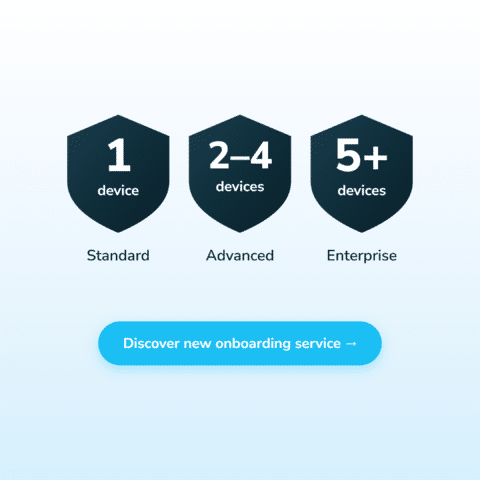
SMSEagle Onboarding Services: expert-guided setup of your SMS gateway
Your SMSEagle gateway has just arrived, and ahead of you are network parameters, SIM and APN settings, firmware, users and your first Email-to-SMS flow or API call. None of it is rocket science, but the first time it takes a while. That’s why we’ve launched the SMSEagle Onboarding Service: online video meetings with our expert, who guides you through the setup of your device.
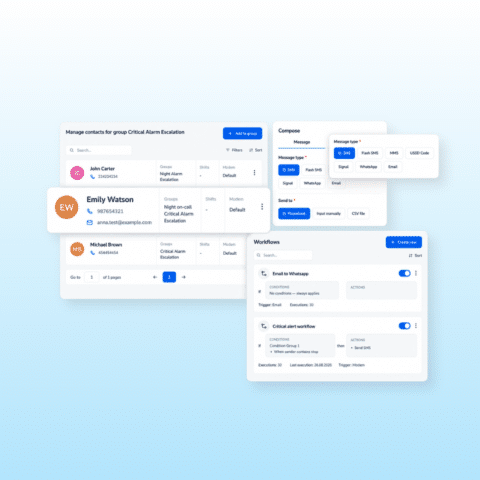
SMSEagle 7.0 is here: our biggest interface redesign yet
Today is the day! SMSEagle 7.0 is now available. The release introduces a completely redesigned user experience with improved navigation, streamlined workflows, and a more intuitive way to manage communications. Discover what has changed and what early users think about the update.
36 hours of SMS downtime: what the Vonage outage reveals about the resilience of cloud services
In May 2026, a fire at the NorthC data center in Almere, the Netherlands, caused a major disruption to Vonage’s SMS services. Some customers lost access to key services such as SMS API, Messages API, and Verify API, while some systems took more than 36 hours to recover. An additional issue affecting the Numbers Deactivation API, linked to the same incident, continued until May 11, four days after the fire.

Engineer by education, marketer by choice. For 6+ years I've combined technology, data, and content marketing to help companies gain a competitive advantage and achieve measurable results. As a Technical Content Specialist at SMSEagle, I develop brand messaging and content that support sales, customer education, and market positioning. A degree in Information Systems gave me an unique perspective at the intersection of business and technology. I believe quality is the only thing worth scaling.