Home / Features / Email to SMS

Email to SMS gateway - send alerts directly from any email client

SMSEagle’s email to SMS gateway lets you convert any email into a text message — delivered directly to a recipient’s mobile phone via the cellular network. Sending SMS via email takes just a few clicks. No additional software. No cloud dependency. Just send an email from your existing email client, and it arrives as an SMS on the other end. Get started with a free account and free credit to test the service.

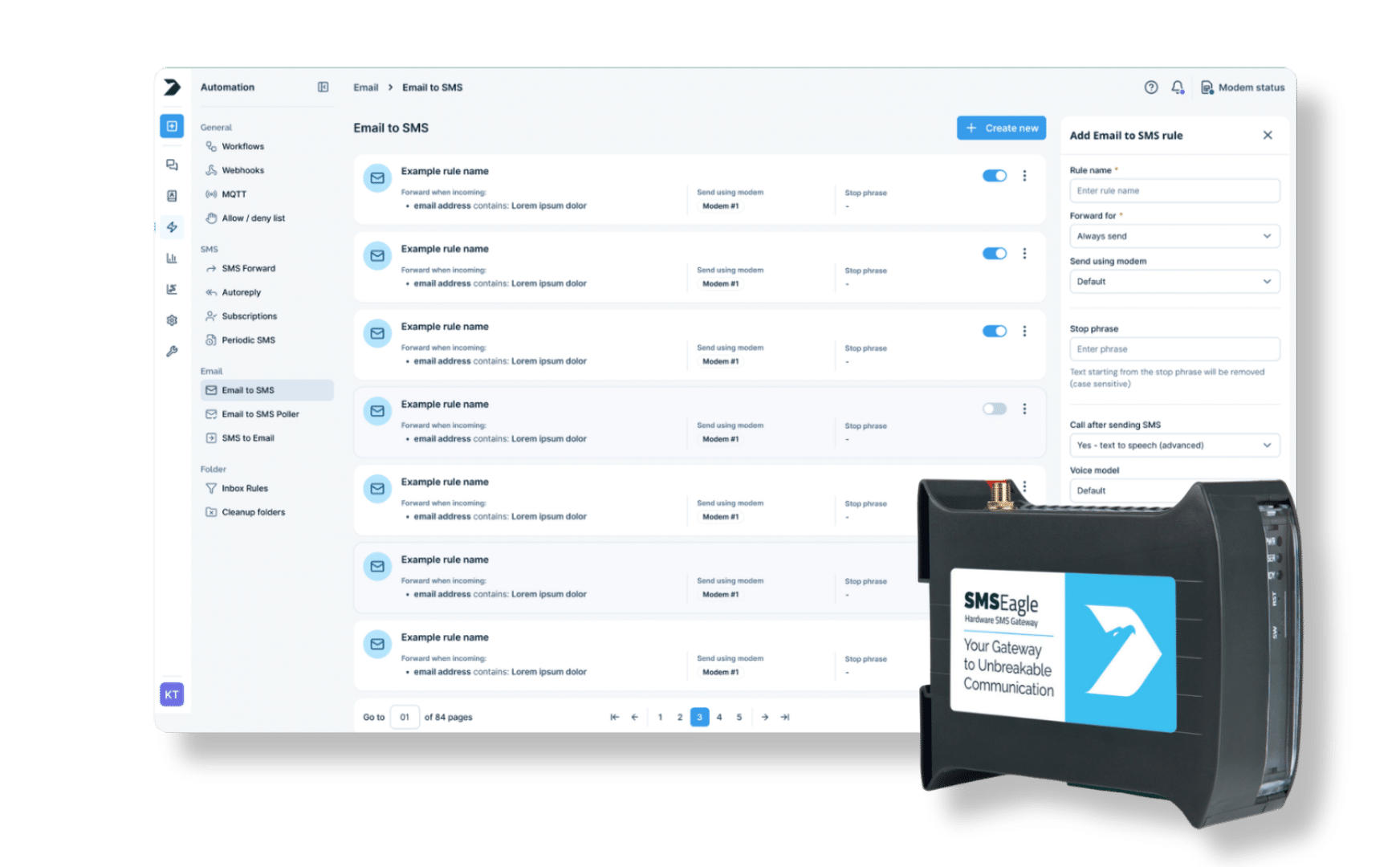
Email‑to‑SMS gateway dashboard for secure SMS notifications from email systems

How SMSEagle Email to SMS works?

Email to SMS is a transformative service that allows users to send SMS messages directly from their email account, making SMS communication as simple as sending an email. By bridging the gap between email and SMS, this solution empowers users to reach contacts instantly, regardless of device or location. This seamless connection between email and sms ensures that important messages are delivered quickly and reliably, enhancing the way users communicate and collaborate.It’s often used by IT teams, businesses, or alert systems when they want to trigger a text from tools that can only send emails. 

With SMSEagle Email to SMS you can:

Send Single

Send text to a single recipient

Email to SMS allows you to conveniently contact a specified recipient by converting your Email to an SMS text message.

Two-way communication icon — WhatsApp and SMS channels connected via SMSEagle

Send your messages
to groups

Email to SMS allows you to contact a group of recipients by converting your Email to many SMS messages.

icon_email to sms@2x

Receive SMS replies in an email *

SMS to Email allows you to conveniently view replies to your SMS messages in your Email inbox.

(*) This solution can go both ways, the recipients can send an SMS (text message) and you can receive SMS via email. See SMS to Email for more details.

Watch a short video presentation on how Email to SMS function works.

Real uses: who sends SMS messages via Email

IT administrators receiving automated Email‑to‑SMS alerts about system outages

IT & Monitoring Teams

SMSEagle delivers reliable SMS alerts for IT teams by automatically sending critical notifications, system failure alerts, and messages from network monitoring and authentication systems. With over 60 ready‑to‑use integrations and support for custom integrations, SMS alerts can be easily deployed within existing IT environments.

Factory maintenance team receiving SMS alerts about equipment failures and system changes

Factories

Real‑time email‑to‑SMS alerts enable continuous monitoring of production equipment via digital inputs and outputs, allowing immediate detection of critical state changes and system failures. Automated SMS notifications help prevent costly downtime, save time, and ensure the right people are informed exactly when needed — supporting smooth and reliable operations.

Construction worker in a suit and blue hard hat holding a clipboard beside a spotted Dalmatian at a building site with security cameras nearby.

Building Automation

SMS notifications sent from Building Management Systems (BMS) keep teams informed about infrastructure failures and critical technical issues. Automated SMS alerts reach facility managers and maintenance teams instantly, reducing response time, minimizing downtime, and ensuring no important event is missed — helping maintain operational continuity and efficiency.

Basic usage

If the function is enabled, email sent to the email address:

PHONE_NUMBER@IP_ADDRESS_OF_SMSEAGLE
will be converted to SMS message.

where:
PHONE_NUMBER
 – is a destination phone number
IP_ADDRESS_OF_SMSEAGLE – is the IP address of your device.
The text of the email is the text of the SMS message (optionally you can append email subject at the beginning of SMS message).

Example: email message sent to the address: 123456789@192.168.0.101 will be converted to SMS message and delivered to phone number 123456789.

Send to username / group

This feature is available in software version 2.5 and higher. Email sent to the email address:

NAME_IN_PHONEBOOK@IP_ADDRESS_OF_SMSEAGLE
will be converted to SMS message and will be sent to a user or users group from SMSEagle’s phonebook.

where:
NAME_IN_PHONEBOOK
 – is a username or group name (must be a public group) from SMSEagle’s phonebook
IP_ADDRESS_OF_SMSEAGLE – is the IP address of your device.
The text of the email is the text of the SMS message (optionally you can append email subject at the beginning of SMS message).

Example: email message sent to the address: db-admins@192.168.0.101 will be converted to SMS message and delivered to all members of db-admin group. The db-admin group must be defined in your SMSEagle phonebook.

Using FQDN in email address

It is also possible to use Fully Qualified Domain Name in an email address sent to SMSEagle box (eg.: 123456789@mydomain.com). Please refer to our FAQ article: How do I configure Email2SMS plugin to accept FQDN email addresses for more details.

Send to LDAP / contacts / groups

If your company uses LDAP (Active Directory or OpenLDAP) for contacts management, you may use LDAP Contacts or Groups to send email to SMS text message.

Example: email message sent to the address: myldap-admins1@192.168.0.101 will be converted to SMS message and delivered to all members of myldap-admins1 group. The myldap-admins1 group must be defined in your LDAP directory and LDAP plugin must be configured on your SMSEagle device.

Configuration

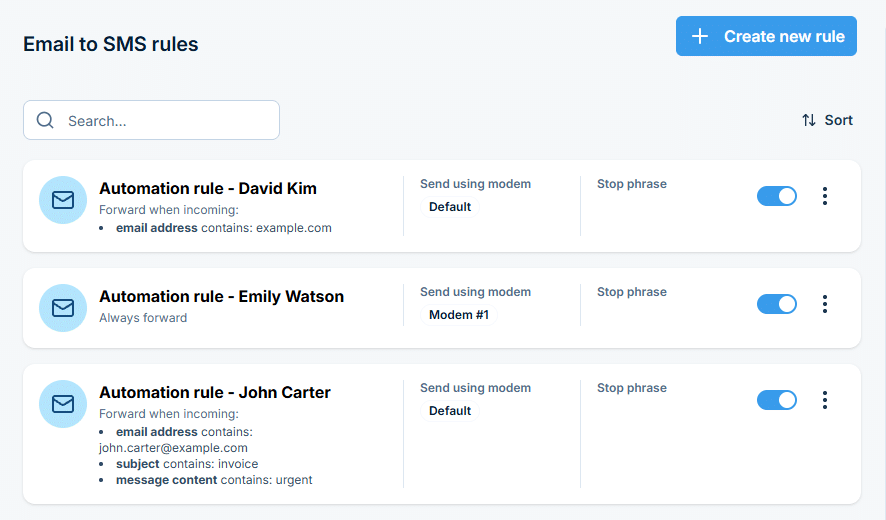
For your convenience “Email To SMS” feature allows you to add several rules that define what happens with incoming email.

Email‑to‑SMS gateway initial configuration screen for secure message delivery

Adding/editing rules

For each rule a user can define:

  • If forwarding should always be sent or only form specified senders/when email contains
  • Specify the incoming email address
  • Specify the text of the message
  • *For multi-modem devices users can also define from which modem the SMS is sent.*
Email‑to‑SMS routing settings defining message flow and recipients

Authentication

If you want to use user authentication, set ‘What to do with email subject’ setting to ‘Use for authentication’. If user authentication is enabled, provide in a subject of an email your login and password in the following form: login=john&pass=doe OR provide API access token in the following form: access_token=toke

Configuration of email connection for automated Email‑to‑SMS messaging

Voice calls

SMS message that was converted from email can be optionally followed by a wake-up call or text-to-speech call. This can be enabled in the rule definition. The feature requires a device with active Voice-Call add-on.

Picture of Radosław Janowski

Radosław Janowski

CEO & Product Lead at SMSEagle

"Email to SMS sounds simple, and the setup really is. If your system or your team can send an email, they're already integrated. But what our customers kept running into with cloud-based alternatives was dependency - on uptime, on third-party servers, on per-message pricing that scaled unpredictably. We built this feature into the hardware specifically so that a monitoring alert or a critical notification doesn't depend on anyone else's infrastructure to get through."

SMSEagle privacy & security

World globe with a blue ribbon and star, signaling international award/recognition.

Aligned with international standards

We maintain a certified Information Security Management System (ISMS) in compliance with ISO/IEC 27001:2022, ensuring rigorous security across all operations. Our framework incorporates EN 18031 European cybersecurity standards, GDPR data privacy requirements, and Environmental Protection Policy.

Verified security badge: blue shield outline with a dark circle and white checkmark indicating protection and trust.

Proactive vulnerability management

We log, rank, and address reported security issues seriously and swiftly. Vulnerability reports are acknowledged and resolved following a structured incident response process, including documentation and system updates.

icon_device

Global device certifications

Our devices are certified for major global markets: CE, FCC, ISED, UKCA, PTCRB, RCM, IMDA, TDRA, CB Scheme, and carrier-approved by Verizon and AT&T*.

* Certification levels may vary between models.

icon_long product lifespan@2x

Regular updates and patching

We deliver consistent software updates, enhancing both functionality and security. Updates are accessible through the web GUI, ensuring your device remains current with the latest defenses.

What is hardware SMS/MMS gateway, and how can it help you with sending email to SMS.

A hardware SMS/MMS gateway is a dedicated device that enables businesses to send and receive SMS/MMS messages directly through cellular carriers. No need for 3rd party online services,  Internet is not required. SMSEagle solutions offer enhanced control, reliability, and efficiency in SMS communication, making it ideal for various applications and industries.

Learn which solution is better for sending email to SMS: hardware or online SMS gateway?

Hardware SMS Gateways and Online SMS Gateways are two options for businesses and organizations to send and receive SMS messages. Here we compare the key differences between these two options to help you determine which solution is best for your business needs.

Try out SMSEagle Email to Text with
14-day free trial.

SMSEagle is a hardware & software solution that guarantees a swift delivery of your messages to designated recipients, whether it’s for notifications, alerts, or important updates. 

Register now to get a remote access to our physical device NXS-9750. 

Email to SMS - FAQ

What is email to SMS gateway service?

An email to SMS gateway service converts emails into text messages that are delivered to mobile phones. It allows users to send SMS messages directly from their email client without needing additional software. This service bridges email and SMS, enabling fast and reliable communication.

Absolutely. SMSEagle enables you to send SMS messages directly from your email client by simply sending an email to a specific address configured in the device. This process requires no extra software and uses built-in SIM cards to deliver messages reliably over mobile networks.

To send email to SMS using SMSEagle, compose a standard email in your email client and address it to the recipient’s phone number followed by your SMSEagle device’s IP address (e.g., 123456789@192.168.0.101). The email body will be converted into an SMS and sent directly to the recipient’s mobile number. No carrier gateway needed. Make sure your email address is registered as an allowed sender in SMSEagle settings (whitelist the sender’s email).

No. SMS is sent via SIM cards and mobile networks. You only need internet access for using features like email-to-SMS, web interface access, API communication, or firmware updates.

Yes. SMSEagle supports integration with tools like Zabbix, PRTG, Nagios, LibreNMS, and others. You can also integrate with your own apps using email triggers, the API, SNMP, or webhooks.

No. SMS is sent via SIM cards and mobile networks. You only need internet access for using features like email-to-SMS, web interface access, API communication, or firmware updates.

Yes. It runs on your local network, so no data leaves your infrastructure. You can set up HTTPS, restrict access by IP, assign user roles, and control device access with a firewall or VPN.

A hardware SMS gateway (like SMSEagle) is a physical device with SIM cards that sends and receives SMS directly through mobile networks. It doesn’t rely on external APIs or internet-based services.

Benefits include:

  • Works even when internet goes down
  • No third-party services or fees per message (only your SIM plan)
  • Local control and better privacy
  • Two-way SMS support

Yes, SMSEagle offers a free 14-day demo to test the email to SMS service. You can sign up and try the demo to experience how easily you can send SMS messages from your email. [Link to demo signup]

It’s the mobile network the recipient uses (like T-Mobile, Vodafone, or Orange). If you send texts through email-to-SMS gateways, you need to know the carrier to format the address correctly. With SMSEagle, you don’t need the carrier info — just the phone number.

Two-way messaging means the recipient can reply to your SMS and their response comes back to your system. SMSEagle fully supports this using SIM cards. Just keep in mind that if you use a custom alphanumeric sender ID, replies won’t work — because it’s not a real number.

That depends on the model:

  • NXS-9700-4G models come with 1 or 2 modems (1 or 2 SIM cards).

Only the MHD-8100-4G model supports 8 modems/SIMs — great for high-volume use, load balancing, or using multiple mobile networks.

What is hardware
SMS Gateway?

Find a detailed description
in the User's Manual