


Home / Integration plugins / Danfoss SMS and Voice Calls Integration

+

Send SMS/voice alerts from Danfoss System Manager AK-SM

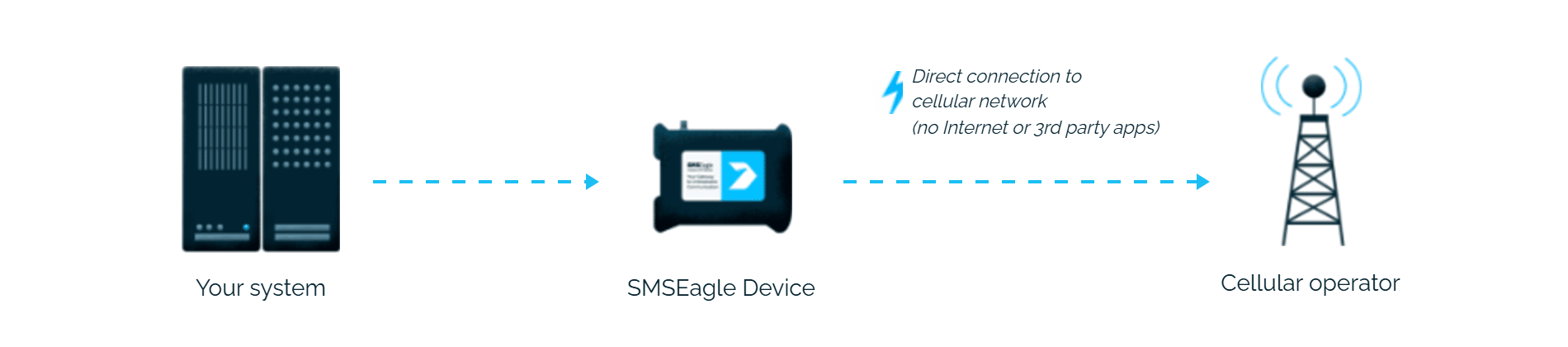
Danfoss System Manager AK-SM alerts reach the person on duty as an SMS or a phone call. SMSEagle sends them over its own cellular connection, so they don’t depend on internet access or a cloud service.

No external SMS service needed

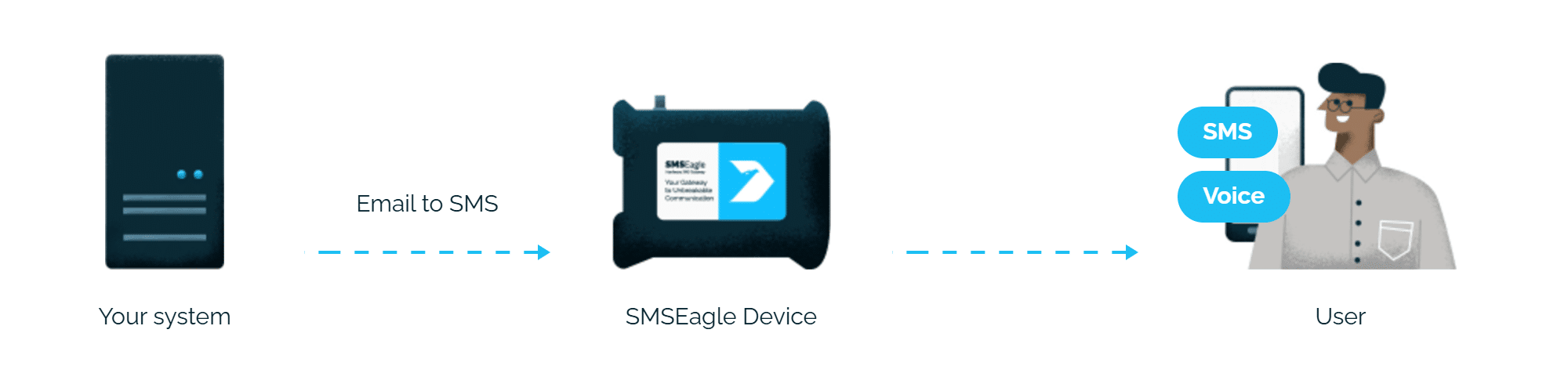
AK-SM already sends alarms by email. SMSEagle turns that email into an SMS, so you don’t need an extra SMS module or a cloud SMS service.

Alarms get through without internet

SMSEagle sends through its own SIM card, so a cooling failure that also takes down the site’s internet doesn’t stop the alarm from reaching a technician.

No mail server needed

SMSEagle can receive emails from Danfoss AK-SM itself, so alerts don’t depend on your company mail server.

How it works

1

AK-SM alarm triggers

A temperature excursion, sensor fault, or system alarm configured in AK-SM’s Alarms module fires.

2

Email sent to SMSEagle

AK-SM’s email Connection sends the alarm to an address in the form phonenumber@SMSEagle_IP.

3

SMS - and optional voice call

SMSEagle delivers the alert over its own cellular connection, not through a third-party service, as an SMS or a phone call to the recipient’s phone.

Set up in about 10 minutes

No custom scripting or Danfoss plugin required. AK-SM already supports alarm dispatch by email – point it at SMSEagle’s built-in Email to SMS plugin and refrigeration and HVAC alarms are texting your team in about 10-15 minutes.

SMSEagle sends Danfoss AK-SM alerts to the right person by SMS or phone call, day and night.

SMS and voice calls from one device

SMSEagle sends Danfoss AK-SM alerts as an SMS, a ring-only call or a call that reads the alert aloud, all from a single device.

Fill-in-the-call-65

If the first person doesn't respond, the alert is sent to the next

Escalation groups and shift schedules make sure the Danfoss AK-SM alert reaches the person on duty, and the next person on the list if nobody responds.

Alerts keep working even if one device fails

Two SMSEagle devices can work as an HA cluster: if one fails, the other takes over sending.

SMSEagle configuration

This integration will use Email To SMS plugin (see details: Email To SMS plugin). This plugin is included in each version of SMSEagle device.
  • Enable Email To SMS plugin in the web interface: Settings > Channels > Email > Email to SMS.
  • Create a forwarding rule in Automation > Email > Email to SMS. You can forward all emails to SMS or emails from specific domains.

Danfoss System Manager AK-SM configuration

1. Go to Configuration -> Alarms

2. In the Connection tab create a new one with the type: email

  • Put the correct name or IP address of your SMTP server
  • In the SendTo field configure email recipients, e.g 123456789@192.168.0.101
    123456789 is your cellphone number
    192.168.1.101 is your SMSEagle’s IP address
  • ReplyTo is your desired sender email
  • Configure Scheduler to enable email sending.

3. (Optional) – use SMSEagle as SMTP server

  • You can put the SMSEagle IP as SMTP server if you don’t have your own running in your LAN and use it for sending emails


Wake-up Calls & Text-to-speech Calls (optional)

SMSEagle has a voice feature that offers wake-up calls for urgent ring-only alerts or text-to-speech calls to convert text alerts into voice calls. Complete the following steps if you want to add a follow-up voice call:

  • in the SMSEagle web interface: Automation > Email > Email to SMS edit the forwarding rule you created earlier
  • in the parameter “Call after sending SMS” choose a desired value:
    • Ring only: SMS will be followed with a wake-up (ring only) call
    • Yes – text to speech: SMS will be followed with a simple text-to-speech voice call (English language only)
    • Yes – text to speech (advanced): SMS will be followed with a text-to-speech voice call (better quality & multiple language support)

Explore SMSEagle Demo device

SMSEagle is a hardware & software solution that guarantees a swift delivery of your messages to designated recipients, whether it’s for notifications, alerts, or important updates.

After registering to a demo you get a remote access to our physical device NXS-9750.

  • 14-days free trial
  • Access to over 20 functionalities

What is hardware
SMS Gateway?

Learn more about
SMSEagle features
