
Home / Industries / Easy Man SMS Integration

Easy Man SMS alerts and notifications – integration manual

Here we describe how to send SMS alerts from Easy Man / Easy Look using SMSEagle Hardware SMS Gateway.

SMSEagle is an offline hardware SMS gateway. Therefore, no external connection to 3rd party system is required. All notifications are generated on-premise and sent directly to a cellular network. This solution can be used in secure installations without Internet access.

Setup is easy and should take 10-15 min to complete.

SMSEagle Setup

  1. Create a new user in SMSEagle (menu Users > + Add Users).
  2. Grant API access to the created user:
    • click Access to API beside the newly created user
    • Enable APIv1
    • Generate new token (copy it for later use)
    • Add access permissions in section APIv1 Permission for: send_sms, send_tocontact, send_togroup
    • Save settings

Easy Man Setup

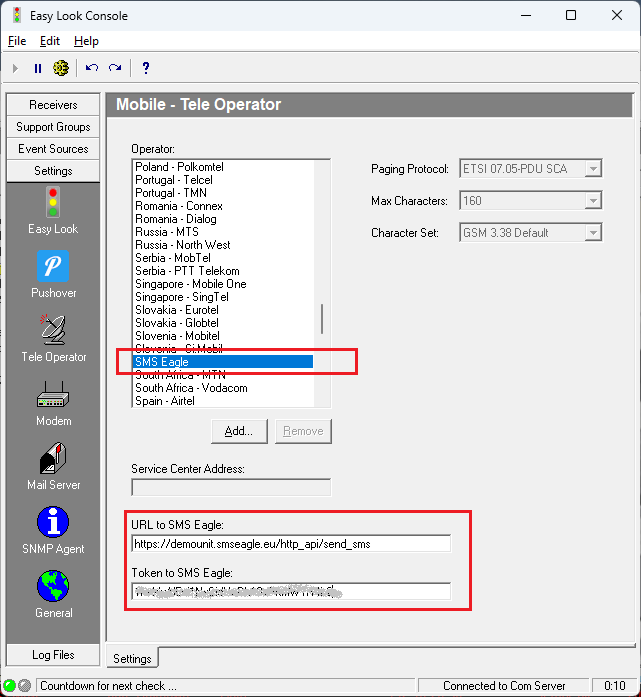
  1. Go to Settings/Tele Operator.
a) Select “SMS Eagle” from the list
 
b) change URL to SMSEagle device to: http://IP.ADDRESS.OF.SMSEAGLE/http_api/send_sms
where IP.ADDRESS.OF.SMSEAGLE is the actual IP or domain name of your SMSEagle device
 
c) insert a token to your SMSEagle API that was created in the point above
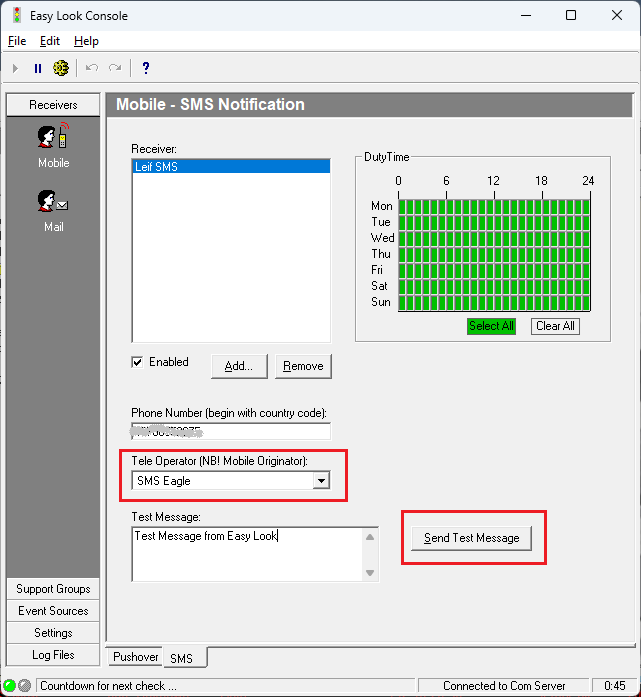
  1. Goto Receivers/Mobile and tab SMS.

Choose SMS Eagle for each user you add.

Send a Test Message.

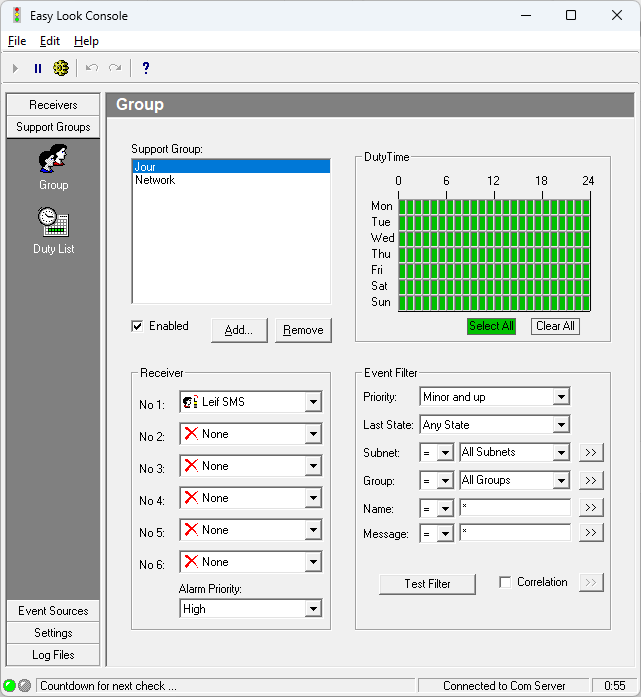
  1. When this is working, go to Support Group and configure all rules for alarms.

Explore SMSEagle Demo device

SMSEagle is a hardware & software solution that guarantees a swift delivery of your messages to designated recipients, whether it’s for notifications, alerts, or important updates.

After registering to a demo you get a remote access to our physical device NXS-9750.

  • 14-days free trial
  • Access to over 20 functionalities