

[Webinar] How To Stop Missing Critical Alerts in Your Niagara4 Projects
What happens when your system detects a critical issue… and no one reacts? In many Niagara4 deployments, alerts work as expected. But they still don’t reach the right person at
Here we describe how to setup Centreon with SMSEagle for SMS notifications. It should take you about 5 min to have it up and running.
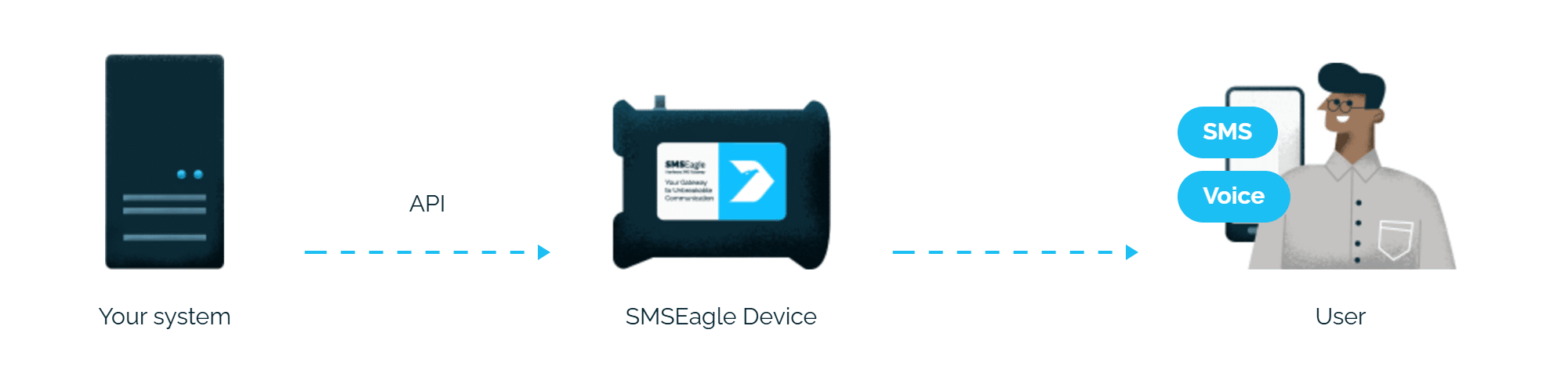
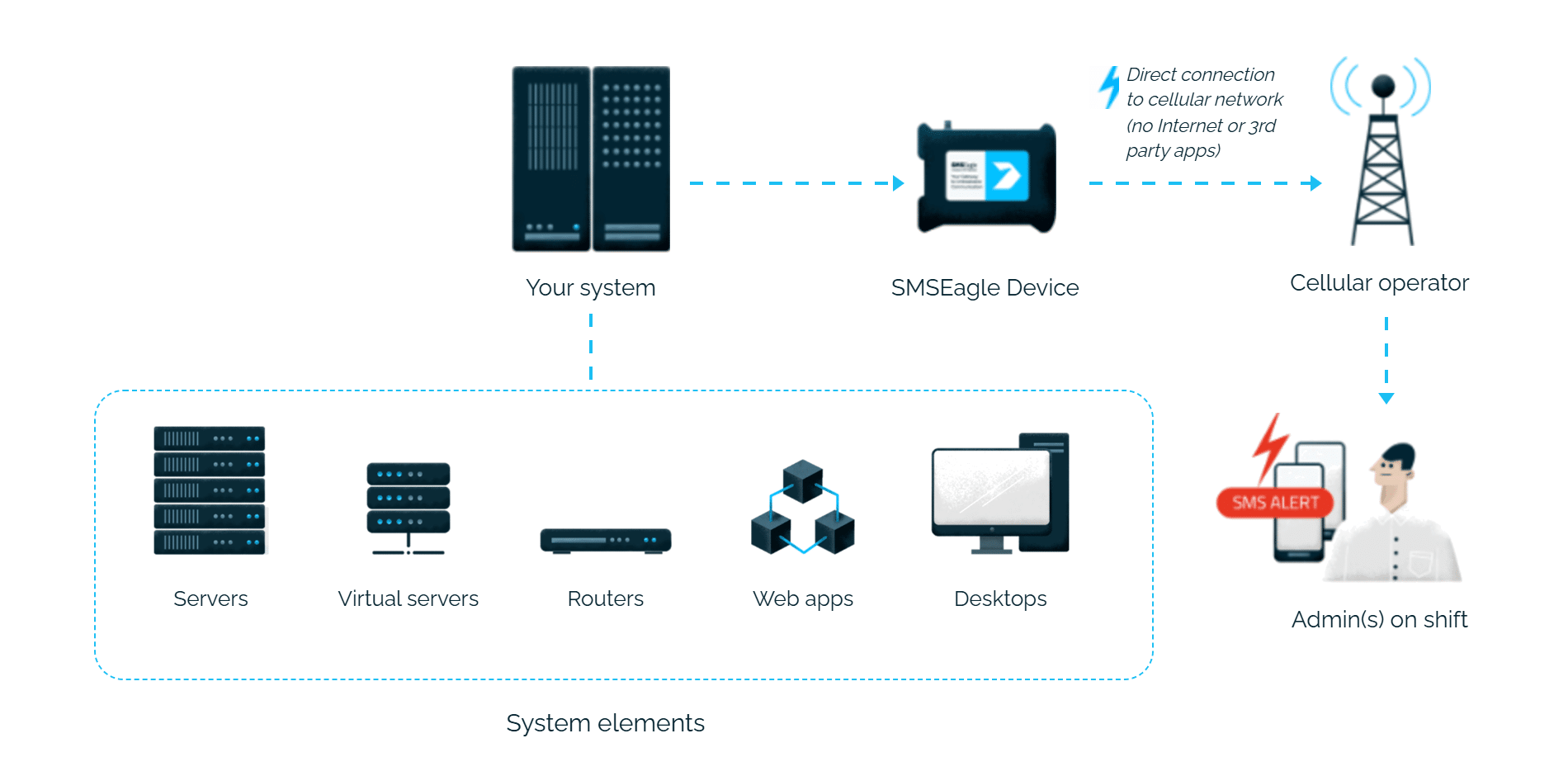
SMSEagle is an offline hardware SMS gateway. Therefore no external connection to 3rd party system is required. All notifications are generated on-premise and sent directly to a cellular network. This solution can be used in secure installations without Internet access.
1. Download latest version of the script notify_eagle_sms.pl from our repository: https://github.com/smseagle/smseagle-nagios
Place the plugin in your Centreon plugins directory – usually /usr/lib/centreon/plugins/
2. Create the SMS notification commands.
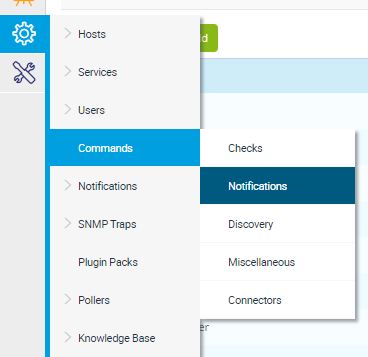
Go to: Configuration -> Commands -> Notifications.
Press Add new button.
Before you paste the code, please remember to:
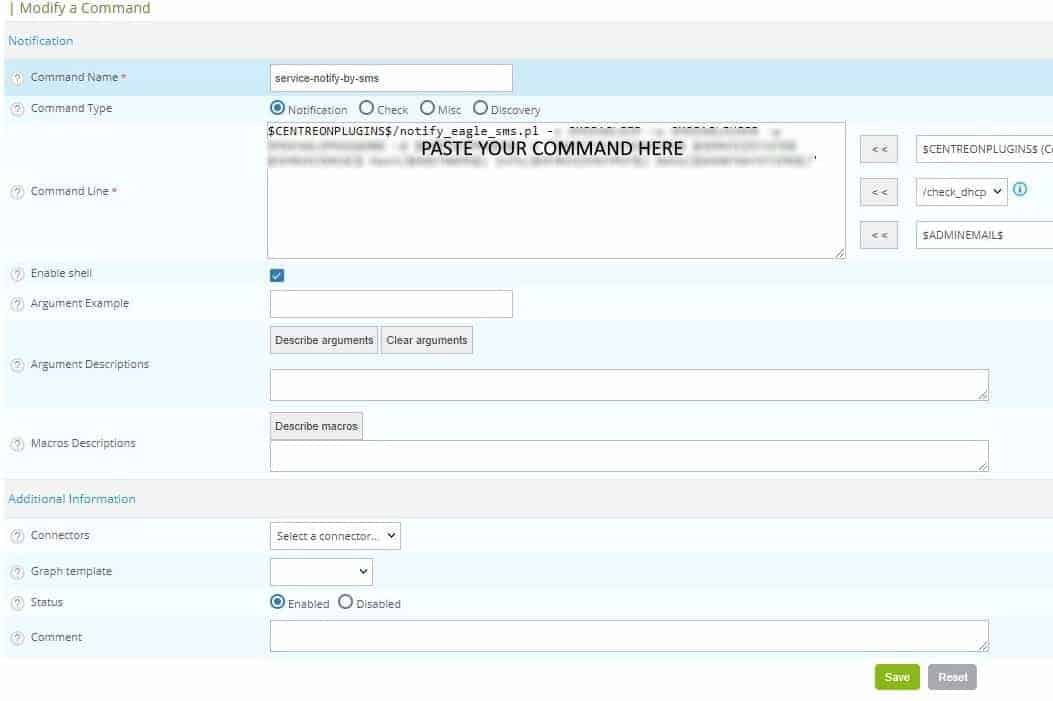
Create first command: service-notify-by-sms
$CENTREONPLUGINS$/notify_eagle_sms.pl -s SMSEAGLEURL -a SMSEAGLEAPITOKEN -d $CONTACTPAGER$ -t "$NOTIFICATIONTYPE$ $SERVICESTATE$ $SERVICEDESC$ Host($HOSTNAME$) Info($SERVICEOUTPUT$) Date($SHORTDATETIME$)"
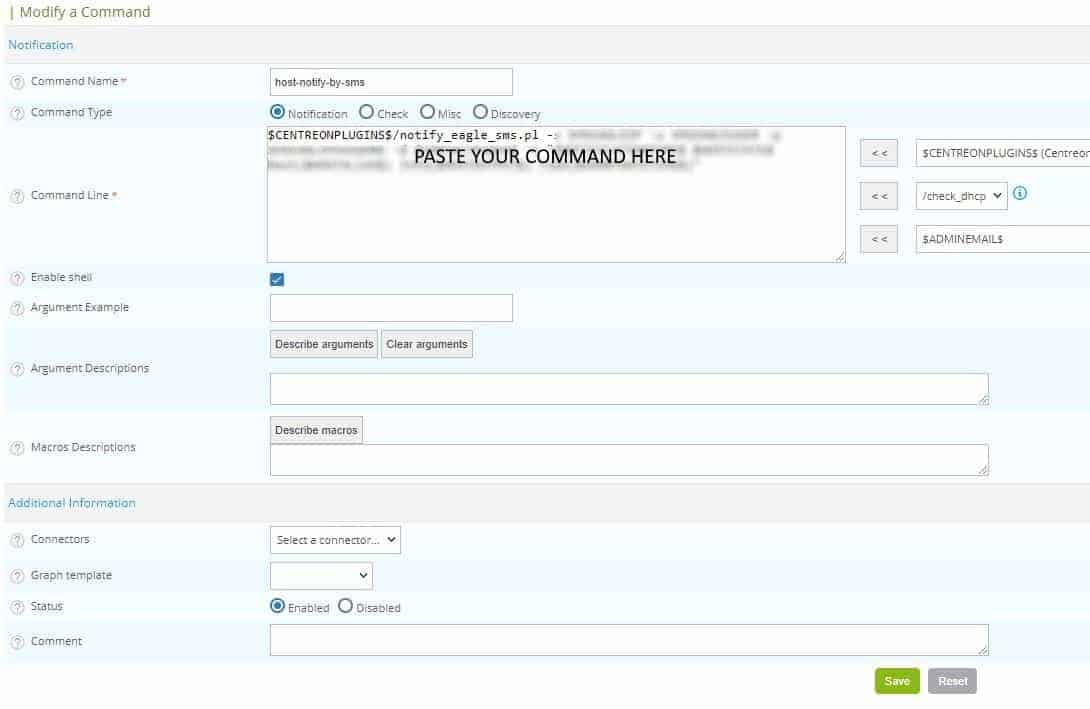
Create second command: host-notify-by-sms
$CENTREONPLUGINS$/notify_eagle_sms.pl -s SMSEAGLEURL -a SMSEAGLEAPITOKEN -d $CONTACTPAGER$ -t "$NOTIFICATIONTYPE$ $HOSTSTATE$ Host($HOSTALIAS$) Info($HOSTOUTPUT$) Time($SHORTDATETIME$)"
$CENTREONPLUGINS$/notify_eagle_sms.pl -s SMSEAGLEURL -a SMSEAGLEAPITOKEN -c ring -d $CONTACTPAGER$ -t "$NOTIFICATIONTYPE$ $SERVICESTATE$ $SERVICEDESC$ Host($HOSTNAME$) Info($HOSTOUTPUT$) Time($SHORTDATETIME$)"
$CENTREONPLUGINS$/notify_eagle_sms.pl -s SMSEAGLEURL -a SMSEAGLEAPITOKEN -c ring -d $CONTACTPAGER$ -t "$NOTIFICATIONTYPE$ $HOSTSTATE$ Host($HOSTALIAS$) Info($HOSTOUTPUT$) Time($SHORTDATETIME$)"
$CENTREONPLUGINS$/notify_eagle_sms.pl -s SMSEAGLEURL -a SMSEAGLEAPITOKEN -c tts -d $CONTACTPAGER$ -t "$NOTIFICATIONTYPE$ $SERVICESTATE$ $SERVICEDESC$ Host($HOSTALIAS$) Info($HOSTOUTPUT$) Time($SHORTDATETIME$)"
$CENTREONPLUGINS$/notify_eagle_sms.pl -s SMSEAGLEURL -a SMSEAGLEAPITOKEN -c tts -d $CONTACTPAGER$ -t "$NOTIFICATIONTYPE$ $HOSTSTATE$ Host($HOSTALIAS$) Info($HOSTOUTPUT$) Time($SHORTDATETIME$)"
$CENTREONPLUGINS$/notify_eagle_sms.pl -s SMSEAGLEURL -a SMSEAGLEAPITOKEN -c tts_adv -d $CONTACTPAGER$ -voiceid SMSEAGLEVOICE -t "$NOTIFICATIONTYPE$ $SERVICESTATE$ $SERVICEDESC$ Host($HOSTALIAS$) Info($HOSTOUTPUT$) Time($SHORTDATETIME$)"
$CENTREONPLUGINS$/notify_eagle_sms.pl -s SMSEAGLEURL -a SMSEAGLEAPITOKEN -c tts_adv -d $CONTACTPAGER$ -voiceid SMSEAGLEVOICE -t "$NOTIFICATIONTYPE$ $HOSTSTATE$ Host($HOSTALIAS$) Info($HOSTOUTPUT$) Time($SHORTDATETIME$)"
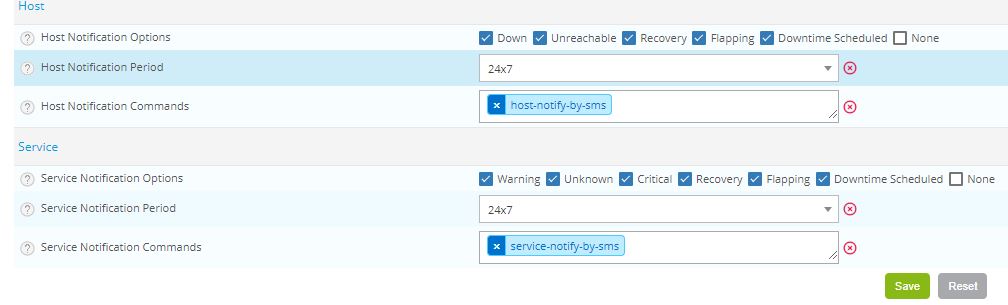
3. Remember to add newly created notification commands to desired contacts. You can do that via: Configuration > Users > Contacts / Users
SMSEagle is a hardware & software solution that guarantees a swift delivery of your messages to designated recipients, whether it’s for notifications, alerts, or important updates.
After registering to a demo you get a remote access to our physical device NXS-9750.
Latests posts
[Webinar] How To Stop Missing Critical Alerts in Your Niagara4 Projects
What happens when your system detects a critical issue… and no one reacts? In many Niagara4 deployments, alerts work as expected. But they still don’t reach the right person at
Product Update: New Hardware Revisions of NXS‑9700‑4G and NXS‑9750‑4G
We are pleased to announce new hardware revisions of two devices from the SMSEagle NXS‑97xx series: NXS‑9700‑4G and NXS‑9750‑4G Rev.5. The updated hardware platform will replace the previous Revision 4
SMSEagle Software v6.31 is live!
Software version 6.31 introduces new features and improvements that expand capabilities across Digital Inputs/Outputs (Digital I/O), voice calls, and webhook‑based integrations. The update enables faster response to events and helps
SMSEagle at IT Academy with partner IT AWACS
As part of our partnership with IT AWACS, we had the opportunity to take part in the IT Academy event in the Czech Republic. The meeting provided space for discussions
How to Master Modbus SMS and Voice Alerts [Step‑by‑Step]
In industrial environments, Modbus TCP gets used to keep an eye on PLCs, sensors and automation systems. But the thing is, Modbus just doesn’t come with built-in notification tools that
Product Update: New Hardware Revision of NXS-9700-5G (Rev.5)
We are pleased to announce the introduction of a new hardware revision of our NXS-9700-5G device Revision 5 (Rev.5). This updated hardware platform will replace the previous Revision 4 (Rev.4)