Axence nVision can warn you the moment something goes wrong – a device going offline, a threshold breach, or a failed service. SMSEagle hardware SMS gateway turns that warning into an SMS to the person who needs to act.
In nVision settings you enter the SMSEagle IP address and API key, with no scripts to write.
Works in the alert rules you already have
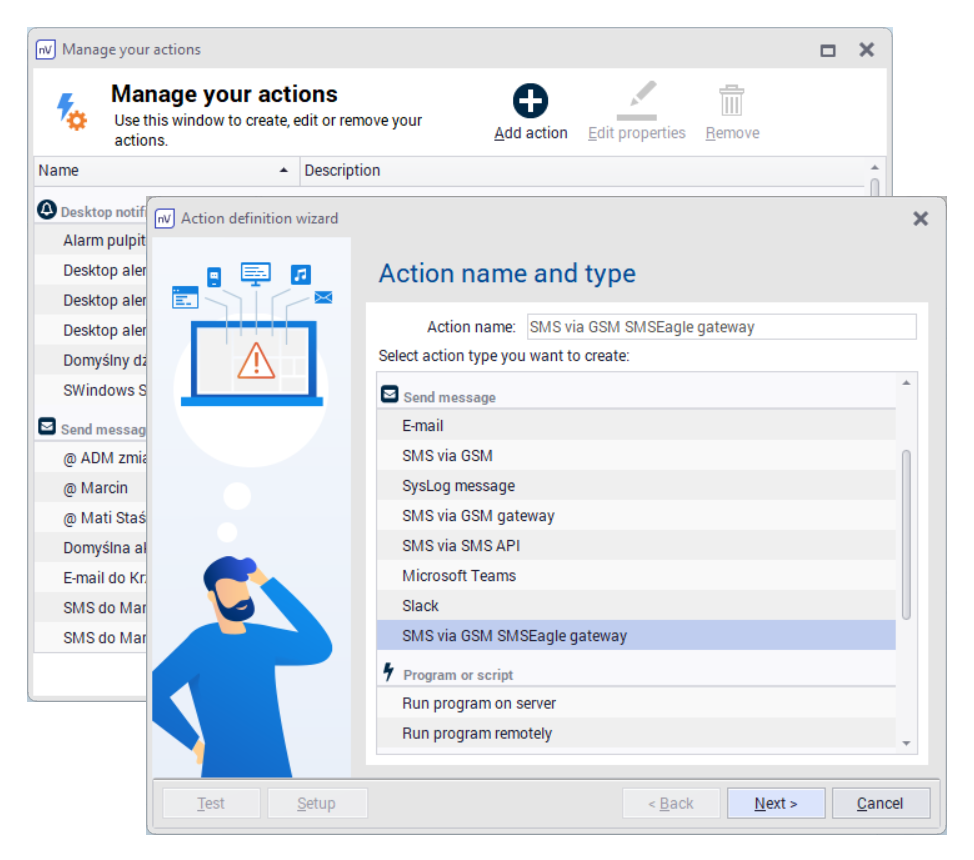
Once SMSEagle is connected, you choose SMS as the notification method in your existing Alert Management rules.
No password stored in the settings
nVision connects to SMSEagle with an API key, so no username or password has to be saved in the configuration.
How it works
1
Event Trigger
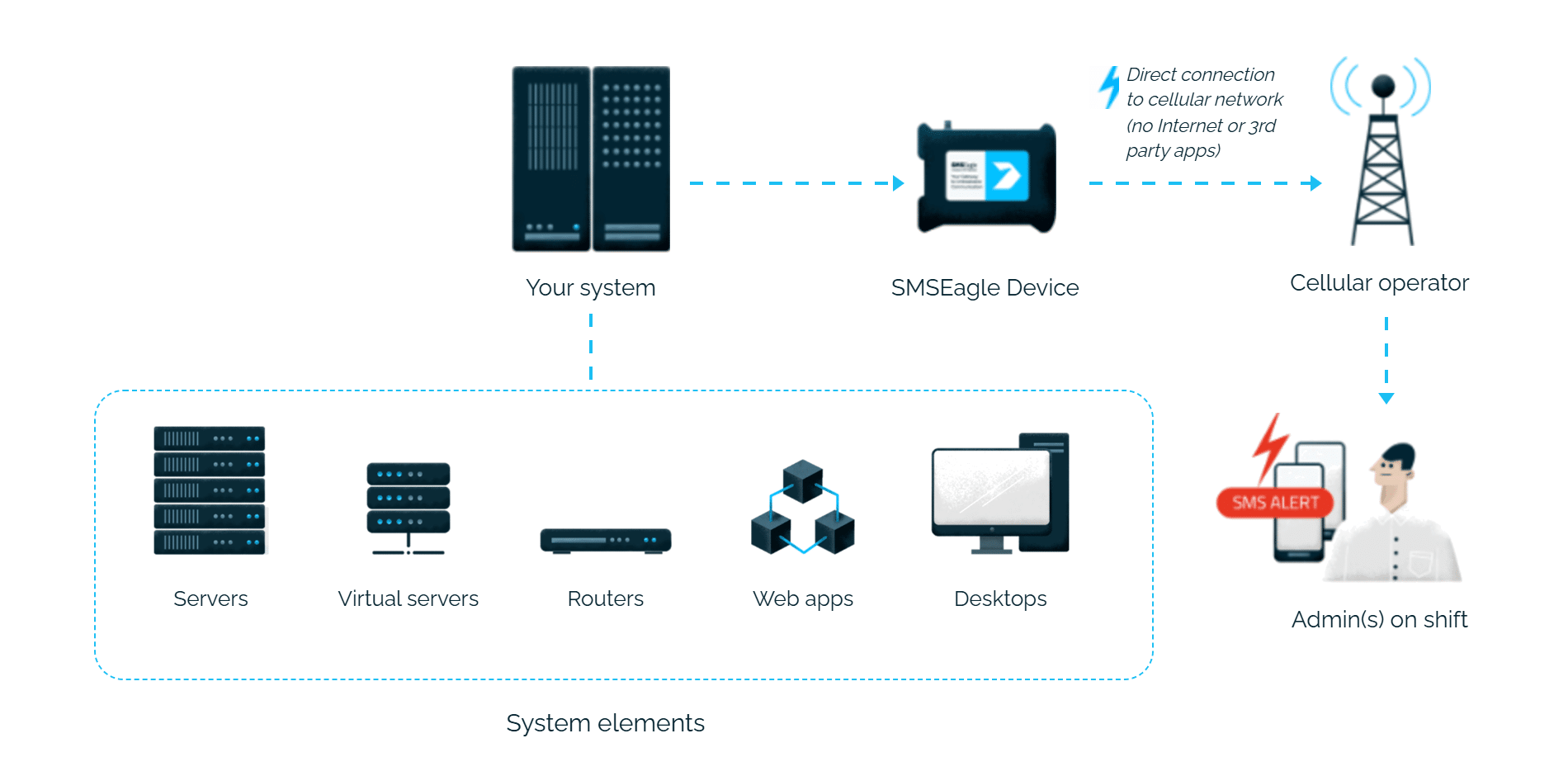
Axence nVision’s Alert Management detects a monitored condition and raises an alarm.
2
Communication
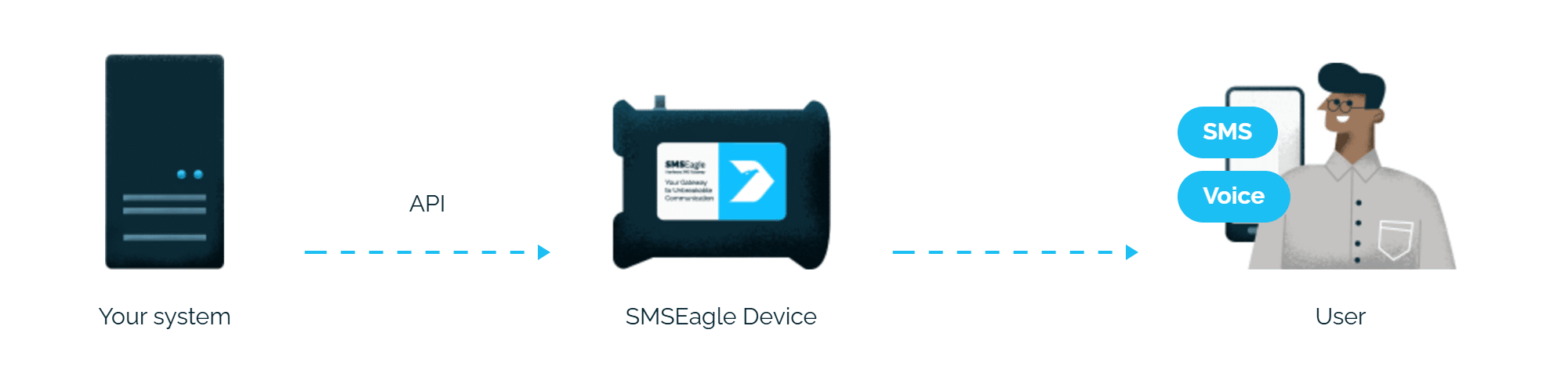
nVision sends an HTTP API request to the SMSEagle device over your local network, using the gateway connection parameters configured in its console.
3
Alert
SMSEagle delivers the alert over its own cellular connection, not through a third-party service, as an SMS, to the configured recipient.
Set up in 10-15 minutes
The integration process is easy and should take about 10-15 minutes. Generate an API token in SMSEagle, configure the gateway connection in nVision, and you’re done.
SMSEagle sends Axence nVision alerts to the right person by SMS, day and night.
No per-message fees
SMSEagle sends SMS through a regular SIM card, so you only pay for your mobile plan.
Works without internet
SMSEagle sends alerts through its own SIM card straight to the mobile network, so they don’t depend on internet access or a cloud SMS provider.
Alerts keep working even if one device fails
Two SMSEagle devices can work as an HA cluster: if one fails, the other takes over sending.
SMSEagle configuration
Axence nVision uses HTTP API requests (see details: API).
Create a new user in SMSEagle (menu System > Users, user access level: “User”).
Create an API key for that user:
go to Settings > Global settings > API and open the API v2 page
click Create API key, fill in Key name and select the user created above as Owner
Add access permissions in section Messages for: Send SMS
click Create key. The access token is shown only once, right after saving.
nVision configuration
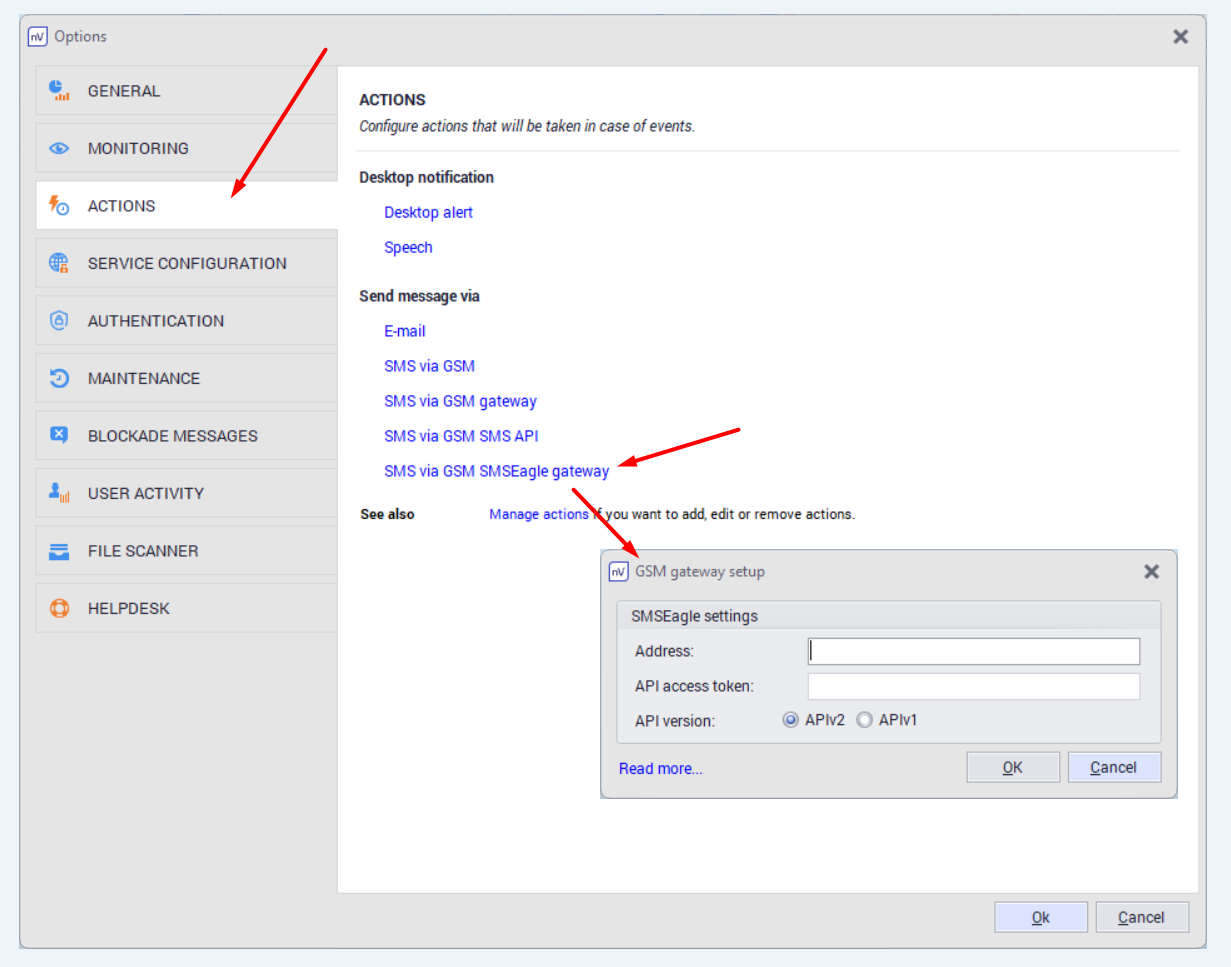
First, in the Axence console nVision®️, you need to configure the gateway connection parameters in the options:
IP address of the gateway,
API access key (token).
Clicking the “Read more” link will take you to the SMSEagle documentation with information on how to generate such a token: View API Reference
Only after the above configuration is done will it be possible to use the gateway to send alarm notifications: Alert Management
Explore SMSEagle Demo device
SMSEagle is a hardware & software solution that guarantees a swift delivery of your messages to designated recipients, whether it’s for notifications, alerts, or important updates.
After registering to a demo you get a remote access to our physical device NXS-9750.