





Another U.S. carrier, AT&T has shut down its Email to Text service. Discover the alternatives.

For years, many businesses and IT departments have relied on email to text services to deliver critical alerts, reminders, or automated messages. Email to text has offered a quick and simple way to send an sms message or sms text directly to a recipient’s phone number using an email client.

The method was straightforward: send an email to a mobile carrier’s SMS gateway address (e.g., 1234567890@vtext.com for Verizon)  and the recipient’s carrier would convert that email into an SMS and deliver it. No need for additional infrastructure. It just worked.

Yeah. That’s right. Worked.

After June 17, 2025 another major U.S. carrier is ending Email to Text support

The email to text and text to email gateway services provided by major carriers are being gradually shut down. Sprint was one of the first to pull the plug back in early 2022. Boost Mobile soon followed, and by the end of 2024, T-Mobile’s email to text address had become unreliable, eventually going completely offline in December.

Verizon’s vtext.com email to text address, also known as Verizon email, is still technically available, but Verizon’s service is plagued by reliability and delivery issues: delivery problems are common when sending text messages, new users can no longer sign up, and Verizon itself recommends businesses stop relying on the service. Many users are already experiencing message delivery issues, and messages fail more frequently as a result of these shutdowns. Most businesses, especially those that depend on email-to-text for communicating with customers, are affected by these changes.

How email to text messaging works between business systems and mobile carriers

The shutdown of email-to-text services by major carriers like Verizon, AT&T, and T-Mobile is primarily driven by security concerns, as these gateways have become targets for spam and phishing attacks. The discontinuation of these services has left organizations vulnerable, particularly in IT and operations, where critical alerts for system failures and security breaches are now failing to deliver. As carriers phase out email-to-text services, many businesses are experiencing declining delivery rates, with reports indicating that messages are being blocked or dropped, leading to significant communication gaps.

AT&T has now officially announced their email to text shutdown date: June 17, 2025. After that, their email to text service will no longer be available.

That means if your organization still uses carrier-based email to text for automated text messages – whether through monitoring software, booking systems, healthcare alerts, or customer service platforms – you’re likely to face disruptions.

So, what can you do to keep email to text workflow active?

With the end of email to text from carriers, upgrading your communication strategy is essential to ensure your business messaging remains reliable and secure.

Businesses are left with two main replacement options:

  • Online SMS gateways
  • Hardware SMS gateways

Both can take over where email to text has left off, but they differ significantly in how they work and what they offer in terms of cost, security, reliability, and data control.

Playful cartoon of a man holding a handheld scanner in one hand and a cloud upload symbol in the other, with a question mark above.

Option 1: Online SMS Gateways

Online SMS gateways are hosted services that let you send text messages over the internet. An sms service allows simply sending an email that is converted into an sms message or sms text, streamlining communication without the need for specialized tools. Senders can manage messages from various devices, and replies are delivered directly to the user’s inbox, allowing users to receive replies seamlessly. These services support sending messages to multiple recipients at once, making mass notifications easy. You can also send alerts, track status, and use reliable email for communication.

What’s good about using an online SMS gateway as an email to text tool?

Online SMS gateways are easy to get started with and are suitable for companies of all sizes. There’s no hardware to install or manage, and many platforms offer free trials or pay-as-you-go pricing. No upfront investment is required, making them appealing for businesses looking to communicate efficiently with both staff and customers.

But there are trade-offs.

First of all, you pay for every message sent. That cost adds up quickly, especially for organizations that send hundreds or thousands of SMS alerts every month. If your internet goes down, or if the provider’s platform has an outage, your messages don’t get delivered. Monitoring message status and receiving real-time status updates is essential to ensure reliable delivery and quickly identify any issues during outages.

There’s also the matter of data privacy and security. Since all your messages are sent through someone else’s infrastructure, your data is stored on external servers. This can expose your messages to spam and phishing risks if the gateway lacks proper spam filtering and security measures. Additionally, compliance issues such as 10DLC compliance are important for businesses to avoid having messages blocked as spam. That can be a problem for industries with strict compliance requirements like healthcare, finance or government. Most online SMS services also offer only basic functionality.

Advanced features like automation, integration with internal systems, or custom logic can require additional payment, can be limited or not available at all. To better understand these trade‑offs, learn more about the key differences between online SMS gateways vs hardware SMS gateways.

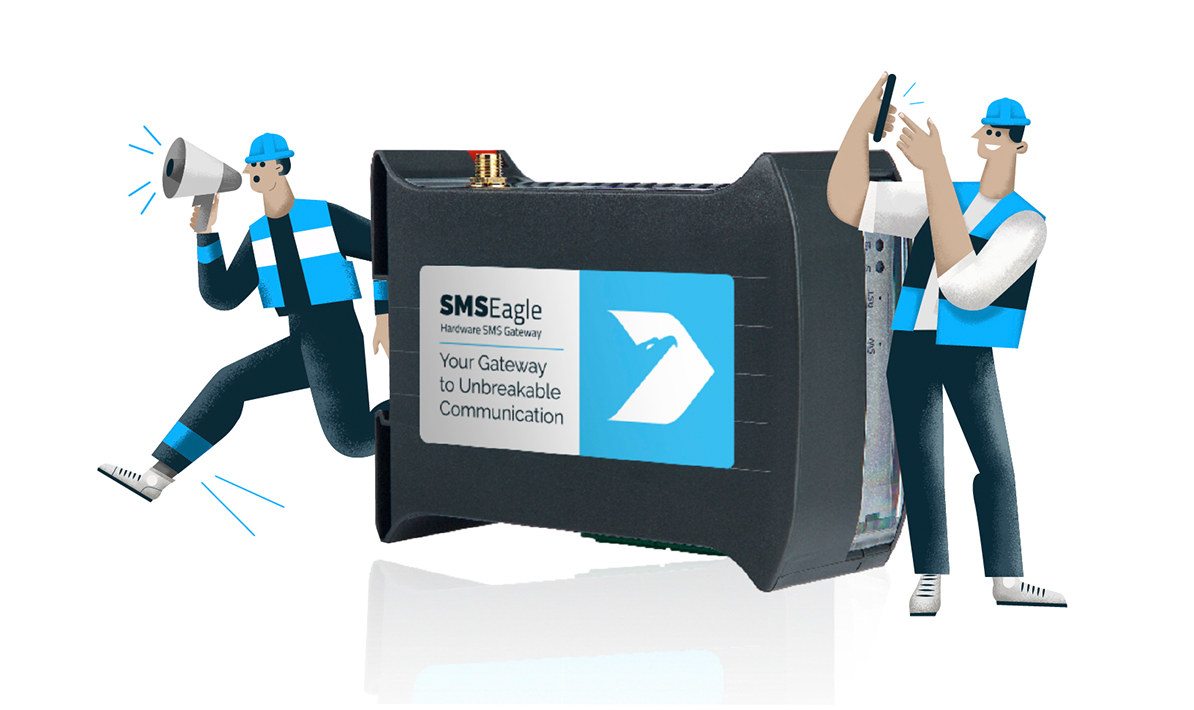
The second option is to switch to a hardware SMS gateway, such as SMSEagle.

This is a physical device that you install locally. It uses a standard SIM card (like a mobile phone) to send and receive SMS messages directly through the mobile network, without relying on internet access, third party services and/or third-party servers to send text messages. Hardware SMS gateways are ideal for critical communications, ensuring reliable, real-time messaging during emergencies or safety-related scenarios. Senders can manage messages from multiple devices or addresses, making it easier to communicate with customers and colleagues. If your emails contain photos or attachments, MMS gateways can be used to deliver these files along with your message

Not sure which SMS solution fits your organization?

Answer a few quick questions and get an instant recommendation: online SMS gateway or hardware SMS gateway.

Here’s how SMSEagle email to text works:

You send an email to the device. It automatically converts that message into an SMS text and sends it out using the SIM card directly to the recipient’s phone, just like you’d send email to text via your phone. Recipients can reply to the SMS text, and you receive replies directly in your email inbox, enabling seamless two-way communication.

Because the SMSEagle is installed on-site and runs within your local network, all data stays under your control. Nothing is transmitted to external servers, and no messages are stored outside your organization. This makes it ideal for sectors with data protection policies, like public administration, law enforcement, healthcare and finance.

It also keeps working during internet outages or cloud service failures — because it doesn’t depend on either.

SMSEagle: secure, reliable, and cost-effective

Hardware SMS gateway like SMSEagle is a one-time purchase. You buy the device, insert a SIM card, and you’re good to go. No subscriptions. No per-message fees. Just your regular mobile plan (for example a plan with free text messages). That makes it a cost-effective choice in the long run — especially for organizations sending large volumes of SMS notifications, system alerts, or reminders.

Setting up and using a hardware SMS gateway involves a straightforward process: purchase the device, insert a SIM card, configure the settings, and start sending messages, which usually takes no more than 15 minutes. 

SMSEagle is more than just a replacement; it’s a full-featured SMS communication platform that gives you total control over your text-messages and text-based workflows with more than 40 features.

It supports various message types, including standard SMS, flash SMS, binary SMS, MMS messages and email. In addition to text messaging, SMSEagle supports voice messaging through text-to-speech conversion and playback of pre-recorded WAV files.

Scheduling, periodic messaging and customizable autoreplies enhance automation and reliability. Users can send messages to individuals or groups, based on specific criteria.

What does email‑to‑SMS really cost long term?

Compare per‑message fees vs. one‑time hardware cost and see when a hardware SMS gateway becomes more cost‑effective.

SMSEagle also includes monitoring and alerting tools for services like web servers, mail servers, SNMP devices, and environmental conditions such as temperature and humidity thanks to its support of external accessories. It supports integration with systems via HTTP/HTTPS APIs, as well as email-to-SMS, SMS-to-email and MQTT.

The platform features a multilingual web interface and runs on a secure Linux system with Apache2 and PostgreSQL, offering a reliable, scalable solution for critical messaging needs.

So why are businesses choosing hardware SMS gateways over cloud services?

Online SMS services are a perfect fit if you need to start really fast, and have only simple communications needs. But it comes with limitations: recurring fees, dependence on internet access, lower privacy, and fewer integration options.

A hardware SMS gateway like SMSEagle offers better reliability, full ownership of your messaging system, is more cost-effective and offers better privacy control. It may be a smarter choice for organizations where SMS messages are mission-critical, and where uptime, security, and data control actually matter.

To make an informed choice, learn more about the real differences between online SMS gateways and hardware SMS gateways.

Be prepared for the change.

If your systems still rely on email to text via mobile carrier gateways, now’s the time to take action. Ensuring you have a reliable email system during this transition is crucial for uninterrupted communication.

As the June 17 shutdown date from AT&T approaches – and with other carriers having already limited or disabled their email to SMS services – it’s clear that this method is no longer a safe option for business communication.

To keep your messaging running smoothly and stay connected, you have to switch to a SMS gateway solution. These solutions not only help businesses maintain seamless communication but also allow you to monitor the status of your messages with real-time tracking and delivery updates. Your decision to choose a cloud service or a hardware SMS device depends on your needs, but for critical, secure, and reliable text delivery, as well as data control and long-term cost effectiveness, it may be good to consider SMSEagle hardware SMS gateway.

Register for a 14-days free Trial

SMSEagle is a hardware & software solution that guarantees a swift delivery of your messages to designated recipients, whether it’s for notifications, alerts, or important updates.

  • 14-days free trial
  • Online Access to physical device
  • No credit card required
  • Access to over 20 functionalities

FAQ

What is an SMS address?

An SMS address is an email-like format (e.g., 1234567890@vtext.com) used to send a text message via email through a mobile carrier’s gateway. This method depends on the recipient’s carrier and is being phased out or limited by many providers. SMSEagle doesn’t rely on this — it sends SMS directly using SIM cards.

It’s the mobile network the recipient uses (like T-Mobile, Vodafone, or Orange). If you send texts through email-to-SMS gateways, you need to know the carrier to format the address correctly. With SMSEagle, you don’t need the carrier info — just the phone number.

Two-way messaging means the recipient can reply to your SMS and their response comes back to your system. SMSEagle fully supports this using SIM cards. Just keep in mind that if you use a custom alphanumeric sender ID, replies won’t work — because it’s not a real number.

SMSEagle can automatically forward incoming SMS messages to email. You set this up in the SMS to Email section. You can use your own SMTP server or let SMSEagle send the messages directly using its built-in client.

Send an email to the SMSEagle’s email address (set in the device). It will convert the message into an SMS and deliver it via SIM — no carrier gateway needed. Make sure you whitelist the sender’s email in the settings.

A hardware SMS gateway (like SMSEagle) is a physical device with SIM cards that sends and receives SMS directly through mobile networks. It doesn’t rely on external APIs or internet-based services.

Benefits include:

  • Works even when internet goes down
  • No third-party services or fees per message (only your SIM plan)
  • Local control and better privacy
  • Two-way SMS support

No. SMS is sent via SIM cards and mobile networks. You only need internet access for using features like email-to-SMS, web interface access, API communication, or firmware updates.

That depends on the model:

  • NXS-9700-4G models come with 1 or 2 modems (1 or 2 SIM cards).

Only the MHD-8100-4G model supports 8 modems/SIMs — great for high-volume use, load balancing, or using multiple mobile networks.

That depends on the model:

  • NXS-9700-4G models come with 1 or 2 modems (1 or 2 SIM cards).

Only the MHD-8100-4G model supports 8 modems/SIMs — great for high-volume use, load balancing, or using multiple mobile networks.

Yes. You can schedule SMS messages from the web interface or via the API. Useful for timed alerts, reminders, or planned communication.

Yes. It runs on your local network, so no data leaves your infrastructure. You can set up HTTPS, restrict access by IP, assign user roles, and control device access with a firewall or VPN.

Yes. SMSEagle supports integration with tools like Zabbix, PRTG, Nagios, LibreNMS, and others. You can also integrate with your own apps using email triggers, the API, SNMP, or webhooks.

Picture of Radosław Janowski

Radosław Janowski

CEO & Product Lead at SMSEagle
He has a long experience in business and project management and strong technical background in computer software engineering and telecommunications. He graduated from Poznan University of Technology with M.Sc. in Telecommunication Systems.

Add Monitoring Task dialog over a network management dashboard, showing a form with Task name, Host, and Modbus TCP settings

How to Master Modbus SMS and Voice Alerts [Step‑by‑Step]

In industrial environments, Modbus TCP gets used to keep an eye on PLCs, sensors and automation systems. But the thing is, Modbus just doesn’t come with built-in notification tools that tell you when something has gone wrong. As a result, Modbus SMS alerts are usually handled by a separate layer that takes in register data & sends out SMS & voice alerts.

Read More »