Home / Features / SMS to WhatsApp

Send SMS to WhatsApp via SMSEagle

Automatically forward incoming SMS messages to WhatsApp using a local SMSEagle device.
No cloud dependency. No changes to existing systems.

How SMSEagle SMS to WhatsApp works?

SMS to WhatsApp is a way to deliver an incoming SMS as a WhatsApp message.
The SMS is received by SMSEagle and forwarded to WhatsApp users or groups.
The message appears in WhatsApp with the original content and sender information.

It is commonly used by IT teams, businesses, and monitoring systems when alerts or notifications are generated as SMS but need to reach people on WhatsApp, where response times are faster and conversations are easier to manage.

With SMSEagle SMS to WhatsApp you can:

Send Single

Forward inbound SMS to WhatsApp users or groups.

Route incoming SMS messages directly to selected WhatsApp users or team groups.
Ensure messages reach people where they are most active.

Send Multi

Notify teams on WhatsApp about alerts originally sent via SMS

Convert SMS alerts from systems or applications into WhatsApp notifications.
Improve visibility and response time for critical events.

icon_email to sms@2x

Define fallback actions if WhatsApp delivery fails.

Trigger alternative actions if a WhatsApp message is not delivered.
Keep alerts flowing without message loss or manual intervention.

How to Setup Atomatic SMS to WhatsApp Conversion on SMSEagle

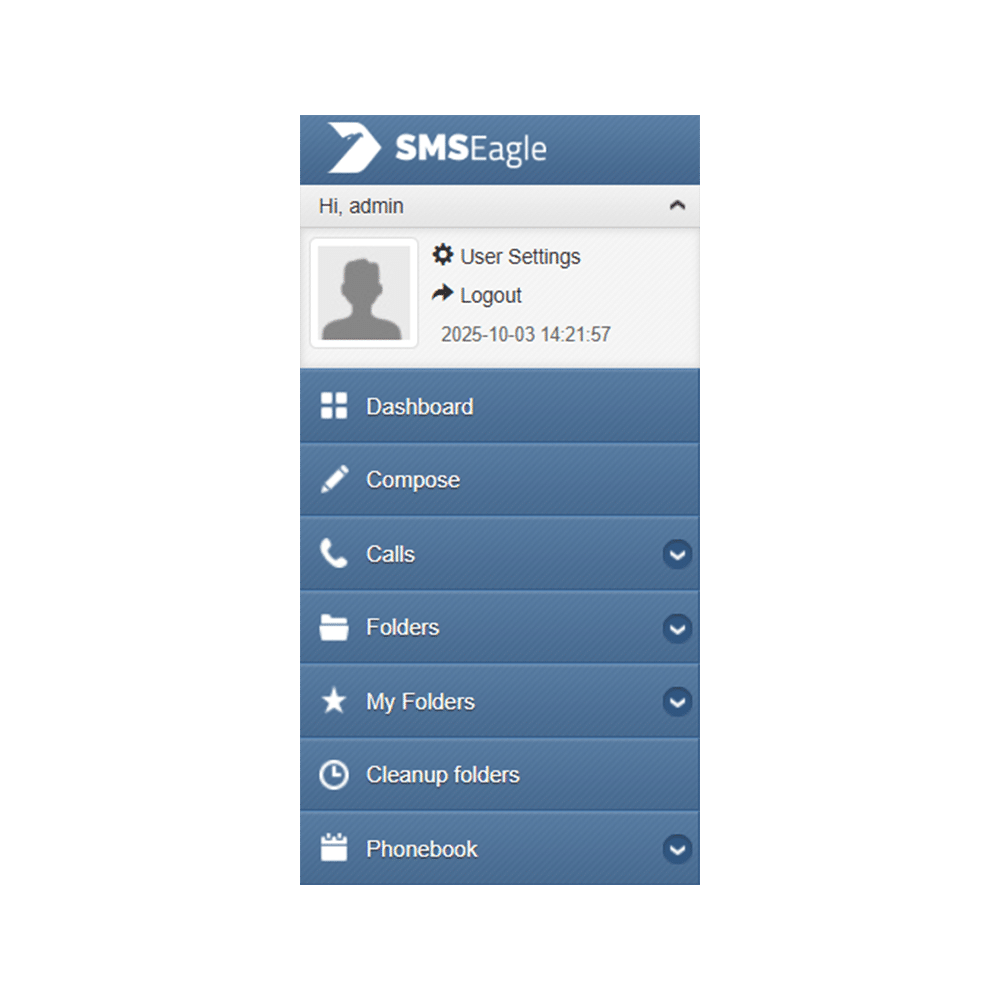
Step 1: Log in to SMSEagle

Open your web browser and log in to your SMSEagle web interface using your admin credentials. 

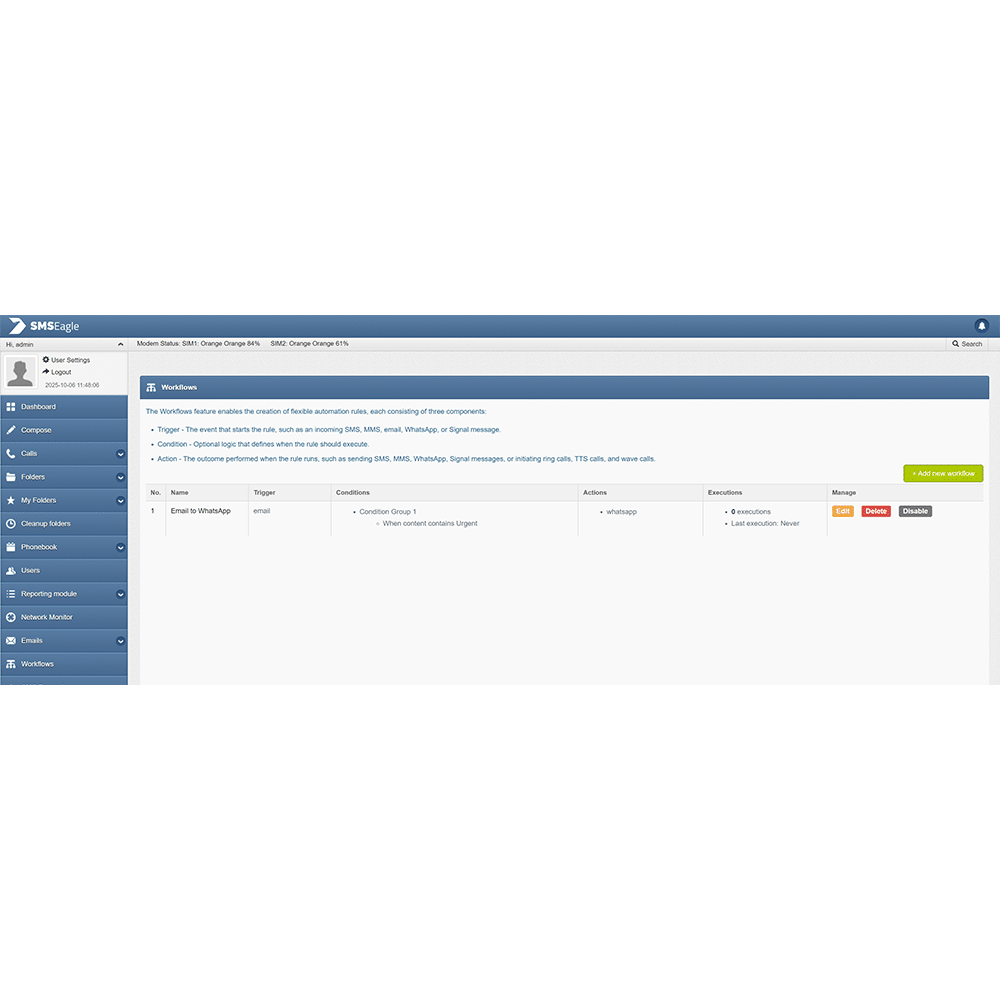
Step 2. Open the Workflows Section​

  • From the left-hand menu, click Workflows.
  • In the top-right corner of the Workflows page, click + Add new workflow.

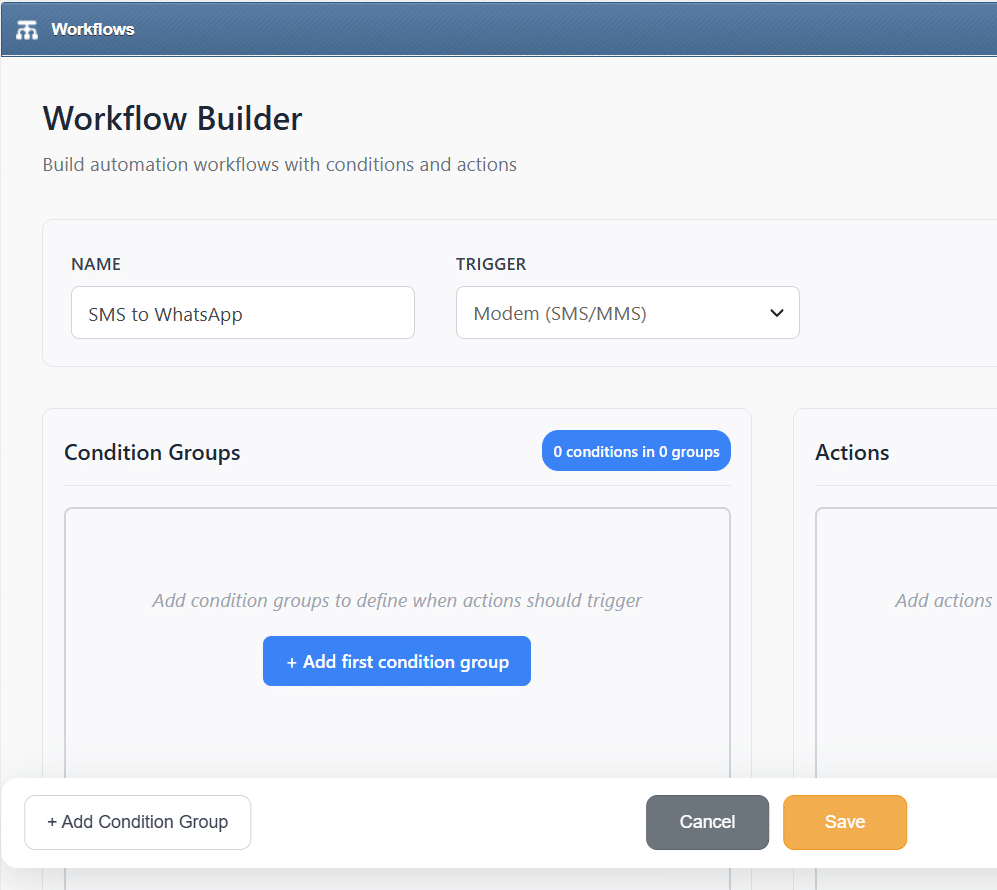
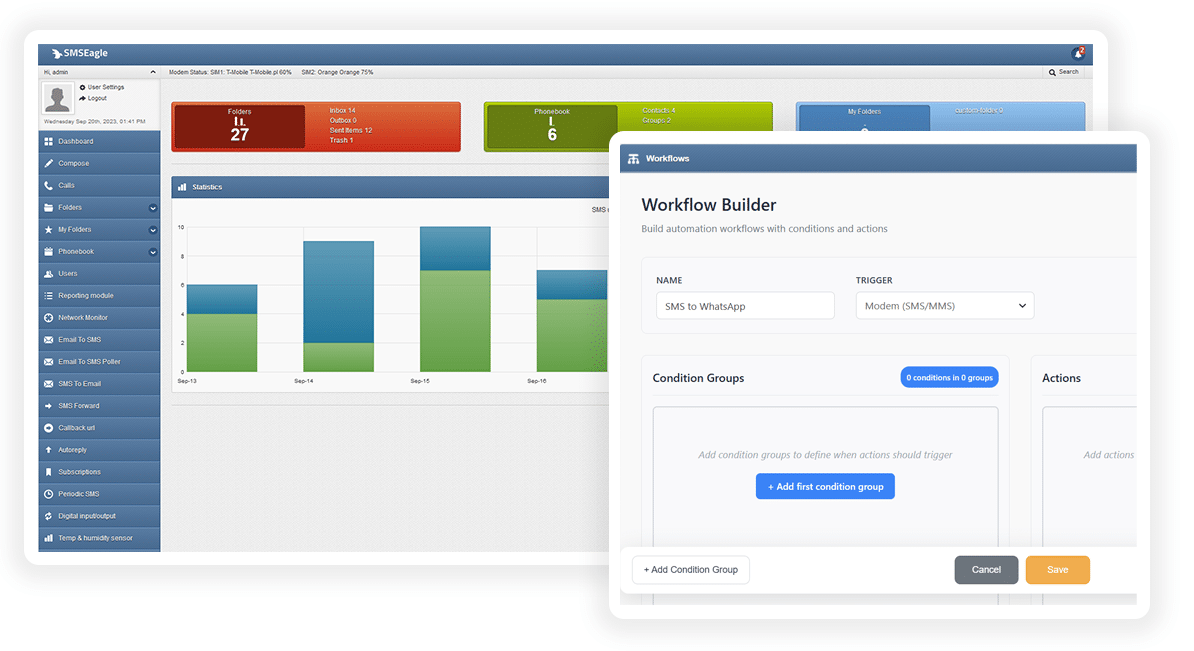
Step 3: Define Workflow Name and Trigger

  • In the Name field, enter a descriptive title such as “SMS to WhatsApp”.

  • In the Trigger dropdown menu, select SMS.

    This means the workflow will activate each time a SMS message is received.

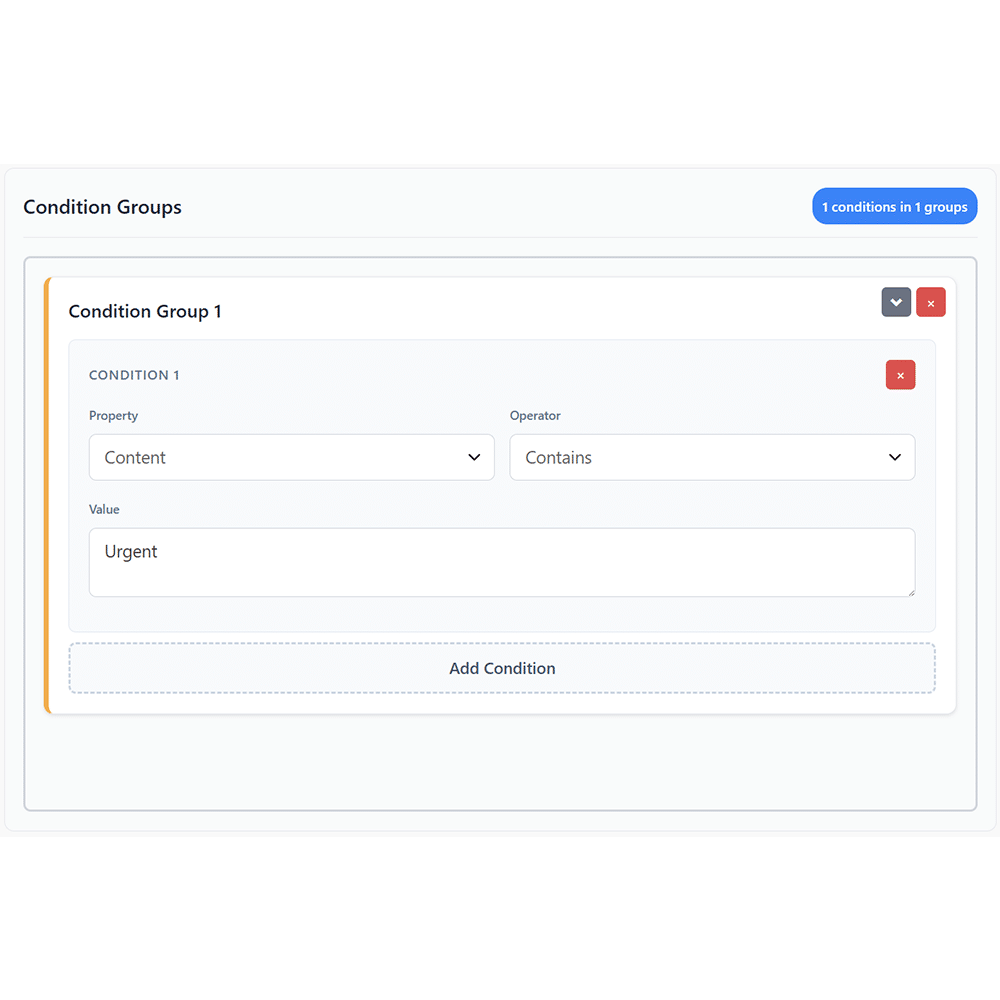
Step 4: Configure the Condition Group (optional)

    • In the Condition Groups section, set the parameters that define when this workflow should run.
    • Under Condition 1:
      • Property: select Sender or Content
      • Operator: select
        • AND – all conditions must be met
        • OR – at least one condition must be met
        • NOT – a negative condition
        • REGEX – match using a regular expression (for advanced users)
      • Value: set desired (this ensures all incoming SMS messages trigger the action).

Step 5: Set the Action – Forward as WhatsApp

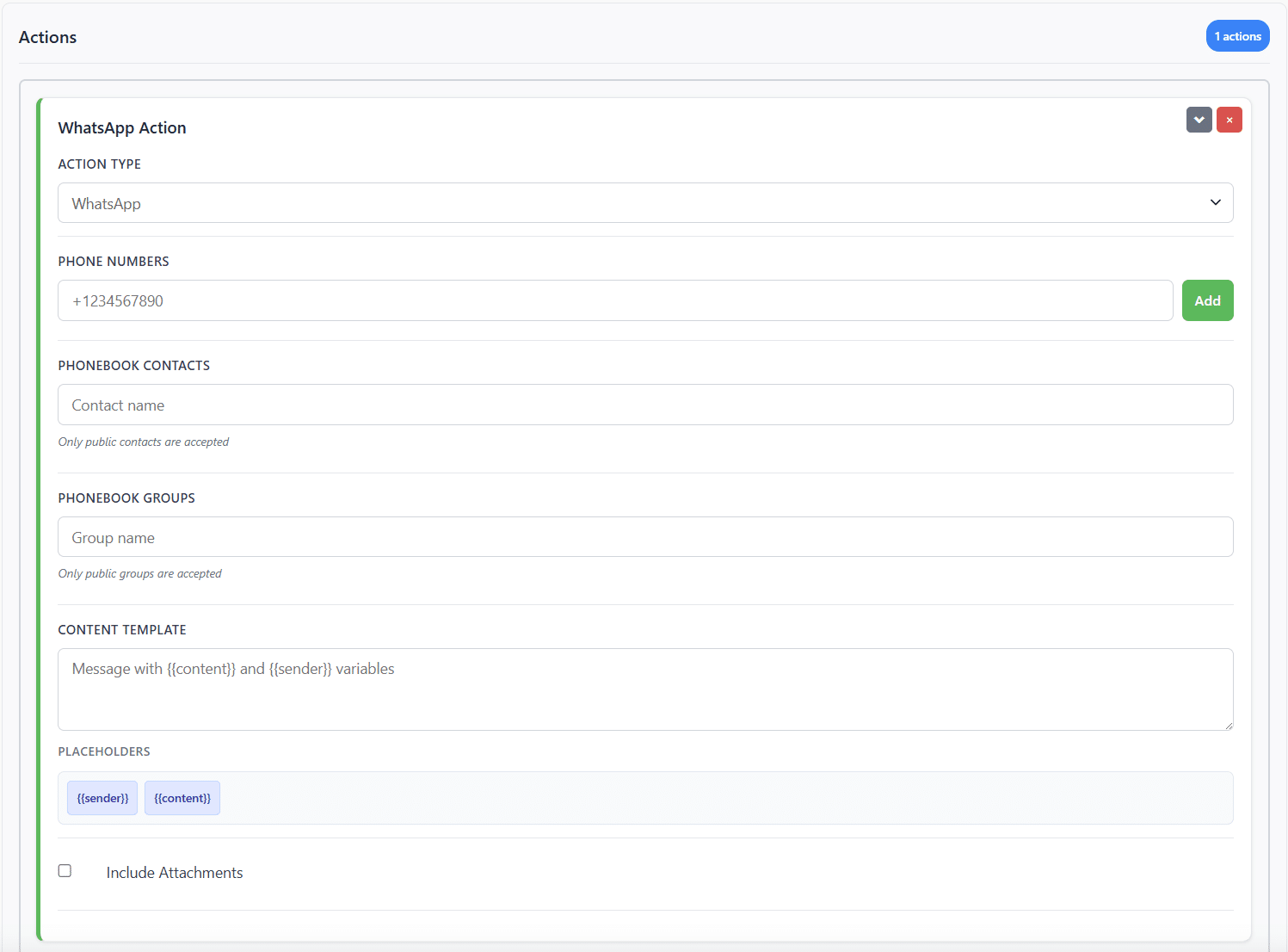
  • On the right-hand side, under the Actions panel, set up the WhatsApp forwarding rule:
    • Action Type: select WhatsApp.
    • Phone Numbers: enter the destination number (e.g. +1234567890).
    • Alternatively, you can choose recipients from:
      • Phonebook Contacts – to forward to a saved contact.
      • Phonebook Groups – to forward to a group of recipients.
    • Content Template: enter the WhatsApp body using placeholders:

Message with {{content}} and {{sender}} variables

This ensures the forwarded WhatsApp includes the original message and sender details.

Step 6: Finalize and Save the Workflow

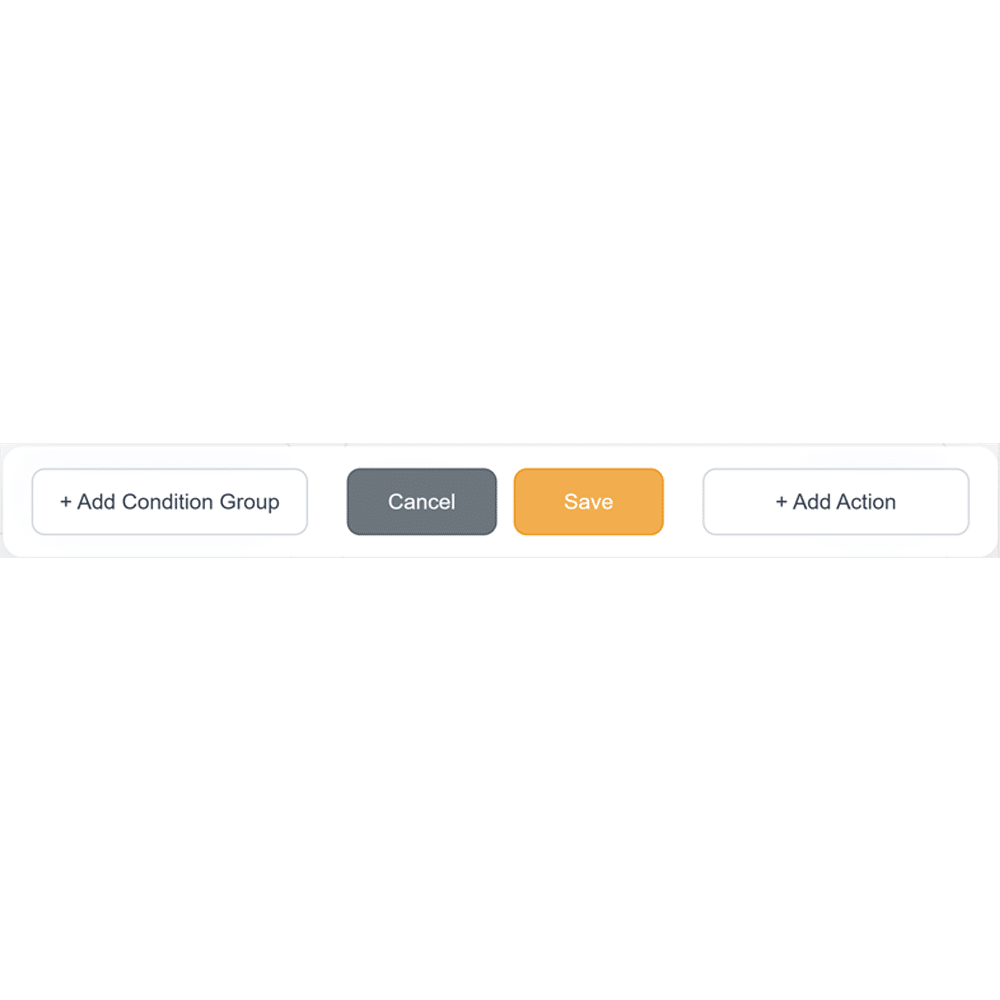
  • Verify that all conditions and actions are correctly configured
  • Click Save at the bottom of the screen.
  • Your workflow will now automatically forward incoming SMS messages as WhatsApp messages.

WhatsApp is a trademark of Meta Platforms, Inc. This product is not affiliated with, endorsed by, or sponsored by WhatsApp or Meta Platforms.

SMS to WhatsApp Benefits

Send Multi

Communication & Reach

Forward critical messages from SMS into WhatsApp to reach users on their preferred channel. Ensure two-way engagement with responses delivered over WhatsApp.

icon_quick producy access@2x

Automation & Integration

Use SMSEagle Workflows to automate and conditionally route SMS into WhatsApp based on rules you define. Manage logic without manual effort.

icon_services@2x

Security & Reliability

All message conversion and delivery run on your local SMSEagle device. No cloud servers are involved. Sensitive communications stay within your infrastructure.

SMS to WhatsApp Use Cases

SMS to WhatsApp in IT & Network Operations

Legacy systems, monitoring tools, and scripts still send alerts by SMS. Engineers now live in WhatsApp. SMS to WhatsApp forwards alerts into team or on call groups. Engineers see alerts faster and respond in context. Message history stays searchable. No need to rebuild existing alert logic.

SMS to WhatsApp in BMS and SCADA environments

Controllers and automation platforms often rely on SMS due to simplicity and offline tolerance. SMS to WhatsApp pushes alarms into WhatsApp groups used by technicians and supervisors. Teams discuss issues next to the alert. Escalation stays visible to everyone involved.

SMS to WhatsApp in Logistics & Transportation

Vehicles, tracking devices, or dispatch systems send status updates by SMS. SMS to WhatsApp forwards updates to dispatchers and team leads. Location changes, delays, and exceptions reach the team in one shared channel. Coordination improves without changing field hardware.

SMS to WhatsApp in Manufacturing and industrial sites

Machines, sensors, or PLC systems trigger SMS alerts on faults or thresholds. SMS to WhatsApp forwards alerts to maintenance teams. Engineers receive alerts during shifts and off hours in a channel they actively monitor. Downtime shortens.

SMS to WhatsApp in Customer Service & Support Centers

Customers send SMS to a support number. SMS to WhatsApp forwards messages to a WhatsApp support queue. Agents reply inside WhatsApp while keeping SMS as the entry channel. This works well where customers still trust SMS but agents prefer richer chat.

Frequently Asked Questions

Do I need a WhatsApp Business account to use SMS to WhatsApp?

No. SMS to WhatsApp uses a connected basic WhatsApp account.
SMSEagle sends messages through this account to users or groups you define.

SMS reception works without internet access.
WhatsApp delivery requires internet connectivity on the SMSEagle device.

Yes. You define rules using workflows.
Routing depends on sender number, message content, keywords, or conditions.

SMS messages can be forwarded to individual WhatsApp users.
Messages can also be sent to contact groups created in the SMSEagle Phonebook.
Native WhatsApp groups are not supported.

Automation can be configured in both directions, SMS to WhatsApp and WhatsApp to SMS.

SMS fallback is supported. If a WhatsApp message is not delivered, the system can resend it as an SMS.

All message processing and routing logic runs on the SMSEagle device.
No external cloud platforms are involved. 

Yes. SMS to WhatsApp is often used for alerting scenarios.
Fallback actions help reduce the risk of missed notifications.

SMSEagle may run entirely within your local network, which allows message data to stay inside your infrastructure.
You can enable HTTPS, restrict access by IP address, assign user roles, and protect device access using a firewall or VPN.

Yes. SMSEagle supports integration with tools like Zabbix, PRTG, Nagios, LibreNMS, and others. You can also integrate with your own apps using email triggers, the API, SNMP, or webhooks.

What is hardware
SMS Gateway?

Find a detailed description
in the User's Manual