Forward critical messages from SMS into WhatsApp to reach users on their preferred channel. Ensure two-way engagement with responses delivered over WhatsApp.
Automation and integration
Use SMSEagle Workflows to automate and conditionally route SMS into WhatsApp based on rules you define. Manage logic without manual effort.
Security and reliability
All message conversion and delivery run on your local SMSEagle device. No cloud servers are involved. Sensitive communications stay within your infrastructure.
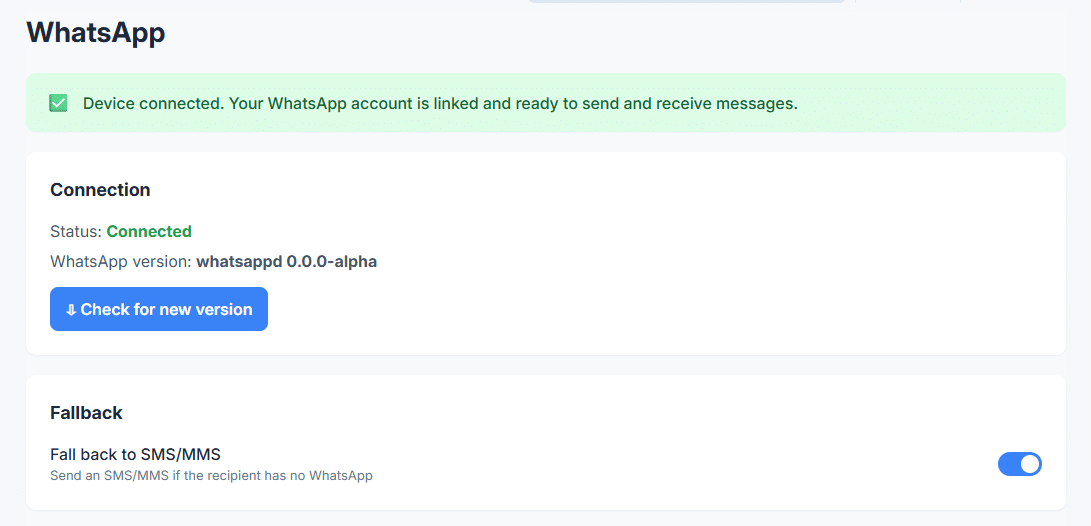
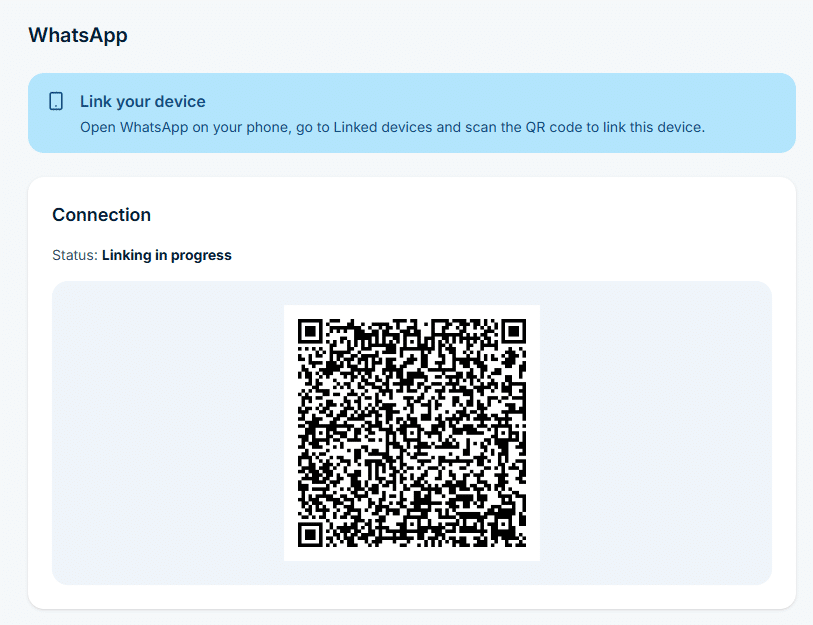
In the sidebar, go to Settings > Channels > WhatsApp, enable the service and link your WhatsApp account. When the status shows Connected, the device can send and receive WhatsApp messages.
A workflow can only use channels that already work on their own.
Step 2
Name the workflow and pick the trigger
Go to Automation > General > Workflows and click Create new.
In Name, enter a descriptive title, for example SMS to WhatsApp.
In Trigger, select Modem. The workflow starts each time a new SMS arrives.
Step 3
Add conditions (optional)
Without conditions, the workflow handles every incoming SMS.
To filter, click Add group, then Add condition. With the Modem trigger you can check the Sender or the Content, for example content contains ALARM.
Conditions in one group are joined with AND, groups are joined with OR.
Step 4
Add the Send WhatsApp action
In the Actions panel, click Add action and select Send WhatsApp.
Enter Phone numbers, or pick Contacts or Groups from the Phonebook.
In Message, use placeholders to pass the original text on, for example SMS from {{sender}}: {{content}}.
Step 5
Save the workflow
Click Save workflow at the bottom of the page.
From now on, each new SMS that matches the conditions is sent on as a WhatsApp message. The workflow card shows how many times it has run and when it last ran.
Use cases
SMS to WhatsApp use cases
IT and network operations
Legacy systems, monitoring tools, and scripts still send alerts by SMS. Engineers now live in WhatsApp. SMS to WhatsApp forwards alerts into team or on call groups. Engineers see alerts faster and respond in context. Message history stays searchable. No need to rebuild existing alert logic.
BMS and SCADA environments
Controllers and automation platforms often rely on SMS due to simplicity and offline tolerance. SMS to WhatsApp pushes alarms into WhatsApp groups used by technicians and supervisors. Teams discuss issues next to the alert. Escalation stays visible to everyone involved.
Logistics and transportation
Vehicles, tracking devices, or dispatch systems send status updates by SMS. SMS to WhatsApp forwards updates to dispatchers and team leads. Location changes, delays, and exceptions reach the team in one shared channel. Coordination improves without changing field hardware.
Manufacturing and industrial sites
Machines, sensors, or PLC systems trigger SMS alerts on faults or thresholds. SMS to WhatsApp forwards alerts to maintenance teams. Engineers receive alerts during shifts and off hours in a channel they actively monitor. Downtime shortens.
Customer service and support centers
Customers send SMS to a support number. SMS to WhatsApp forwards messages to a WhatsApp support queue. Agents reply inside WhatsApp while keeping SMS as the entry channel. This works well where customers still trust SMS but agents prefer richer chat.
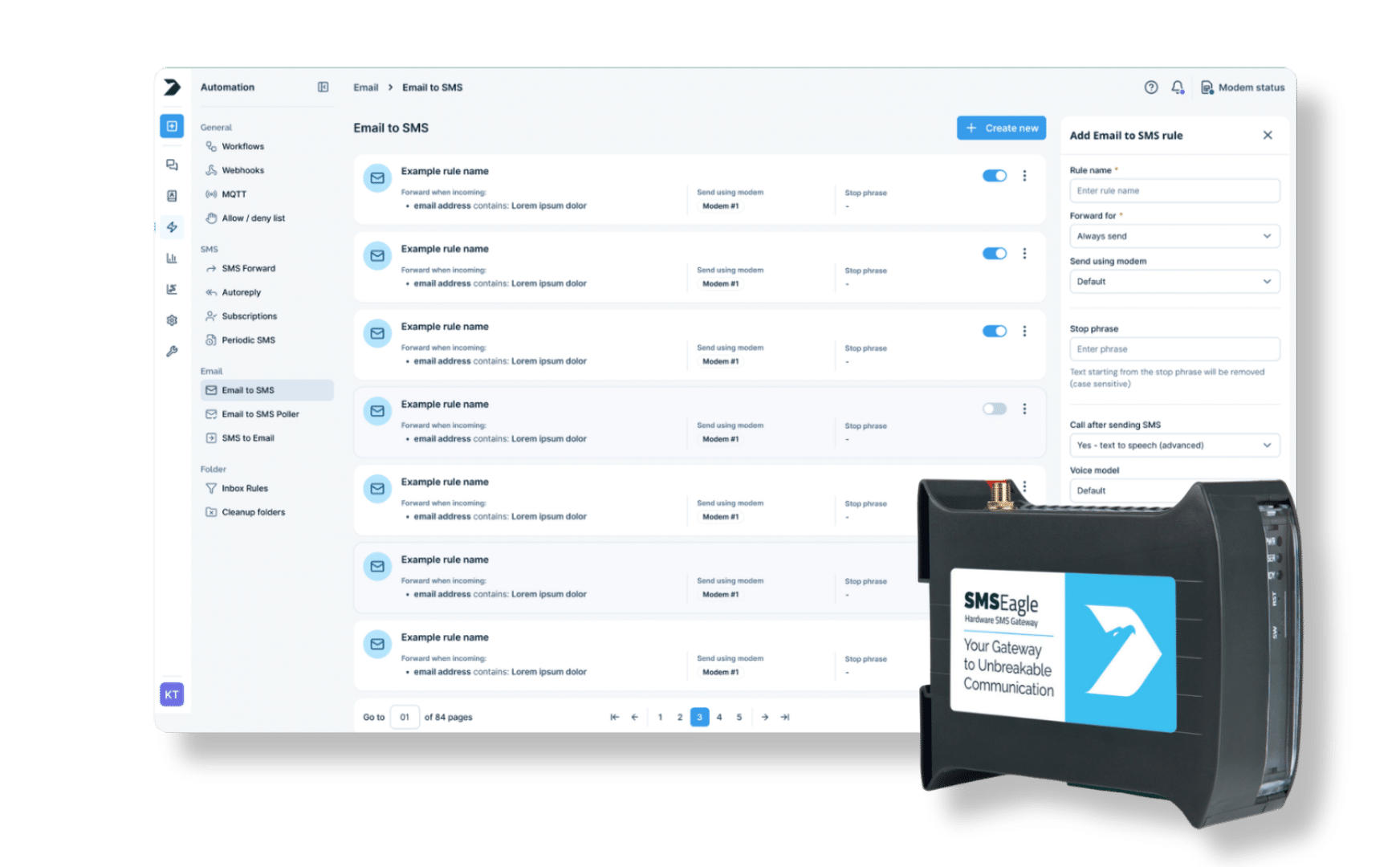
SMSEagle combines hardware and software into a single, self-contained gateway. It is designed for critical environments, so security is built in from the ground up, confirmed by CE, FCC, ISED, UKCA, PTCRB, RCM, IMDA, TDRA, CB Scheme, GCF, carrier certifications (Verizon, AT&T) and ISO 27001.
Do I need a WhatsApp Business account to use SMS to WhatsApp?
No. SMS to WhatsApp uses a connected basic WhatsApp account. SMSEagle sends messages through this account to users or groups you define.
Does SMS to WhatsApp work without internet access?
SMS reception works without internet access. WhatsApp delivery requires internet connectivity on the SMSEagle device.
Can I control which SMS messages are forwarded to WhatsApp?
Yes. You define rules using workflows. Routing depends on sender number, message content, keywords, or conditions.
Can I send messages to individual users and groups?
SMS messages can be forwarded to individual WhatsApp users. Messages can also be sent to contact groups created in the SMSEagle Phonebook. Native WhatsApp groups are not supported.
Is two-way communication supported?
Automation can be configured in both directions, SMS to WhatsApp and WhatsApp to SMS.
What happens if WhatsApp delivery fails?
SMS fallback is supported. If a WhatsApp message is not delivered, the system can resend it as an SMS.
Where is message processing performed?
All message processing and routing logic runs on the SMSEagle device. No external cloud platforms are involved.
Is this feature suitable for critical alerts?
Yes. SMS to WhatsApp is often used for alerting scenarios. Fallback actions help reduce the risk of missed notifications.
Is SMSEagle secure?
SMSEagle may run entirely within your local network, which allows message data to stay inside your infrastructure. You can enable HTTPS, restrict access by IP address, assign user roles, and protect device access using a firewall or VPN.
Can I integrate SMSEagle with other systems?
Yes. SMSEagle supports integration with tools like Zabbix, PRTG, Nagios, LibreNMS, and others. You can also integrate with your own apps using email triggers, the API, SNMP, or webhooks.
WhatsApp is a trademark of Meta Platforms, Inc. This product is not affiliated with, endorsed by, or sponsored by WhatsApp or Meta Platforms.