



[Webinar] How To Stop Missing Critical Alerts in Your Niagara4 Projects

What happens when your system detects a critical issue… and no one reacts? In many Niagara4 deployments, alerts work as expected. But they still don’t reach the right person at the right time.  And that’s when the real problem starts – small incidents turn into costly downtime, damage, or hours of unnoticed failure. 

When one missed alert becomes a real
incident

During our upcoming webinar with SmartNode, we’ll walk you through a real-life case study. You’ll see exactly how to design alerting workflows that don’t stop at sending notifications – but ensure someone actually takes action.  

You’ll get both perspectives: 

  • SmartNode – real integration experience 
  • SMSEagle – how to build reliable alert delivery 

What you’ll learn (30–45 min):

  • how to ensure every alert reaches the right person
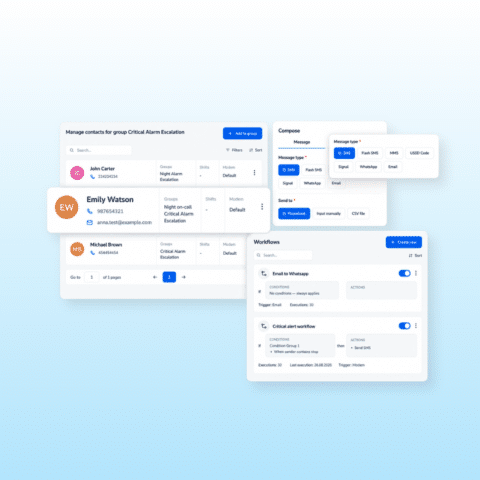
  • how to design escalation workflows people can’t ignore  
  • how to use SMS, voice calls, and WhatsApp to break through silence and get attention when it matters most  
  • how to integrate SMSEagle with Niagara4 in just 5 minutes  

Full agenda

  1. Introduction: Passive alerting
    • The Reality Gap: Why having sensors is only half the battle. If a dashboard turns red at 3:00 AM and no one is watching, the system has failed. 
    • Active vs. Passive Alerts: From “sending an email” to “ensuring a response.” 
    • Case Study context: How a healthcare facility moved from a passive setup to an automated, fail-safe alerting workflow.
  1. Case Study: The cost of a missed notification
    • A Hungarian healthcare facility with no 24/7 on-site presence. 
    • The Incident: A pipe burst on a Friday night. The BMS “knew,” but the staff didn’t. Result: Catastrophic damage to the heating plant. 
    • The Requirement: A solution that guarantees the right person is alerted. Alerts keep being sent until acknowledged.
       
  1. Unignorable alerting system
    • What is SMSEagle. 
    • Multi-Channel Presence: Using Voice Calls, SMS, and WhatsApp (and others) to break through the “Do Not Disturb” mode on smartphones. 
    • Deliverability features: 
      • Workflows 
      • Groups 
      • Escalation 
      • Schedules 
    • Standalone Reliability: Mentioning that the system works even if the local network is unstable, adding that extra layer of security.
  1. Integration: Fast & Easy
  • The Niagara4 Integration: Showing the “fast and easy” integration process 
  • Configuration: Configuration tutorial / instruction / mention.


  1. Summary: Building an Uninterruptible Safety Culture
    • The Blueprint: Why this standalone emergency solution is the perfect template for any unstaffed facility (Warehouses, Utilities, Retail). 
    • ROI: The cost of the hardware vs. the cost of 48 hours of unnoticed flooding.
  1. Interactive Q&A Session
    • Deep dive into setting up escalation rules and managing multi-channel workflows. 

Who is this for?

Person typing at a desktop computer with orange interconnected chain icons floating above, suggesting a network or workflow.

Niagara4 integrators

Illustrated construction worker in a blue hard hat and glasses holds papers and a tablet beside a building site with a Dalmatian nearby

BMS / facility teams

Two construction workers in blue gear and hard hats; one speaks into a megaphone while the other looks at a phone.

Teams responsible for critical alerting 

Don’t let critical alerts go unnoticed
25 June, 11:00

Join a short, practical session focused on one thing: making sure every alert leads to action.

Software Updates

Announcement illustration: two people with a computer monitor under the headline 'Software v6.31 is Live!'

SMSEagle Software v6.31 is live!

Software version 6.31 introduces new features and improvements that expand capabilities across Digital Inputs/Outputs (Digital I/O), voice calls, and webhook‑based integrations. The update enables faster response to events and helps teams manage alerts more effectively across different environments.

Read More »