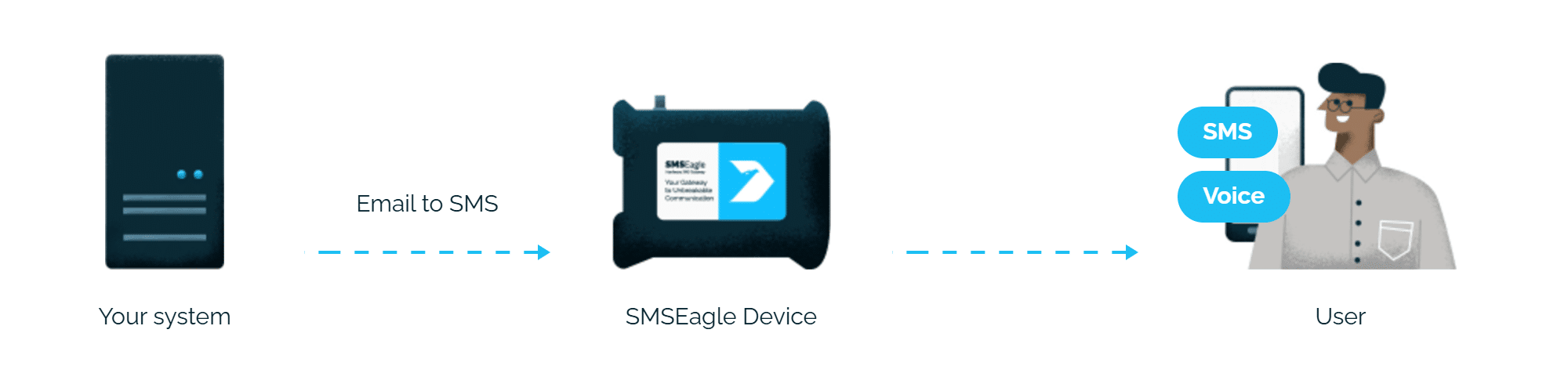
Iconics GENESIS alarms reach the person on duty as an SMS or a phone call (wake-up call or text-to-speech call). SMSEagle sends them directly to a cellular carrier, so they don’t depend on internet access or a cloud service. Alarms travel out-of-band and work perfectly in OT/air-gapped environments.
GENESIS Alert Notifications sends alarms by email. SMSEagle converts these emails into SMS, with no additional modules or cloud SMS providers such as Twilio or Vonage.
Alarms get through without internet
SMSEagle uses its own SIM card. Alerts reach operators and technicians even if the site internet connection or a cloud service is down.
Built for closed industrial networks
The whole path stays on-premises, in your plant or building network. This fits OT networks, utilities, pharma and other sites where outbound connections to cloud services are not allowed.
How it works
GENESIS sends the alarm as an email straight to SMSEagle. SMSEagle turns it into an SMS and, if configured, follows up with a phone call to the person on duty.
1
Alarm in GENESIS
Alert Notifications sends an email via the SMTP provider.
2
Email to SMSEagle
To phonenumber@SMSEagle_IP, no mail server in between.
3
SMS and voice call
Delivered over the cellular network, no internet needed.
More than SMS
SMS and voice calls from one device
Text alerts and text-to-speech calls without a separate voice system.
Escalation
If the person on duty does not respond, SMSEagle can notify the next person in line.
High availability
Two SMSEagle devices in an HA cluster keep alerting running if one unit fails.
SMSEagle setup
Enable the Email to SMS plugin: Settings > Channels > Email > Email to SMS.
Create a forwarding rule: Automation > Email > Email to SMS.
Iconics GENESIS setup
Create a new Email node. In Workbench, go to Alarms and Notifications > Alert Notifications.
Right-click Email Nodes and select Add Email Node. The NewEmailNode dialog opens.
Configure an email node. When finished, restart the GENESIS Alert Notifications Point Manager service.
After creating the email node, the dialog opens on the Email Settings tab.
In the Alarm Filter section, select the Enable Alarm Subscription and Send a Message for every incoming alarm checkbox to activate alarm messages, filtering, message templates, and alarm subscriptions.
Define email Message using templates: in Template, select an existing template from the drop-down list or create your own message content.
In To, enter the name and/or address of the recipient.
For each recipient, set the email address in the format phonenumber@SMSEagle_IP, for example 48500123456@192.168.1.100.
Alternatively use SMSEagle Phonebook groups. For example: set up a new public group “on-duty” in SMSEagle Phonebook. Use on-duty@SMSEagle_IP as email recipient.
Assign the recipients to the alarms or alarm groups that should trigger a notification, and send a test alarm.
Voice calls (optional)
To call the recipient after the SMS, set the Call after sending SMS parameter in the SMSEagle Email to SMS rule:
Ring only (wake-up call)
Yes: text-to-speech (advanced)
Voice calls require the SMSEagle VOICE add-on.
Explore SMSEagle Demo device
SMSEagle is a hardware & software solution that guarantees a swift delivery of your messages to designated recipients, whether it’s for notifications, alerts, or important updates.
After registering to a demo you get a remote access to our physical device NXS-9750.