When your APC UPS switches to battery or the battery is running low, SMSEagle sends an SMS or calls the person who needs to act, before the power runs out.
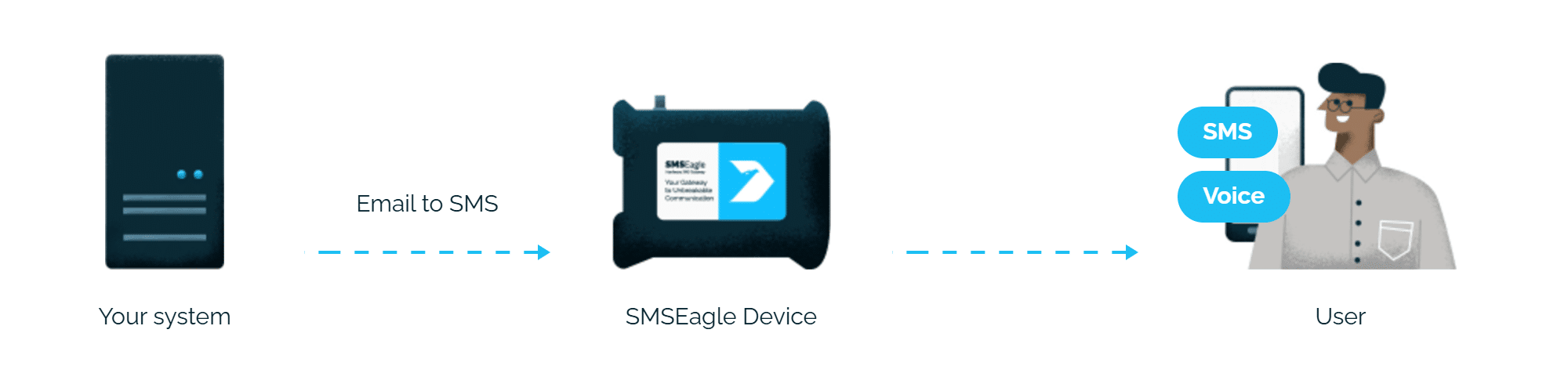
APC UPS sends its usual email notification, and SMSEagle turns it into an SMS, so you don’t pay for a cloud SMS service or an extra SMS card.
No mail server needed
SMSEagle can receive emails from APC UPS itself, so alerts don’t depend on your company mail server.
Alerts don't need internet
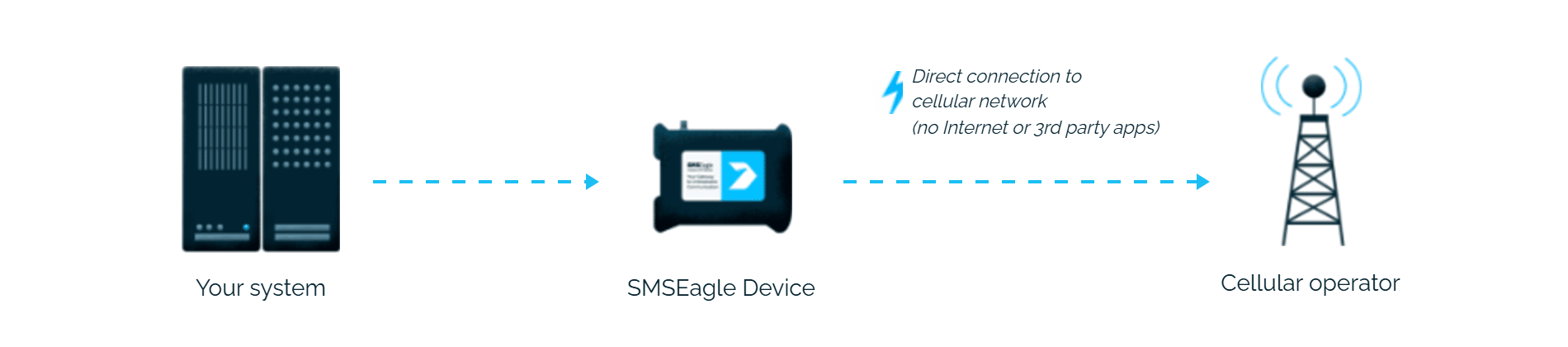
SMSEagle sends the alert through its own SIM card, so an internet outage won’t stop it, as long as the UPS and SMSEagle are on the same local network.
How it works
1
Power event
The APC UPS detects an event, for example running on battery or a low-battery condition, and its e-mail notification feature fires.
2
Email to SMSEagle
APC’s SMTP configuration sends that notification to the Email-to-SMS address configured under Notification Recipients, formatted as PHONE_NUMBER@IP_ADDRESS_OF_SMSEAGLE.
3
SMS & voice alert
SMSEagle delivers the alert over its own cellular connection, not through a third-party service, as an SMS, MMS, or voice call, to the on-call engineer’s phone.
Set up in about 10 minutes
No custom development needed. Point your APC UPS’s e-mail notifications at SMSEagle’s Email-to-SMS address and power alerts start arriving as SMS in minutes, using the same SMTP settings screen you already use for e-mail.
SMSEagle sends APC UPS alerts to the right person by SMS, phone call or WhatsApp, day and night.
SMS, voice calls, WhatsApp and email from one device
SMSEagle delivers APC UPS alerts by SMS, voice call, WhatsApp or email from a single device, so urgent alerts reach people where they actually look.
If the first person doesn't respond, the alert is sent to the next
Escalation groups and shift schedules make sure the APC UPS alert reaches the person on duty, and the next person on the list if nobody responds.
Alerts keep working even if one device fails
Two SMSEagle devices can work as an HA cluster: if one fails, the other takes over sending.
SMSEagle configuration
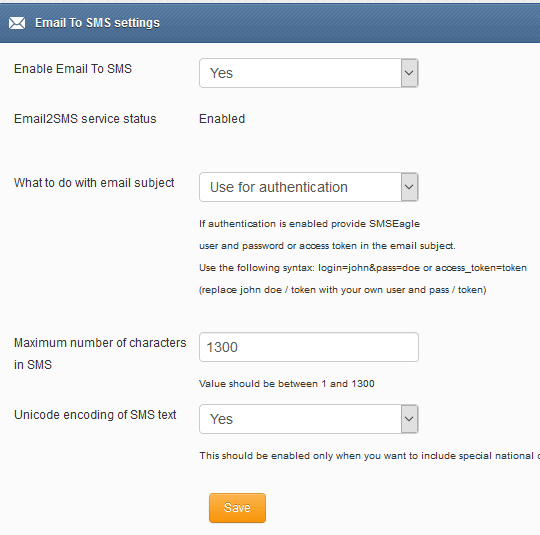
This integration will use Email To SMS plugin (see details: Email To SMS plugin). This plugin is included in each version of SMSEagle device.
Enable Email To SMS plugin in the web interface: Settings > Channels > Email > Email to SMS.
Create a forwarding rule in Automation > Email > Email to SMS. You can forward all emails to SMS or emails from specific domains.
Enable Email to SMS in the SMSEagle web interface
APC UPS configuration
1. First you need to have your SMTP server configured and running.
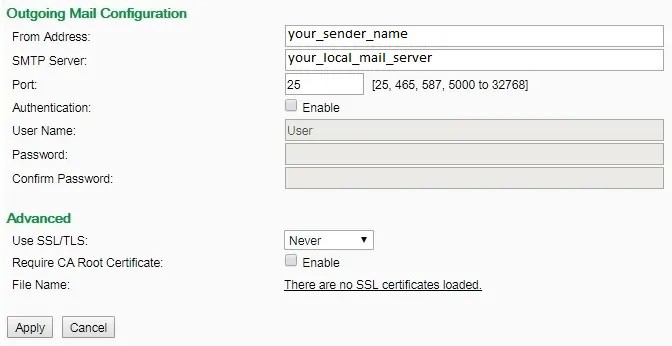
2. Configure SMTP server settings in APC ( Configuration > Notification > E-mail > Server) as described at screenshot:
SMTP Server is the IP address of your SMTP server
From Address is your desired sender email
3. (Optional) – use SMSEagle as SMTP server
You can put the SMSEagle IP as SMTP server if you don’t have your own running in your LAN and use it for sending emails
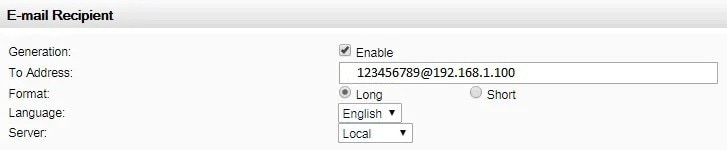
4. Configure E-mail recipients (Configuration > Notification > E-mail > Recipients). Settings as at picture.
where :
123456789 is your cellphone number
192.168.1.100 is your SMSEagle’s IP address
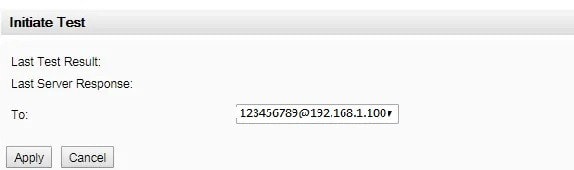
5. Test if it’s working by going to (Configuration > Notification > E-mail > Test) and:
a) Check sentitems / SMTP server logs if it received an email from your APC UPS
b) At SMSEagle web-gui in menu Settings > Sysinfo > System log you should see that SMSEagle device has received the email from APC UPS.
Wake-up Calls & Text-to-speech Calls (optional)
SMSEagle has a voice feature that offers wake-up calls for urgent ring-only alerts or text-to-speech calls to convert text alerts into voice calls. Complete the following steps if you want to add a follow-up voice call:
in the SMSEagle web interface: Automation > Email > Email to SMS edit the forwarding rule you created earlier
in the parameter “Call after sending SMS” choose a desired value:
Ring only: SMS will be followed with a wake-up (ring only) call
Yes – text to speech: SMS will be followed with a simple text-to-speech voice call (English language only)
Yes – text to speech (advanced): SMS will be followed with a text-to-speech voice call (better quality & multiple language support)
Explore SMSEagle Demo device
SMSEagle is a hardware & software solution that guarantees a swift delivery of your messages to designated recipients, whether it’s for notifications, alerts, or important updates.
After registering to a demo you get a remote access to our physical device NXS-9750.