On 6 August 2026, Telstra Enterprise Desktop Messaging customers will lose the ability to add new services and make changes to their existing accounts. This is an important step in shutting down the product. The service will be fully switched off on 9 November 2026. If you still use it, now is a good time to plan your migration.
Date | What changes |
30 June 2025 | Sales to new customers stop. |
10 November 2025 | SMB customers lose access. |
6 August 2026 | Enterprise customers can no longer add new services or change existing accounts. |
9 November 2026 | Telstra Desktop Messaging is fully switched off for all users. |
Telstra Desktop Messaging let people send SMS and MMS messages from a computer in three ways: through an app, through an email plugin, or through a browser. Users could talk to many recipients at once, sync contacts with Microsoft Outlook or Lotus Notes, set up automatic replies, and add photos, sound, and video to messages.
For many companies, this was a handy set of tools. But shutting the service down means its users need to find a solution that can take over these tasks, one that also leaves room for further automation.
The good news is that migration doesn’t have to mean losing functionality. For many companies, this is a chance to move beyond simple SMS sending and adopt a solution that becomes part of the whole communication infrastructure and business systems.
SMSEagle is one such solution.
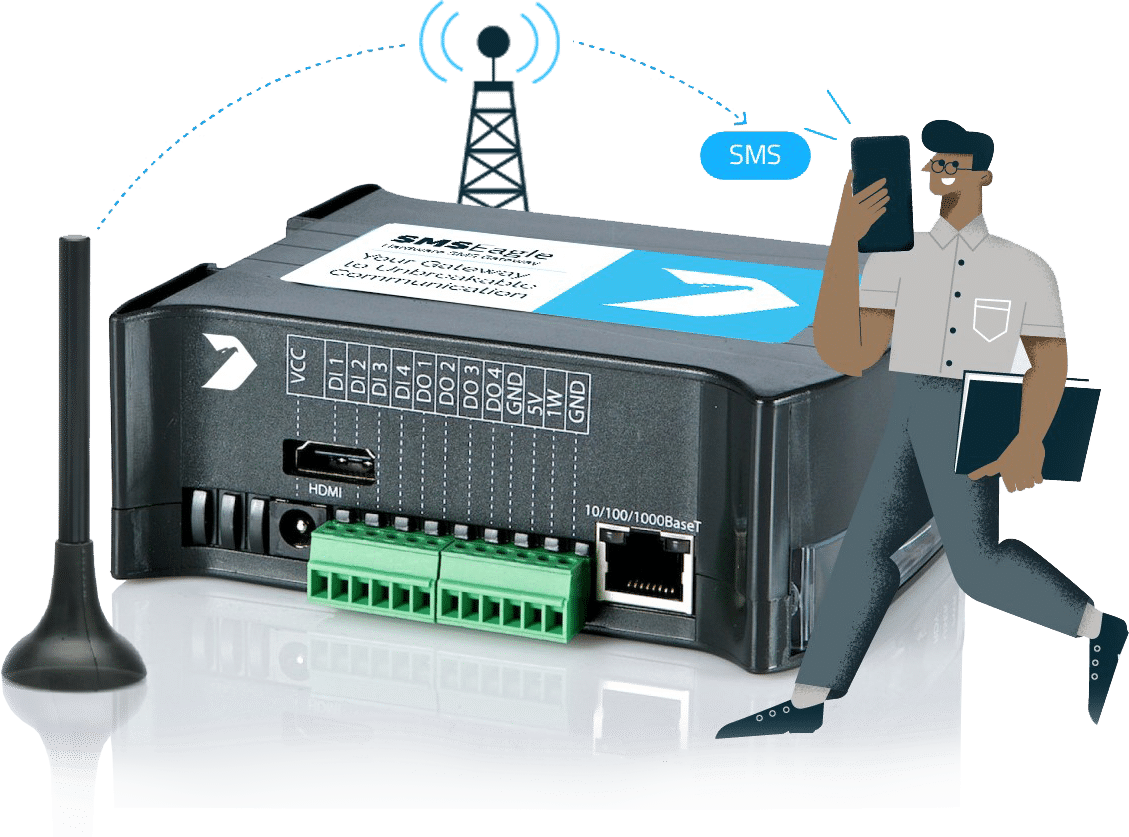
SMSEagle covers all the main features that Telstra Desktop Messaging users relied on: Email to SMS, SMS to Email, sending and receiving SMS messages, an address book, group and scheduled sending, delivery reports, and rule-based automatic replies. On top of that, it offers wider options for integration and automation.
One key difference is that Telstra Desktop Messaging was a carrier service, while SMSEagle is a local, hardware SMS gateway that runs on-prem (inside the company’s own infrastructure). This means more control over data, independence from outside providers, and the ability to send and receive messages over the mobile network even when internet access is limited.
In practice, SMSEagle can act not only as a replacement for Telstra Desktop Messaging, but also as a central notification system used by IT, security, production, maintenance, or customer service teams.
Area | Telstra Desktop Messaging | SMSEagle |
Solution model | Carrier service | Hardware gateway installed on-site at the company |
Sending from a computer | App, email, or browser | Web panel (browser), Email-to-SMS, API, and integrations |
SMS without internet | No | Sent over the mobile network via a SIM card; internet is not needed to send messages |
Incoming messages | Supported | Supported, with automation rules |
Contacts | Sync with Outlook and Lotus Notes | Phonebook and sync with the LDAP company directory |
Integrations | Mainly Outlook Mobile Service | Email to SMS, API, SMPP, and 60+ ready to use integrations with business systems |
Costs | Fees depend on the plan and number of messages | One-time device purchase plus SIM card plan; no per-message fees |
Sender ID | Depends on the service | Basically the SIM card’s number; this matters if you need an alphanumeric sender |
Scaling | Within the carrier’s service | Depends on the device model and number of modems. Supports up to 8 modems in one device |
Continuity | Depends on the provider’s decisions | The device remains the company’s property and keeps working even if the carrier withdraws its own service |
SMSEagle runs locally, inside the organization’s own environment. Message data and configuration stay on the device, and no third party can access the content stored in the gateway. This matters a lot for sectors where SMS communication is part of operational processes, security, or emergency response.
Because the device uses a SIM card and the mobile network, it can send and receive SMS messages without internet access.
For many organizations, this means:
This is also why SMSEagle is trusted in sectors where communication downtime or data exposure isn’t an option. SMSEagle’s development and support processes are ISO 27001 certified, and organizations such as Raiffeisen Bank rely on SMSEagle devices for critical alerting precisely because the gateway keeps message data inside their own infrastructure, under their own security policies, rather than inside a third-party platform.
Outlook integration was a strong point of Telstra’s solution. SMSEagle keeps the convenience of sending by email, but adds REST API, webhooks, ready to use integrations with more than 60 tools for monitoring, ticketing, automation, and authentication.
SMS messages can be sent automatically in response to specific events. For example, an IT administrator can get an SMS when a server fails or a network connection drops, a maintenance team can be notified right away when a production line stops, and customer service staff can receive an alert about a ticket that needs urgent attention.
Because of this, SMS stops being just a way to send messages and becomes part of the company’s operational processes.
Telstra Desktop Messaging is no longer available because the provider has decided to discontinue the service.With SMSEagle, the organization runs its own SMS gateway and maintains it within its own infrastructure. This doesn’t remove the need for updates, hardware maintenance, or working with a mobile carrier, but it gives the organization more control over how long the solution is used and on what terms. Because of this, SMS communication doesn’t depend only on the life cycle of an outside service or on changes to a provider’s strategy.
Desktop Messaging depended entirely on Telstra’s own infrastructure staying online and available. SMSEagle is designed the opposite way: devices with multiple modems, such as the NXS-9750 or the eight-modem MHD-8100, automatically switch between SIM cards if one modem or carrier connection fails, checking modem health every few minutes. For organizations that need an extra layer of reliability, SMSEagle also supports a failover cluster setup between two devices, so that critical notifications keep going out even if a single unit goes down.
This matters most for the exact use cases that justified using Desktop Messaging in the first place: IT alerting, production line monitoring, and customer service escalations, where a missed message has a real operational cost.
Shutting down Telstra Desktop Messaging doesn’t have to mean simply moving your current communication to another service. This is a good moment to organize your contacts, rules, and integrations, and to think about which processes could be automated even further.
If SMS has mainly been used so far to talk to employees or customers, it can now become part of a wider notification system. Integrating it with business systems lets you send messages automatically in response to failures, alarms, or new support tickets.
SMSEagle handles the key scenarios that Telstra Desktop Messaging users are familiar with. At the same time, it gives the organization its own communication channel, local data storage, and far greater options for integration and automation.
Test how the solution works with your own data before making a decision.

We’ll help you choose the right solution for your sending scale, integrations, and organizational needs.
On the Sales Partners page, you’ll find our distributors in Australia
Telstra has published a shutdown timeline for Desktop Messaging, but its end-of-service page doesn’t explain the reason for the decision in detail. The final date in the timeline is 9 November 2026, when the service will be switched off for everyone. Since 6 August 2026, Enterprise customers can no longer add new services or change their existing accounts. It’s best to plan your migration before the deadline that applies to your account, leaving enough time to test integrations and sending.
Telstra hasn’t published a detailed data export plan for Desktop Messaging users, so the safest approach is to export your message history, contact lists, and automatic-reply rule settings before the deadline for your account type, since the data will probably not be available once the service is withdrawn.
It depends on your sending scale. SMSEagle requires a one-time investment in a device instead of recurring fees per message or a subscription. This means a higher upfront cost, and the company also has to cover SIM card and mobile carrier fees.
At the same time, SMSEagle doesn’t charge a commission on any message sent. At a steady or high sending volume, this model can turn out to be more cost-effective than solutions billed per SMS. Before making a decision, though, it’s worth comparing the total cost of the solution over your chosen period and taking your own message volume into account.
No. The device connects to the mobile network through a SIM card and sends and receives messages regardless of whether it has internet access. An internet or company network connection may be needed when the device has to work with an external system through an API, or when it needs to be managed remotely.
This is one of the trade-offs of this migration. Messages from SMSEagle are sent through the SIM card assigned to the device, so the sender ID is usually the number linked to that card. You can’t freely change it for each campaign, the way some web-based gateways allow (including some Telstra services). If Sender ID is critical for your company, it’s worth checking this before you buy.
SMSEagle provides its own REST API, an SMPP server, and an Email-to-SMS gateway.
Because of this, most monitoring, ticketing, or alerting systems that can trigger a webhook or send an email can be connected to the new gateway. However, the request format and authentication method are different from Telstra’s API, so existing scripts and integrations will need to be rewritten and tested from scratch, not just have a URL swapped out.
Check the available list of integrations ->
Also keep in mind that the SMSEagle team can build an integration for you free of charge, even one that isn’t on the list. Just let us know what you need through our dedicated form.
Throughput depends on the device model and the number of modems. A single modem in the NXS-9700 sends up to 30 SMS per minute, two modems in the NXS-9750 up to 60, and the MHD-8100 model with eight modems up to 240 messages per minute, with automatic failover between SIM cards. This performance level fits many notification and campaign scenarios of moderate scale.
However, if you regularly send large batches of messages, choose your device based on peak volume rather than average volume. In some cases, you may need a model with more modems, or several devices.
Yes, in most cases. SMSEagle supports two-way SMS communication, delivery confirmations, group and scheduled sending, and an address book, all managed from its own web panel. Even so, before switching to the new solution, it’s worth making a detailed list of the features you used in Telstra, such as specific CRM integrations or custom reporting, and checking them against SMSEagle’s library of plugins and API, since not every niche feature has a ready, identical match right after installation.
Deployment time depends mainly on the number of integrations and how complex they are. Setting up the device itself, the SIM card, and basic sending rules usually takes anywhere from a few hours to a few days. Adapting scripts, API integrations, contact lists, and automation scenarios to the new format can take more time, so it’s worth starting that stage early.

Engineer by education, marketer by choice. For 6+ years I've combined technology, data, and content marketing to help companies gain a competitive advantage and achieve measurable results. As a Technical Content Specialist at SMSEagle, I develop brand messaging and content that support sales, customer education, and market positioning. A degree in Information Systems gave me an unique perspective at the intersection of business and technology. I believe quality is the only thing worth scaling.


