SMSEagle Software v6.30
Software version 6.30 introduces a range of new features and improvements designed to give users more control, better visibility, and greater reliability when working with SMSEagle.
This release focuses on key areas such as automation, monitoring, and high availability, including enhancements like Modbus TCP support, extended Workflow capabilities, SMS notifications for Failover, and improved access control. These updates are especially valuable for integrations, critical environments, and industrial use cases.
In addition, version 6.30 includes a number of smaller usability improvements and refinements across the interface and configuration options. While minor on their own, we believe these enhancements will make everyday work with SMSEagle smoother, more efficient, and more enjoyable.
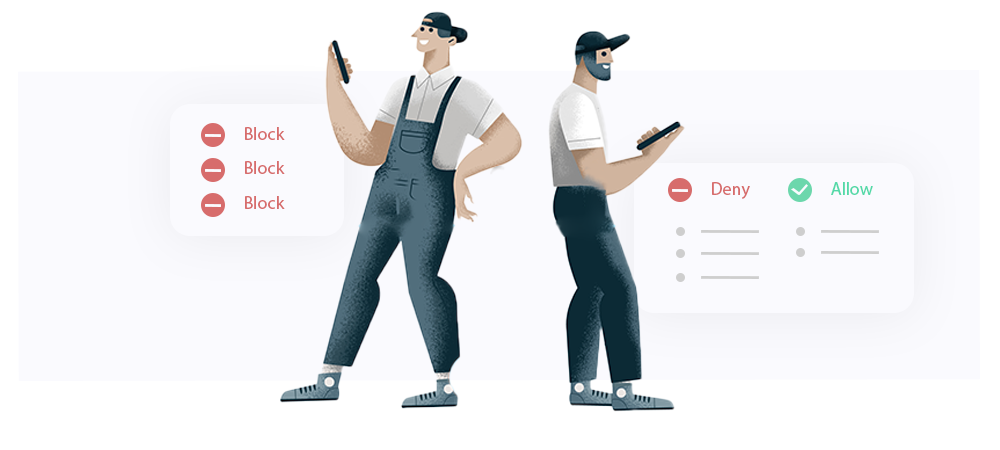
The traditional Blacklist feature has been replaced by the Allow/Deny List, providing a more flexible and unified way to control SMS traffic on your SMSEagle device. The new Allow/Deny List enables bi‑directional control over both incoming and outgoing SMS communication.
The feature operates in two mutually exclusive modes:
Phone numbers can be defined individually or as ranges using wildcards, allowing efficient management of large number groups.
In addition, the STOP Word mechanism automates opt‑out handling by monitoring incoming SMS content. When a defined STOP word is detected, the sender’s number is automatically added to the Deny List, preventing any further communication with that number according to Deny Selected rules.
Overall, the Allow/Deny List replaces traditional blacklist filtering with a single, consistent mechanism for inbound and outbound SMS control, making it especially suitable for integrations, automation scenarios, and security‑sensitive deployments.
In software version 6.30, SMSEagle introduces Modbus TCP support within the Network Monitoring feature, extending monitoring capabilities to industrial and OT environments.
The Modbus TCP probe allows SMSEagle to read values directly from registers and objects exposed by Modbus‑enabled devices such as PLCs, sensors, and controllers. Based on defined conditions, the system can automatically trigger SMS alerts or voice alerts when monitored values exceed thresholds, enabling fast reaction without continuous manual supervision.
This feature makes SMSEagle a reliable alerting layer for industrial infrastructure, bridging automation systems and real‑time notifications in a single platform.
Typical use cases:
The SMSEagle software now includes a built‑in Configuration Wizard that guides users through the initial software setup step by step.
The wizard is automatically launched on first login and covers the most important configuration areas, including SIM card setup, time zone selection, and user password change, helping users quickly prepare the system for operation.
The Configuration Wizard can be skipped if needed and accessed again later from the Settings menu, allowing the setup process to be completed or reviewed at any time.
The Emails module now includes a dedicated Conversations page that displays incoming and outgoing email messages in a threaded view, grouped by sender and recipient.
This view makes it easy to follow the full history of email communication directly from the SMSEagle web GUI, improving visibility and message traceability.
All incoming and outgoing emails are automatically stored on the device and remain accessible from the Conversations page for ongoing reference.
Version 6.30 significantly extends the SMSEagle API with a new set of endpoints designed for deeper integration and more granular system oversight. This update allows for programmatic Digital I/O control, access to detailed system and support information, and tracking of user activity statistics and device temperature. Furthermore, new dedicated health check endpoints enable real-time monitoring of critical services, including the HA‑cluster status, SNMP, MQTT, and SMPP, ensuring maximum reliability in automated environments.
The Failover feature now supports automatic SMS notifications on cluster state changes, providing immediate visibility into critical infrastructure events.
When enabled, the system sends an SMS notification whenever a node changes its cluster state, to one defined (Master / Backup / Fault). This allows administrators to react quickly to failures or recovery events without the need for continuous manual monitoring.
SMS notifications can be enabled in the Failover configuration tab. Notifications are automatically sent to the phone number assigned to the primary Admin account, ensuring that critical alerts reach the responsible administrator without additional configuration.
This enhancement significantly improves operational awareness and response time in uptime‑critical, high‑availability deployments.
Contacts can now be added to or removed from groups directly in the group view, and removed straight from search results, simplifying contact management without navigating to individual contact settings.
The Workflow feature has been extended to provide more precise control over outgoing message processing and email‑based actions.
New trigger types are now available for SMS and MMS messages, allowing workflows to react to key delivery events:
These triggers enable users to build workflows that respond automatically to message status changes, improving monitoring, error handling, and delivery visibility.
In addition, Email actions now support dynamic recipient placeholders. When the trigger is set to Email, the workflow can automatically determine the message recipient based on data extracted from the incoming email, such as:
This enhancement allows workflows to route messages dynamically without hard‑coded recipients, making automations more flexible, scalable, and easier to maintain.
With 6.30 software version SMSEagle includes a built‑in mechanism for updating the WhatsApp integration library, ensuring ongoing compatibility with changes introduced on the WhatsApp platform.
Since WhatsApp is regularly updated, keeping the library up to date helps maintain stable and uninterrupted operation of the integration. Available updates can be easily checked and applied from the WhatsApp Settings tab.
The Webhooks feature has been extended to provide greater control over webhook delivery validation.
Users can now define Expected HTTP Status Code(s) for each webhook rule, specifying which HTTP response codes are treated as a successful webhook delivery. The webhook is considered successful only if the response status matches one of the configured codes. Multiple status codes can be provided, with 200 set as the default.
This enhancement allows Webhooks to better integrate with custom APIs and external systems that use non‑standard success response codes, reducing false retries and improving reliability of message forwarding.
Version 6.30 brings a broad set of improvements focused on increasing reliability, flexibility, and ease of use across the SMSEagle platform. This release enhances core areas of the system, offering better control, improved visibility, and more robust handling of everyday operations. Alongside larger enhancements, it also includes a number of smaller refinements that smooth out workflows and improve the overall user experience. Together, these changes make SMSEagle better suited for both demanding environments and day‑to‑day use.
We are very happy to invite you to try the demo and explore the new options in practice. Testing the updated system is the best way to see how these improvements can support your workflows and operational needs. We hope version 6.30 helps you get even more value from SMSEagle and makes your daily work simpler and more efficient.

Software version 6.30 introduces a range of new features and improvements designed to give users more control, better visibility, and greater reliability when working with SMSEagle.

Dell Technologies Forum 2025 was held in Prague on December 2, 2025. The event brought together technology providers and IT professionals, and served as a platform to discuss current and upcoming trends, challenges, and opportunities.

In today’s smart buildings, automated BMS notifications are essential for safety, efficiency, and reliability. This article explores how on-premise hardware gateways such as SMSEagle ensure timely communication of critical events, comparing cloud and local architectures, best practices, and real-world implementations in modern facility management.