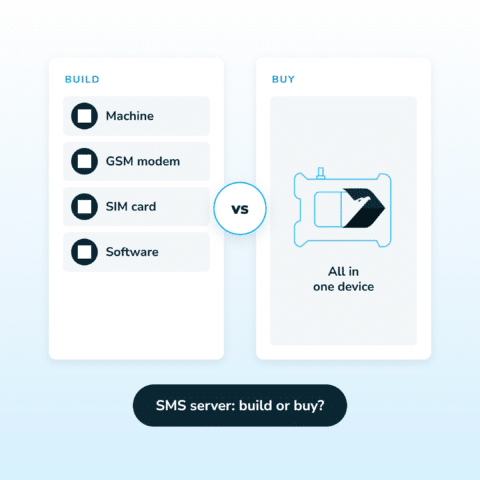
SMS server: what it takes to build one, and when to buy instead
If you are looking for an SMS server, you are usually one of two people: someone who wants to run the software themselves, or someone

In industrial environments, Modbus TCP gets used to keep an eye on PLCs, sensors and automation systems. But the thing is, Modbus just doesn’t come with built-in notification tools that tell you when something has gone wrong. As a result, Modbus SMS alerts are usually handled by a separate layer that takes in register data & sends out SMS & voice alerts.
If you search for “Modbus SMS”, you’ll find two common approaches:
1) Direct sending: a gateway that supports the Modbus protocol maps specific registers, allowing SMS messages to be sent directly by writing to the register.
2) Alerting layer: a monitoring or edge system polls Modbus registers, evaluates alarm conditions, and sends SMS notifications when thresholds or states are met.
The alerting layer is the more popular approach in industries – it lets you set up condition based triggers, escalation paths and acknowledgement workflows for reliable alarm handling. A pretty straightforward way to do this would be to use a dedicated on-premise monitoring system with built-in Modbus TCP support – like SMSEagle.
SMSEagle is an on-premise hardware SMS gateway that can be easily integrated with existing PLCs, network monitoring tools, and broader IT/OT systems. It goes beyond basic messaging by offering advanced functionalities like Email to SMS, automated workflows & alert management. Crucially, because it utilizes cellular networks, it operates entirely offline as a reliable out-of-band communication alerting solution, guaranteeing that your critical alarms are delivered even if your primary internet or IP networks fail.
Using the SMSEagle’s feature Network Monitoring → Modbus TCP, you will be able to:
All of this works locally, without relying on external cloud services.
Below is a practical, step-by-step guide, plus ideas for scaling alerting (groups, escalation, shifts, HA).
SMS is often used in industrial alerting because it works independently of dashboards, apps, and VPN access. When IP connectivity is unstable or operators are off‑site, SMS remains a reliable notification channel.
In this scenario, SMSEagle periodically polls Modbus registers and evaluates conditions you define. As a result, alerts are sent to selected recipients when a condition is met.
Basic Modbus SMS flow:
1. Modbus TCP device reachable from SMSEagle
2. SMSEagle basics
3. For voice alerts
Before sending SMS from Modbus, it is recommended to define recipients in the phonebook.
Even if you can type a phone number directly, you’ll save time by building a phonebook group such as “OT On-Call”.
Why groups matter: Network Monitoring can send alerts to a single number or a group of users.
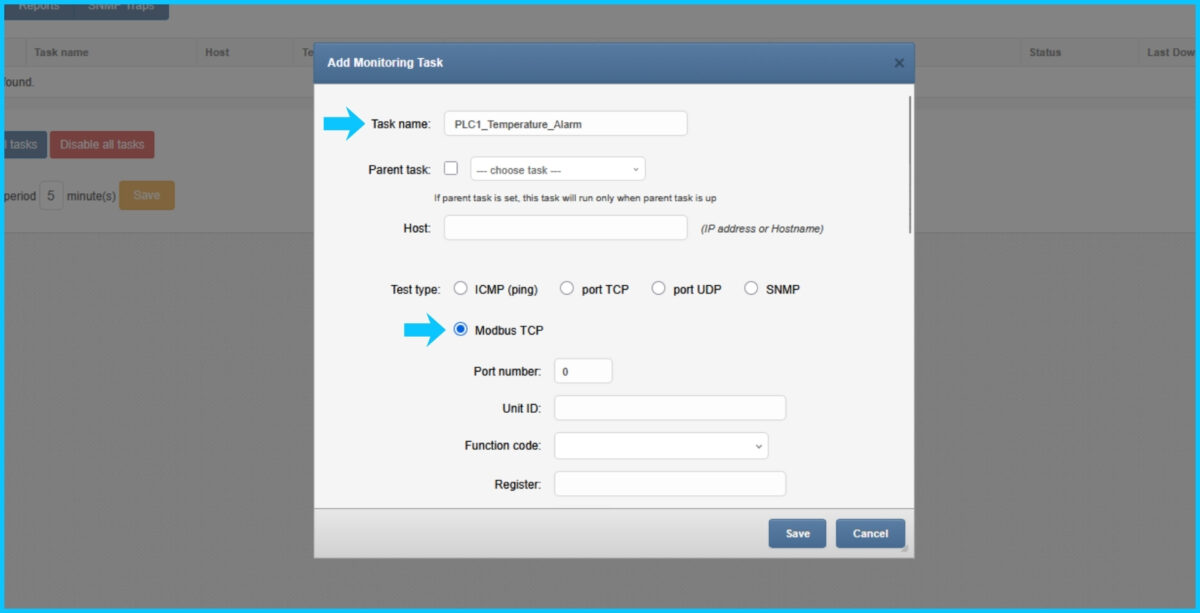
SMSEagle Network Monitoring supports multiple probe types (ICMP, TCP/UDP Port, SNMP, Modbus TCP). For Modbus TCP, you can monitor register values via the Modbus TCP/IP protocol.
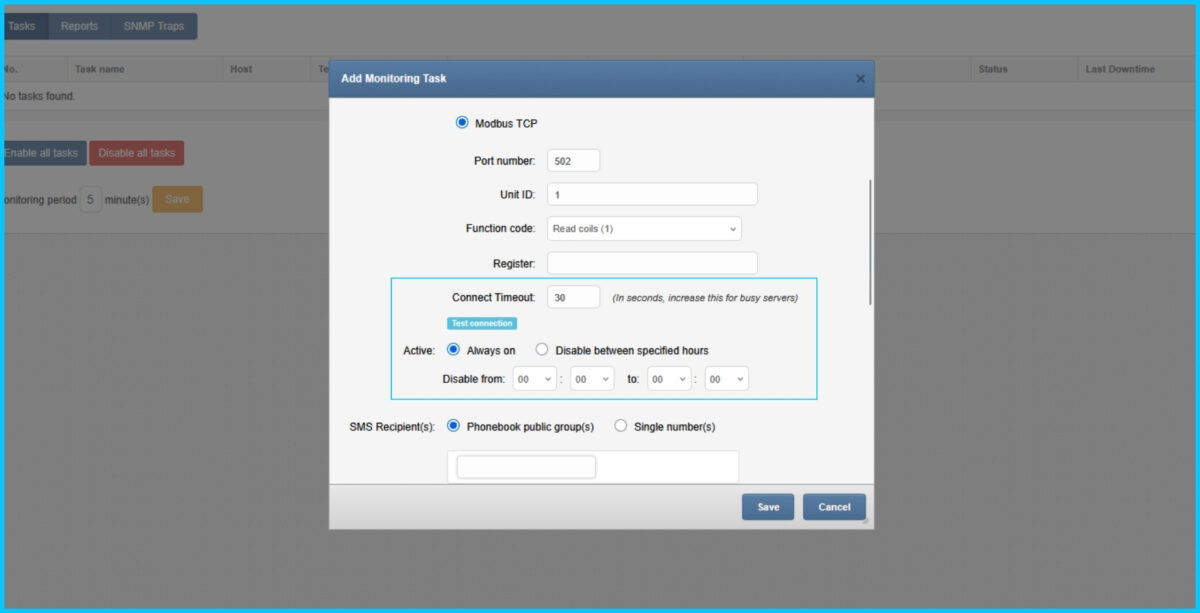
SMSEagle’s Modbus TCP probe typically requires:
Example A: Alarm bit (coil)
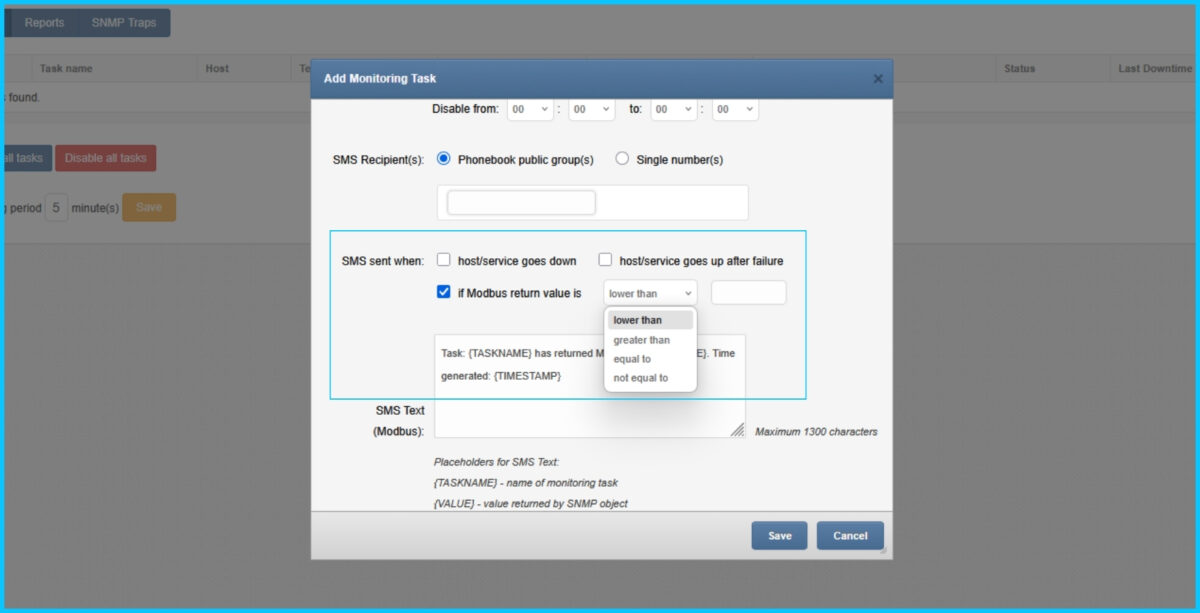
Example B: Temperature threshold (holding register)
Tip: If your PLC uses scaling (×10, ×100), incorporate it in the threshold and in the message text.
Network Monitoring lets you define schedules and adjust timeouts for busy devices.
This ensures Modbus SMS notifications are reliable and meaningful.
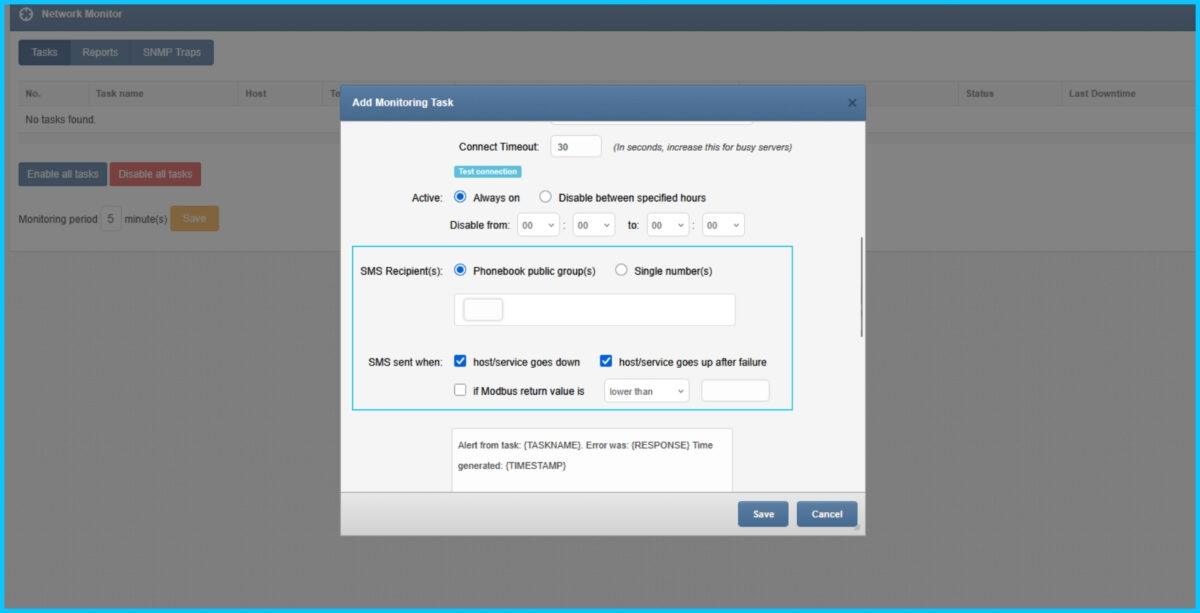
In the task settings:
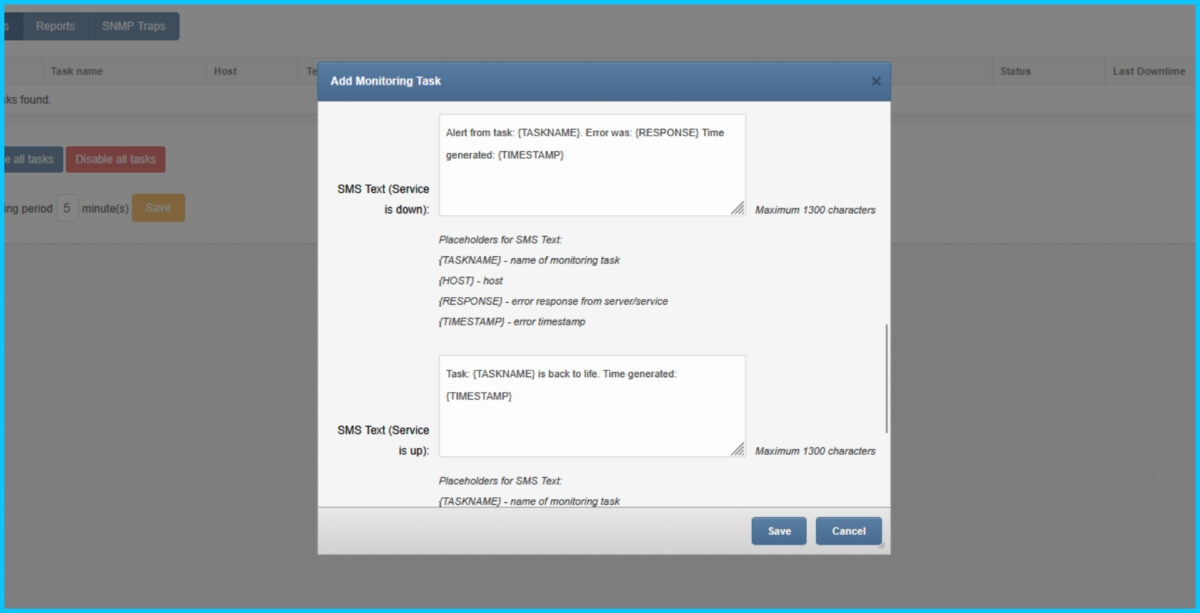
SMSEagle Network Monitoring supports SMS templates with placeholders like:
{TASKNAME}, {HOST}, {RESPONSE}, {TIMESTAMP}
A good message is short but actionable:
Suggested SMS template
ALERT: {TASKNAME} on {HOST}. Time: {TIMESTAMP}. Response from Modbus register: {RESPONSE}. Check PLC cabinet A3.
Best practice: Include a human hint like “Check PLC cabinet A3” or “Call maintenance” in the static part of the template. Including context improves response time during incidents.
For critical alarms, SMS alone may not be enough – especially at night. SMSEagle supports voice alerting, including:
This is useful for high‑severity Modbus alerts during night shifts.
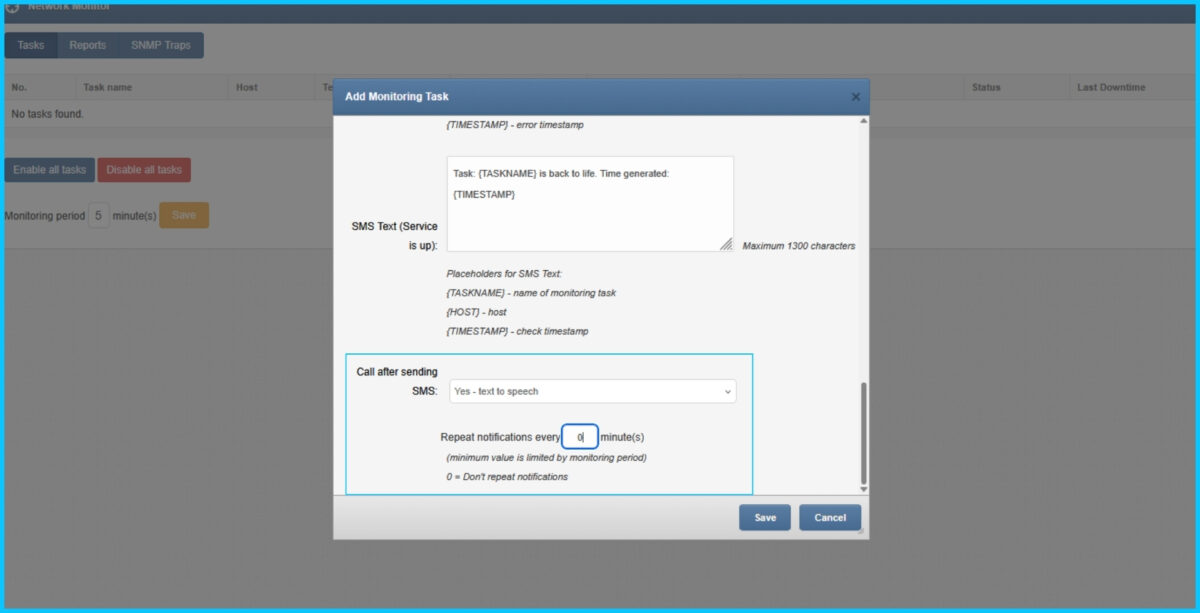
Configure voice follow-up (typical pattern)
3. Set call duration / TTS mode if prompted.
Network Monitoring provides task status and details such as last downtime and response information.
1) Send SMS to a group (one task → many responders)
Instead of hard-coding numbers, target a phonebook group so you can change on-call staff without editing tasks. Network Monitoring supports sending to a group of users.
Use case: “Line 2 Maintenance” group gets machinery alarms, “IT On-Call” group gets network alarms.
2) Use Escalation (don’t rely on “someone will see it”)
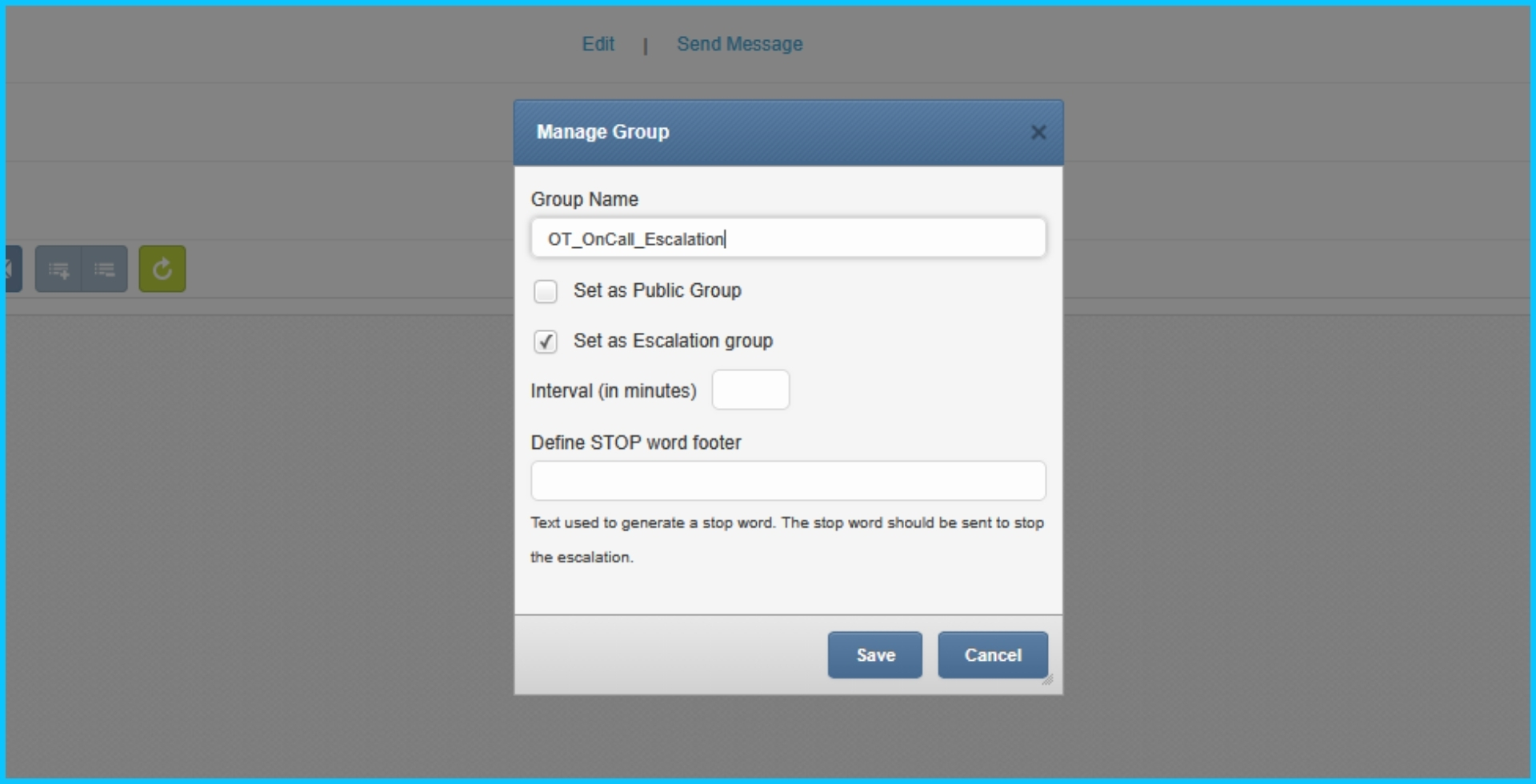
SMSEagle supports built-in escalation: alerts can be escalated through group members in a predefined order until someone acknowledges with a keyword.
How to apply escalation to Modbus alarms
Why it matters: It prevents “broadcast fatigue” and ensures ownership.
3) Add Shift Management (alert only people who are on duty)
SMSEagle includes Shift management, so messages are sent during employees’ work hours by assigning contacts to shifts.
Use case: Day shift gets production line warnings; night shift gets only high-severity alerts.
4) High Availability (HA) for mission-critical alerting
If alerts are business-critical, consider Failover / HA cluster: SMSEagle can be set up as a high-availability cluster of two devices.
Use case: Power plant, water treatment, production lines where alerting must survive hardware failure.
5) Best practices for Modbus alert design (avoid noise)
Immediate Awareness: Set the device to watch a digital input and trigger SMS alerts directly when a value is equal to an alarm state.
On-Premise Reliability: Using cellular hardware ensures that SMS messages and voice calls continue even if the facility’s external internet connection (WAN) is down.
Advanced Workflows: Configure the system to choose between a simple message sent to phone numbers or a complex escalation to different users.
Yes – SMSEagle TTS Advanced supports multiple languages by using downloadable voice models, and the conversion is performed on-device (offline).
Start with a 5–30s interval for Modbus TCP register polling in SMSEagle and tune it to your process dynamics and network load. If you see timeouts, increase the polling interval and/or the task timeout.
Check basic connectivity (routing/VLAN), firewall rules to Modbus TCP port 502, and the correct Unit ID, then validate the register and function code with a Modbus client. If the PLC is busy, increase the timeout and reduce Modbus polling frequency.
Use the PLC/SCADA register map: Modbus TCP values are often scaled (×10/×100) or stored as signed integers. For 32-bit values (two 16-bit registers), confirm word order/endianness and compare with the HMI value.
Use debounce/persistence (alert only after N consecutive polls) and threshold hysteresis to reduce flapping in Modbus TCP monitoring. Also set SMSEagle schedules for maintenance windows to avoid unnecessary SMS alerts.
Yes – configure an escalation group and an ACK keyword, so an SMS acknowledgment can stop further escalation. SMSEagle can also log who acknowledged the alert for clear ownership.
For most operations, send SMSEagle alerts to on-call groups so you can change rotations without editing Modbus TCP tasks. Use individual recipients mainly for testing or single-owner systems.
Voice calls require the SMSEagle Voice (Calls) add-on and working GSM/SIM connectivity. TTS Advanced runs on-device (offline processing), but placing the call still requires cellular coverage.
Modbus TCP typically has no authentication, so avoid exposing it to the internet. Segment your OT network and restrict access with firewall rules (SMSEagle → PLC on TCP 502).
Create separate SMSEagle Modbus TCP monitoring tasks per signal/alarm and use consistent naming (e.g., Line_Device_Signal). At scale, standardize templates and use groups + escalation for SMS and voice alerts.
Get access to SMSEagle demo device and test sending SMS alerts from Modbus TCP devices.

If you are looking for an SMS server, you are usually one of two people: someone who wants to run the software themselves, or someone

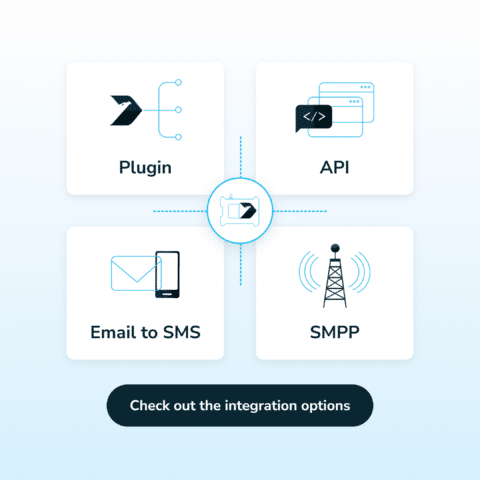
Integrating an SMS gateway means connecting your software to it, so the software can send text messages and receive replies automatically. There are four main ways to do it: a ready-made plugin, an API, Email to SMS and SMPP.
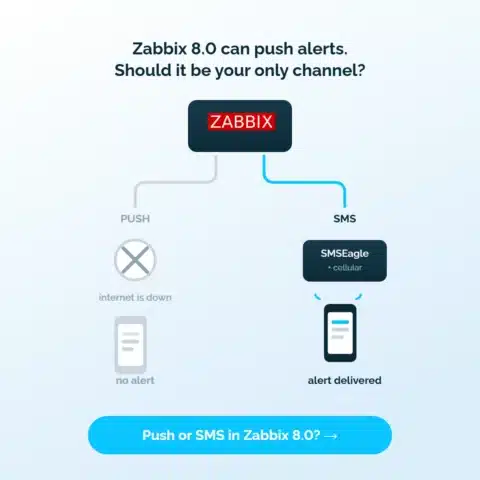
Zabbix 8.0 adds push notifications and a mobile app. Here is what the architecture depends on, where it breaks, and why SMS and voice alerts still belong in your escalation chain.

Engineer by education, marketer by choice. For 6+ years I've combined technology, data, and content marketing to help companies gain a competitive advantage and achieve measurable results. As a Technical Content Specialist at SMSEagle, I develop brand messaging and content that support sales, customer education, and market positioning. A degree in Information Systems gave me a unique perspective at the intersection of business and technology. I believe quality is the only thing worth scaling.