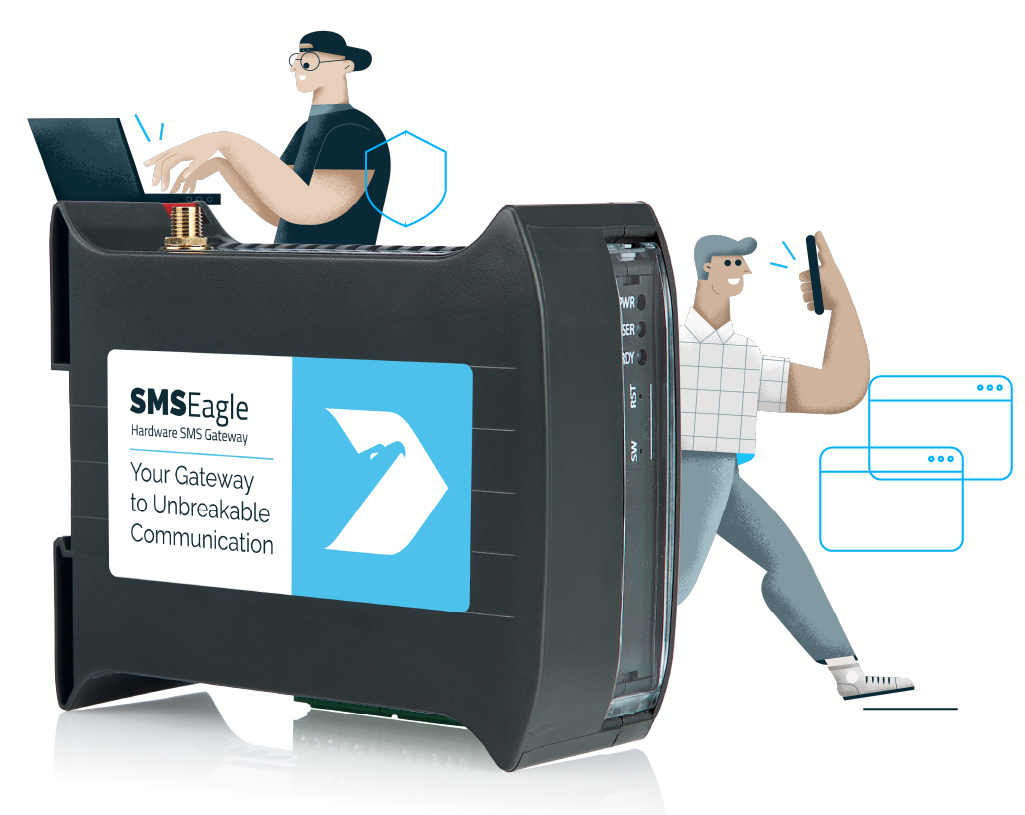
An outage is exactly when Zabbix alerts matter most, and when email, push, or cloud-based notifications can fail. SMSEagle is an on-premises hardware SMS gateway that delivers Zabbix alerts as SMS and voice calls directly over the cellular network, independent of your internet uplink.
Zabbix detects infrastructure anomalies, but delivering those alerts usually depends on your internet connection, mail server, or a cloud SMS provider. If any of these fails, the notification never reaches you. SMSEagle sends alerts directly over the mobile network, so they get through even when your internet link is down.
Dedicated, standalone hardware
Software-based alerting often runs on the same virtualized infrastructure (e.g. Proxmox or VMware) it is meant to protect. If that platform fails, your alerting can fail with it. SMSEagle is dedicated hardware with its own cellular connection, so your alerting gateway doesn’t share fate with the servers around it.
No cloud, full data control
SMSEagle runs on-premises, so alerts aren’t routed through third-party cloud SMS providers. Messages are sent directly from on-prem device over the cellular network to mobile carrier, keeping alert data off external SaaS platforms.
How it works?
1
Event Trigger
Zabbix detects a problem or threshold breach.
2
Communication
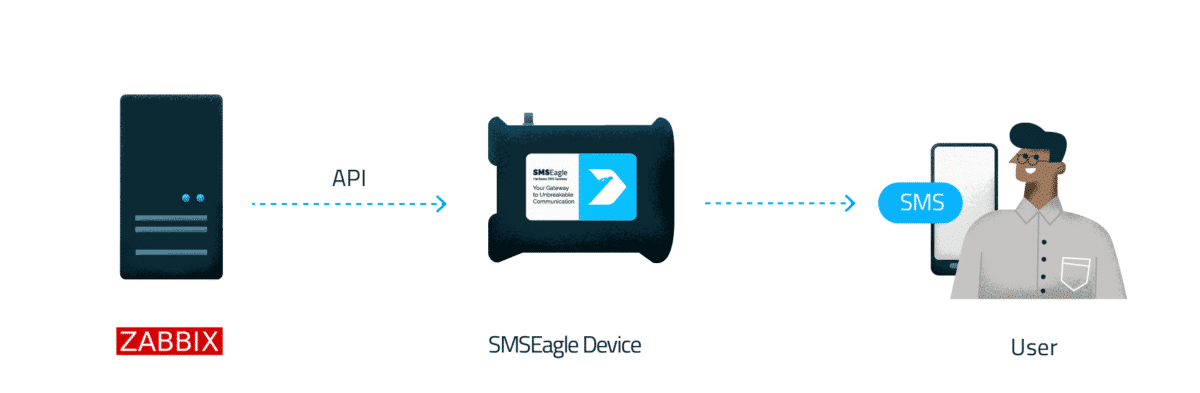
Zabbix sends a webhook request to SMSEagle over the local network.
3
Alert
SMSEagle sends an SMS alert directly to the on-duty IT team.
Integrate in 10 minutes
Set up reliable alerting using Zabbix’s built-in webhook integration to securely connect with your SMSEagle gateway. No internet required, no per-message billing, and full data privacy.
SMSEagle plugs into Zabbix as a standard alert media type – no custom development. Configure it once and every trigger, escalation, and acknowledgment flows through your gateway out of the box.
SMS and voice alerts that get noticed
A silent text is easy to sleep through. SMSEagle delivers Zabbix alerts as SMS and as text-to-speech voice calls, so a ringing phone wakes the responder. Pair it with Zabbix escalation chains and recipient groups, and each severity level reaches the right people through the channel they’ll actually notice.
Acknowledge alerts by replying to the SMS
When a Zabbix problem fires, your on-call engineer shouldn’t have to find a laptop and log into the web UI just to confirm they’re on it. With SMSEagle’s two-way support, they reply to the alert SMS and the problem is acknowledged directly in Zabbix. Faster response, a clear audit trail of who reacted, and no need for VPN or dashboard access at 3 a.m.
Recipient and escalation groups
Not every alert should go to everyone, and a missed alert shouldn’t go nowhere. SMSEagle lets you define recipient groups so each PRTG sensor reaches the right team. Escalation groups ensure that if the first person doesn’t acknowledge, the alert moves on to the next responder. Combined with on-call shift schedules, notifications follow your real duty roster instead of a static phone number.
Monitor Zabbix itself
Who watches the watcher? If your Zabbix server goes down, it can no longer send a single alert, and you may not find out until it’s too late. With SMSEagle’s built-in Network Monitoring, the gateway independently checks your Zabbix server and sends an SMS or voice call the moment it stops responding. Your monitoring platform finally gets a monitor of its own.
.
.
Video review
Using SMSEagle for Zabbix SMS & voice alerting
See how SMSEagle extends Zabbix with reliable SMS and voice call notifications delivered over the cellular network. This in-depth review covers the platform’s capabilities, alerting scenarios, and integration options. The Zabbix configuration tutorial starts at 02:52.
Video review
Dual-SIM failover for Zabbix alerts
Learn how SMSEagle improves alert delivery for Zabbix with dual-SIM connectivity, on-premise deployment, and SMS and voice call notifications. This product review explores how you can create a resilient alerting strategy. Zabbix setup tutorial starts at 22:30.
SMSEagle configuration
Create a new user in SMSEagle (menu System > Users, user access level: “User”).
Grant API access to the created user: go to Settings > Global settings > API and open the API v2 page.
Click Create API key, fill in Key name and select the user created above as Owner.
For text messages, add access permissions in section Messages for: Send SMS, Send MMS.
For voice call alerting, add access permissions in section Calls for: Make a ring call, Make a TTS Advanced call.
Click Create key. The access token is shown only once, right after saving.
Zabbix Setup
The configuration consists of a media type in Zabbix, which will invoke the webhook to send alerts to SMSEagle device through the Rest API.
In the Administration > Media types section, import the media_smseagle.yaml.
Open the newly added SMSEagle media type and replace all <PLACEHOLDERS> with your values. The following parameters are required:
access_token – API access token created in SMSEagle
type – type(s) of message(s) to send. Possible values: sms, mms, tts_adv, respectively for SMS, MMS, and Advanced TTS Voice Call (high-quality audio conversion). Allows multiple types, separated by commas (e.g. “sms,tts_adv”).
voice_id – TTS voice id (only for TTS Voice Calls). Identifier of local voice model that is used to generate a voice call. It can be found in the SMSEagle webGUI menu Calls -> TTS Voice models and use the number from the ID column for the desired language/voice.
Other required parameters are message type specific. More information can be found on our APIv2 page.
3. in the Administration > Users click on a User, and add a new media called SMSEagle. Enter SMS recipient. Available recipient formats:
Phone number: phone_number
Contact in SMSEagle Phonebook: contact_id:c
Group in SMSEagle Phonebook:group_id:g
Multiple recipients can be separated by comma.
For more information, please see Zabbix documentation.
Zabbix Template (optional)
If you would like to add a ready-to-use Zabbix template for monitoring your SMSEagle device in Zabbix:
Beyond sending alerts, SMSEagle lets your team acknowledge or unacknowledge Zabbix events directly by replying with SMS – no need to log in to the Zabbix interface. This capability is built on the SMSEagle Webhooks feature.
How to configure it
In SMSEagle webGUI > Automation > General > Webhooks, create a new rule and set the method to POST (Zabbix).
Choose the action type the rule should handle:
Acknowledge (ACK) – an incoming SMS acknowledges the event. Expected SMS format: ACK [eventid] [optional message] (e.g. ACK 12345 Problem resolved).
Acknowledge / Unacknowledge (ACK/NOACK) – a single rule handles both actions, with the action determined automatically by the SMS prefix (ACK or NOACK).
Enter the Zabbix API URL (for example: https://10.10.0.100/zabbix/api_jsonrpc.php).
Select the authentication type:
API Token – recommended for Zabbix 6.4 and newer. Don’t have a token yet? See Generating a Zabbix API token below.
Login / Password – for Zabbix older than 6.4.
Enter the authentication credentials and save the rule.
Generating a Zabbix API token
If you chose API Token authentication (Zabbix 6.4+), here’s how to create one in the Zabbix frontend:
Go to Users → API tokens and click Create API token in the top-right corner.
Fill in the token details:
Name – a descriptive label, e.g. SMSEagle ACK.
User – the Zabbix user the token will authenticate as.
Expires at – clear it for a token that never expires.
Click Add.
Copy and save the Auth token value in a safe place before closing the page, then click Close.
Paste this value into the API Token field of your SMSEagle webhook rule.
Where to see the result
Once an acknowledgment is sent, the updated status appears in the Zabbix interface in two places:
Monitoring → Problems – the Ack column changes to Yes.
Monitoring → Problems → Event details – the full acknowledgment history is shown, including the message text, timestamp, and the Zabbix user who performed the action.
How to Monitor Your Zabbix Server? (optional)
Zabbix is a perfect monitoring tool, but what if the Zabbix server hardware fails? Even the best hardware can experience failures. That’s where SMSEagle steps in with its cool tiny feature called Network Monitoring. SMSEagle can monitor IP addresses or TCP ports and instantly send an SMS or make a call when a failure is detected. This ensures you can always keep an eye on your monitoring server.
Explore SMSEagle Demo device
SMSEagle is a hardware & software solution that guarantees a swift delivery of your messages to designated recipients, whether it’s for notifications, alerts, or important updates.
After registering to a demo you get a remote access to our physical device NXS-9750.