Home / Integration plugins / Synology NAS SMS Integration

+

Send SMS alerts from Synology NAS

Synology NAS alerts reach the person on duty as an SMS. SMSEagle sends them over its own cellular connection, so they don’t depend on internet access or a cloud service.

Uses DSM notification settings

You add SMSEagle as an SMS provider in the DSM Control Panel, with no package to install on the NAS.

Works on older and current DSM

The setup is described for DSM 6.2 to 7.1 and for DSM 7.2 and newer.

Works without internet

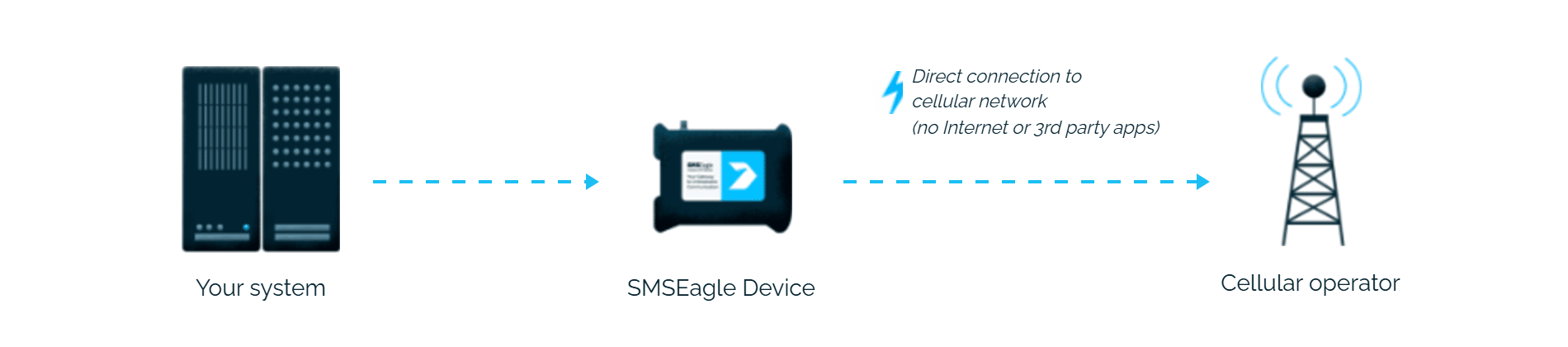
SMSEagle sends alerts through its own SIM card straight to the mobile network, so they don’t depend on internet access or a cloud SMS provider.

How it works

1

DSM event fires

A disk failure, backup job error, storage pool warning, or security event in Synology DSM triggers a configured notification rule.

2

HTTP request to SMSEagle

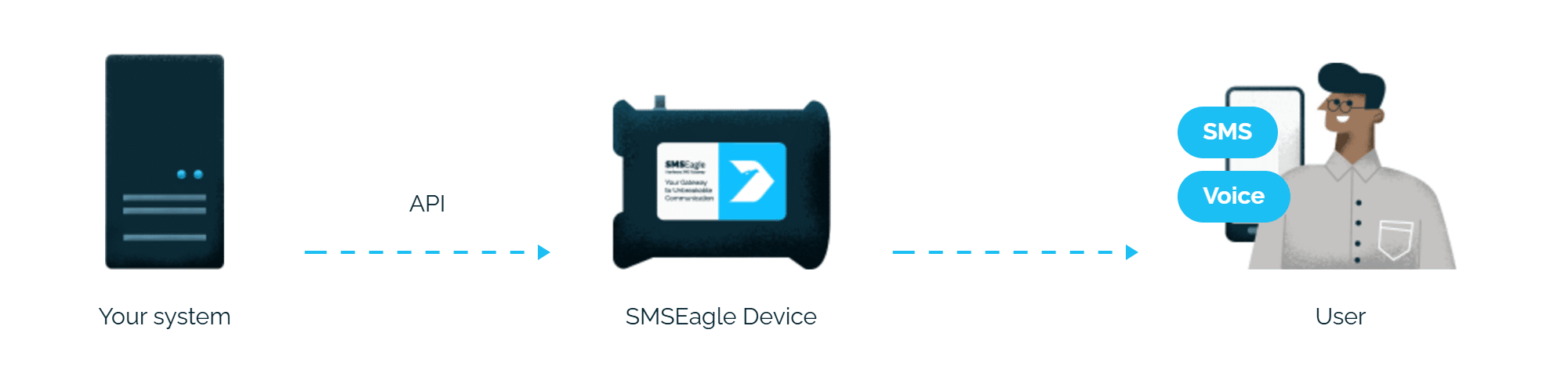
DSM calls SMSEagle’s HTTP API, either through the SMS service provider (DSM 6.2-7.1) or a custom Webhook (DSM 7.2+), passing the recipient number and alert text as URL parameters.

3

SMS delivered

SMSEagle delivers the alert over its own cellular connection, not through a third-party service, as an SMS to the recipient’s phone.

Set up in about 10 minutes

No middleware or scripting needed. DSM’s built-in SMS provider or Webhook notification settings point straight at SMSEagle’s HTTP API, so storage alerts are texting your team in about 5-10 minutes.

SMSEagle sends Synology NAS alerts to the right person by SMS, day and night.

No per-message fees

SMSEagle sends SMS through a regular SIM card, so you only pay for your mobile plan.

Alerts keep going if one carrier fails

On devices with two SIM cards from different operators, SMSEagle switches to the second one when the first operator’s network is down.

Alerts keep working even if one device fails

Two SMSEagle devices can work as an HA cluster: if one fails, the other takes over sending.

SMSEagle configuration

  • Create a new user in SMSEagle (menu System > Users, user access level: “User”).
  • Grant API access to the created user:
    • go to Settings > Global settings > API and open the API v1 page
    • click Create API key, fill in Key name and select the user created above as Owner
    • Add access permissions in section Permissions for: Send SMS, Send to contact, Send to group
    • click Create key. The access token is shown only once, right after saving

Synology DSM configuration

Synology NAS Setup version 6.2->7.1

1) Go to Control Panel -> Notification
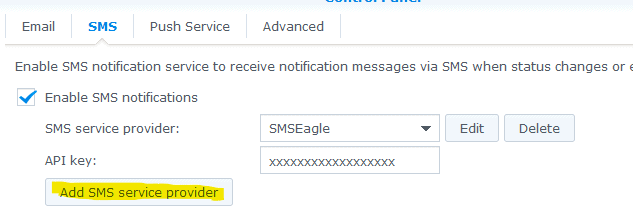
2) Go to tab SMS, and click on “Add SMS service provider”

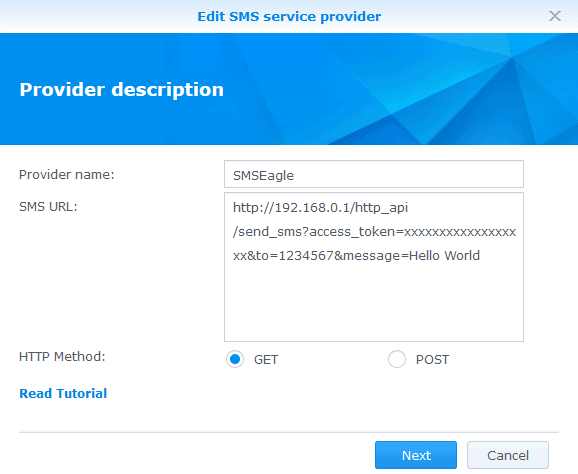
3) Paste HTTP API link to SMS URL field:


https://192.168.0.1/http_api/send_sms?access_token=xxxxxxxxxxxxxxxxxx&to=1234567&message=Hello World

where:
192.168.0.1 is your SMSEagle IP
xxxxxxxxxxxxxxxxxxx is access_token generated for your user at SMSEagle
Click on Next

4) Skip HTTP Request Header, so click Next
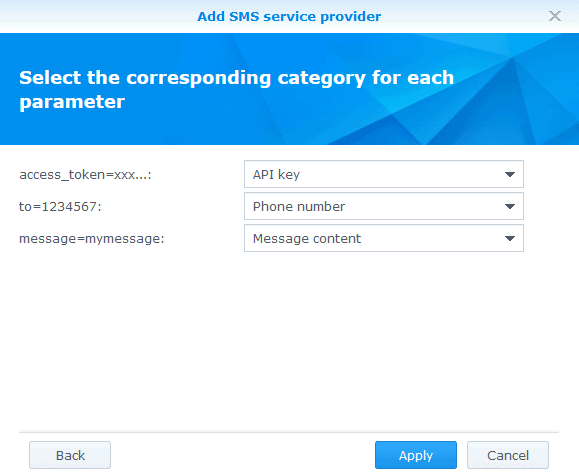
5) Setup as follows:

6) Now you can test – it should work immediately. You can do that by using button “Send a test SMS message”

Synology NAS Setup version 7.2+

1) Go to Control Panel -> Notification
2) Go to tab Webhooks and click on Add
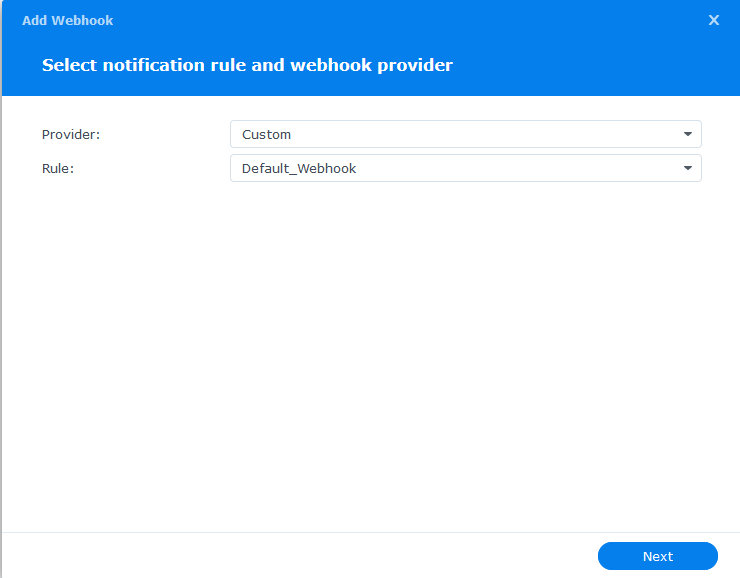
3) Fill fields: Provider: Custom, Rule: Default_Webhook (or of your choice)

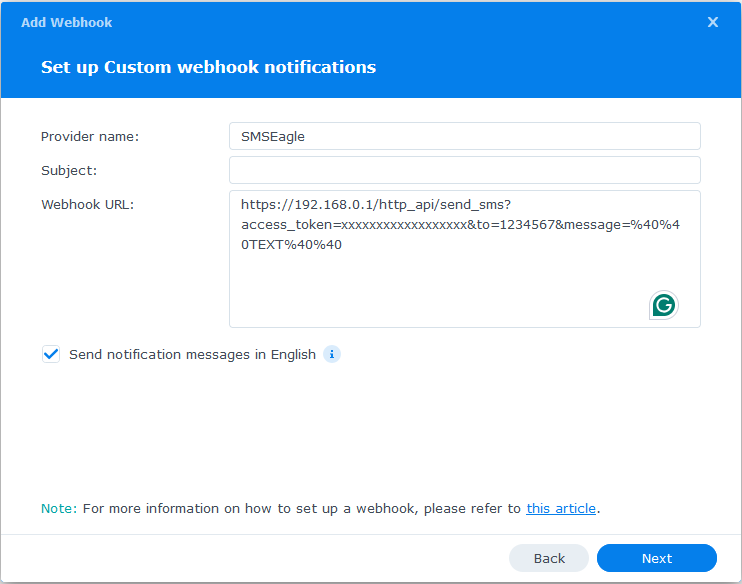
4) Provider name: SMSEagle, Subject can be empty, Paste HTTP API link to SMS URL field

https://192.168.0.1/http_api/send_sms?access_token=xxxxxxxxxxxxxxxxxx&to=1234567&message=%40%40TEXT%40%40

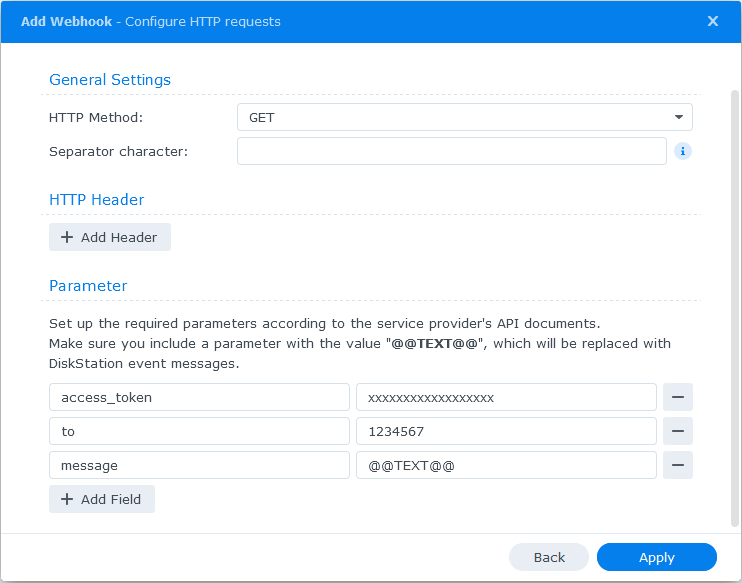
5) in HTTP Request parameters setup as follows: see image

  • access_token: fill in SMSEagle API token created in step “SMSEagle Setup”
  • to: destination phone number

Click Apply to save settings.

Now you can test it – it should work immediately. You can do that by using the button “Send a test SMS message””

Explore SMSEagle Demo device

SMSEagle is a hardware & software solution that guarantees a swift delivery of your messages to designated recipients, whether it’s for notifications, alerts, or important updates.

After registering to a demo you get a remote access to our physical device NXS-9750.

  • 14-days free trial
  • Access to over 20 functionalities

What is hardware
SMS Gateway?

Learn more about
SMSEagle features