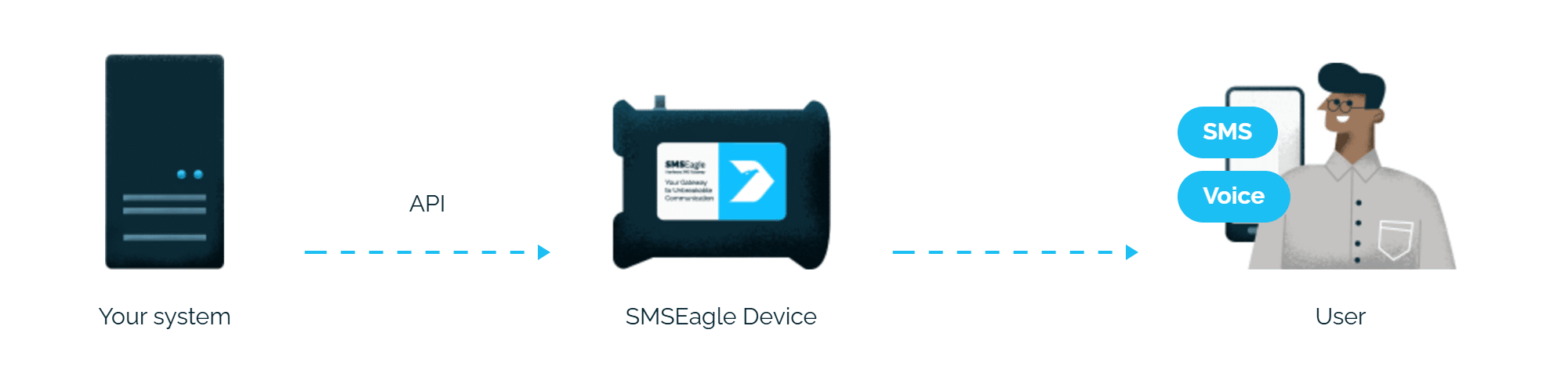
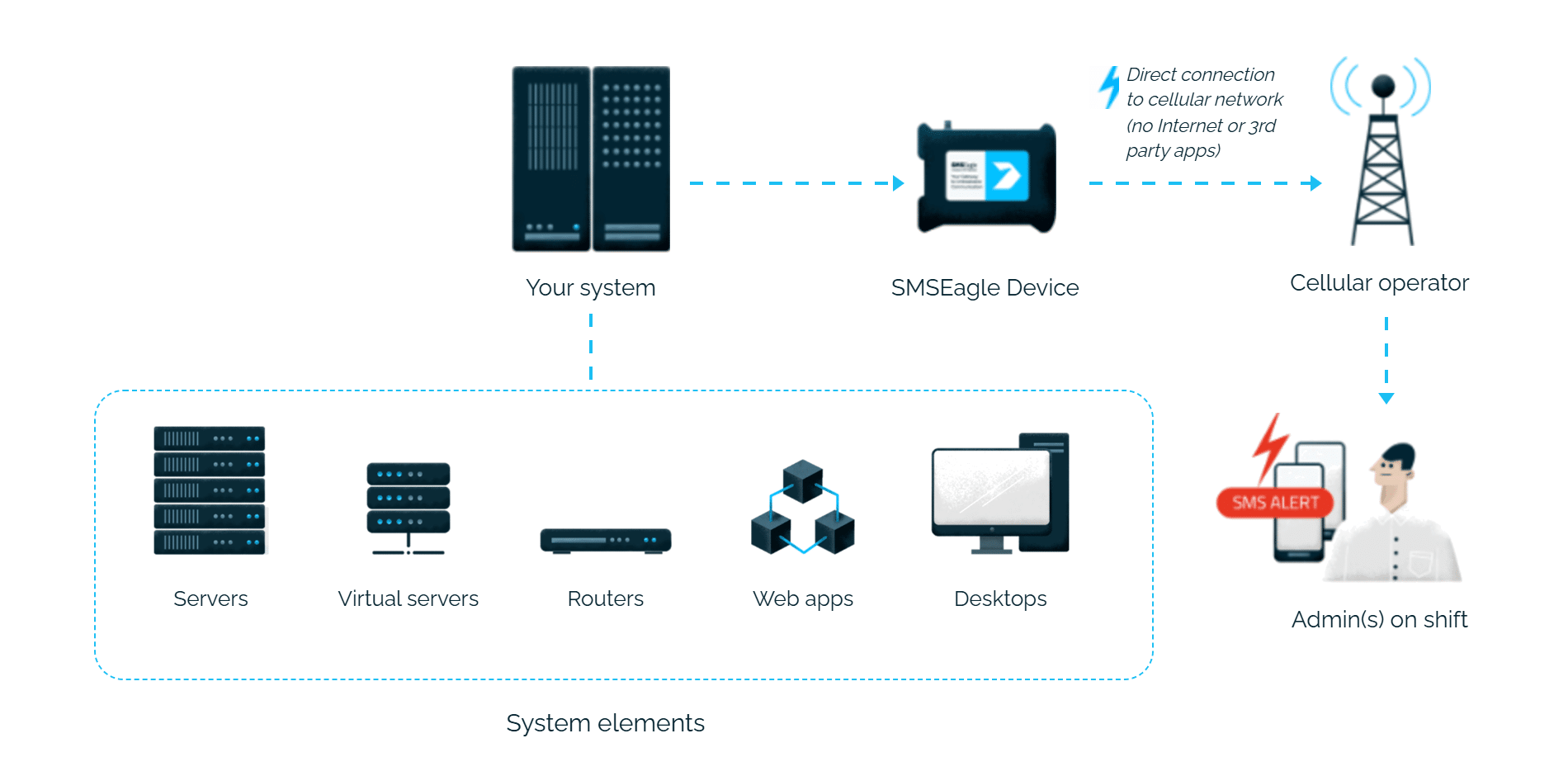
Netdata alerts reach the person on duty as an SMS or a phone call. SMSEagle sends them over its own cellular connection, so they don’t depend on internet access or a cloud service.
Netdata supports SMSEagle natively. You enter the device address and API token in the notification settings, and alerts start arriving by SMS or as a call.
Alerts for each team
Netdata sends alerts to the recipients set for each role, so every team gets only its own alerts.
Works without internet
SMSEagle sends alerts through its own SIM card straight to the mobile network, so they don’t depend on internet access or a cloud SMS provider.
How it works
1
Event Trigger
A Netdata health alarm fires when a monitored metric crosses its configured threshold.
2
Communication
Netdata’s agent-dispatched notification system sends an HTTP API request to the SMSEagle device over your local network.
3
Alert
SMSEagle delivers the alert over its own cellular connection, not through a third-party service, as an SMS or a phone call to the recipient’s phone.
Set up in about 10 minutes
The configuration is fast and easy – it should take about five to ten minutes to have it up and running. Generate an API token in SMSEagle, edit Netdata’s health_alarm_notify.conf, and you’re done.
					cd /etc/netdata 2>/dev/null || cd /opt/netdata/etc/netdata
sudo ./edit-config health_alarm_notify.conf
Options
The following options can be defined for this notification.
Name
Description
Default
Required
DEFAULT_RECIPIENT_SMSEAGLE
If a role’s recipients are not configured, a notification will be sent to this SMS recipient (empty = do not send a notification for unconfigured roles). Multiple recipients can be given like this: “PHONE1,PHONE2…”
yes
SMSEAGLE_API_URL
yes
SMSEAGLE_API_ACCESSTOKEN
yes
SMSEAGLE_MSG_TYPE
sms
yes
SMSEAGLE_CALL_DURATION
10
yes
SMSEAGLE_VOICE_ID
10
yes
DEFAULT_RECIPIENT_SMSEAGLE
All roles will default to this variable if left unconfigured.
You can then have different recipients per role, by editing DEFAULT_RECIPIENT_SMSEAGLE with the number you want, in the following entries at the bottom of the same file:
Choose a type of message/call. Available types: sms, mms, ring (wake-up call), tts (text-to-speech call), tts_advanced (multilanguage text-to-speech call). Be aware that some types require additional parameters to be set.
					# become user netdata
sudo su -s /bin/bash netdata

# enable debugging info on the console
export NETDATA_ALARM_NOTIFY_DEBUG=1

# send test alarms to sysadmin
/usr/libexec/netdata/plugins.d/alarm-notify.sh test

# send test alarms to any role
/usr/libexec/netdata/plugins.d/alarm-notify.sh test "ROLE"
Note that this will test all alert mechanisms for the selected role.
Explore SMSEagle Demo device
SMSEagle is a hardware & software solution that guarantees a swift delivery of your messages to designated recipients, whether it’s for notifications, alerts, or important updates.
After registering to a demo you get a remote access to our physical device NXS-9750.