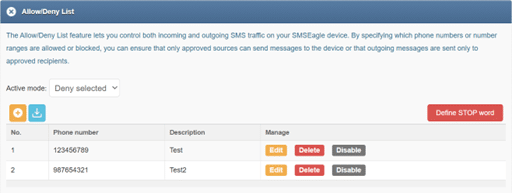
The Allow/Deny List feature lets you control both incoming and outgoing SMS traffic on your SMSEagle device. By specifying which phone numbers or number ranges are allowed or blocked, you can ensure that only approved sources can send messages to the device or that outgoing messages are sent only to approved recipients.
The Allow/Deny List operates in one of two mutually exclusive modes:
Allow selected
Deny selected
Only one mode can be active at a time.
Mode: Allow selected
In Allow selected mode, only phone numbers or number ranges explicitly defined on the list are permitted. All other numbers are automatically blocked.
Behavior:
Incoming SMS Only messages sent from numbers listed in the Allow List are accepted. Messages from all other numbers are rejected.
Outgoing SMS The device can send messages only to numbers listed in the Allow List. Attempts to send messages to other numbers are blocked.
Typical use cases
Restricting communication to a known set of trusted numbers
Limiting outbound traffic to approved recipients only
Creating a closed SMS environment for integrations, automation, or testing
Example
If the list contains:
+48123456789
+4420*
Then:
SMS traffic is allowed only to and from that specific number +48123456789 and all UK numbers starting with +4420
Any SMS involving other numbers is blocked
Mode: Deny selected
In Deny selected mode, all phone numbers are permitted by default, except those explicitly defined on the list.
Behavior:
Incoming SMS Messages from numbers listed in the Deny List are blocked. Messages from all other numbers are accepted.
Outgoing SMS The device cannot send messages to numbers listed in the Deny List, but can send messages to all other numbers.
Typical use cases
Blocking unwanted or abusive senders
Preventing SMS delivery to specific destinations or number ranges
Replacing traditional blacklist‑style filtering with unified inbound and outbound control
Example
If the list contains:
+1555000000
+31*
Then:
Messages to or from those numbers are blocked
All other SMS traffic is allowed
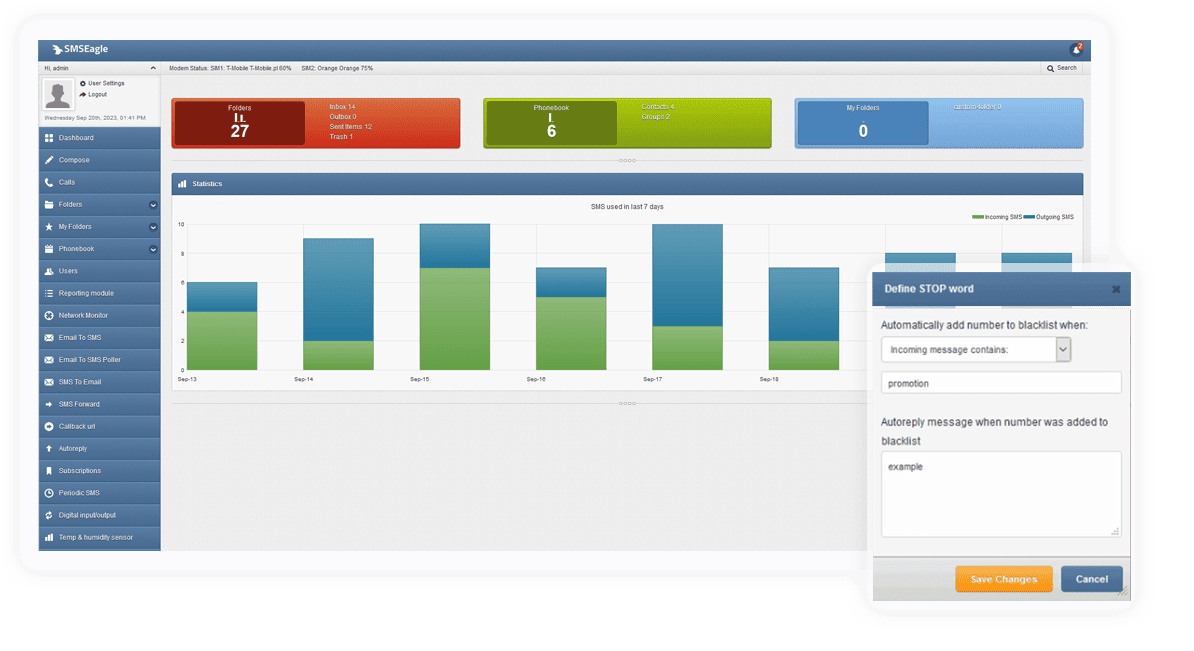
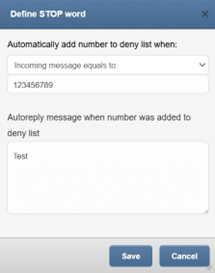
STOP Word
The STOP Word feature provides an automated way to block unwanted SMS senders based on message content. When a STOP word is defined, the SMSEagle device monitors incoming SMS messages for this keyword. If an incoming message contains the defined STOP word, the sender’s phone number is automatically added to the Deny list. As a result, any further incoming or outgoing SMS communication with that number is blocked according to the Deny selected mode rules.
This feature is especially useful for:
Automatically handling opt‑out or unsubscribe requests
Blocking senders who respond with predefined keywords (e.g. STOP, UNSUBSCRIBE)
Reducing manual administration of blocked numbers
Notes
The Allow/Deny List applies globally to SMS traffic on the device.
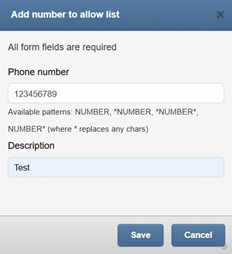
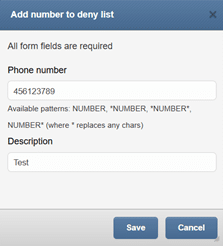
Phone numbers can be defined as single numbers or number ranges using wildcards. The following wildcards may be used for multiple numbers: *NUMBER, *NUMBER*, NUMBER* (where * replaces any chars)