Home / Features / Network Monitoring

Network monitoring

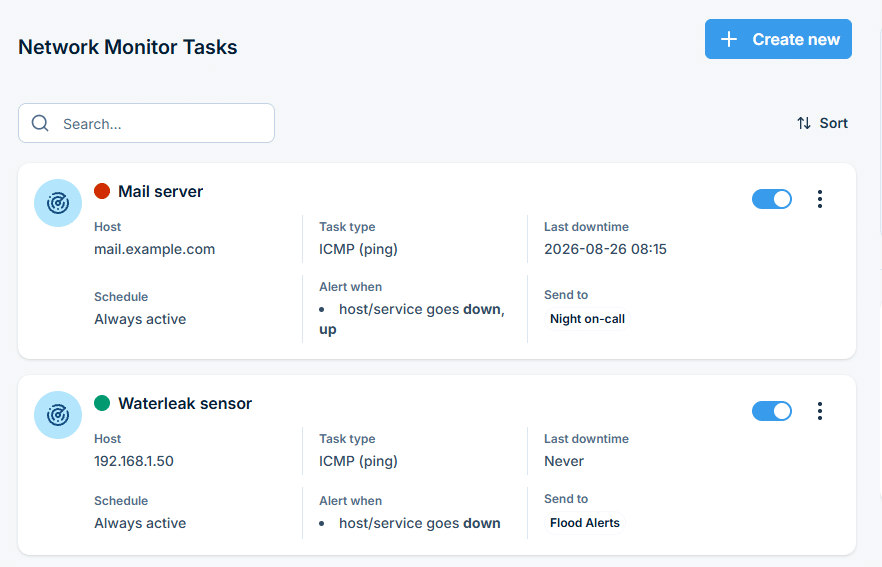
This feature provides a versatile monitoring tool that allows you to define, schedule, and send SMS alerts when server or service status changes, ensuring swift responses to maintain high uptime.

Function Details

With SMSEagle Network Monitoring feature we give you a tool for monitoring your services or servers. Just define what and when should be monitored. SMSEagle will send you SMS alerts when your services/servers go down or up. Be informed immediately, keep reaction time low, and let your customers be happy with your services.

Define what you want to monitor

  • Choose a name for the task
  • Enter a host (IP address or Hostname)
  • Choose ICMP (ping) to monitor a server with ICMP protocol
  • or PORT (TCP/UDP) to monitor your service on a selected port (SMSEagle will check if port is open)
  • or SNMP to monitor objects (OID) via SNMP protocol (supported return types: numeric, string)
  • or Modbus TCP to monitor objects & register values via Modbus TCP/IP protocol
  • Increase a default timeout value for busy servers (by default we set it to 30 seconds)

Define a schedule

  • Choose if task should be always enabled…
  • …or disable it in chosen times
    (during a night, when a machine goes through planned restarts, during resource intensive backups, etc.)
  • Enter a phone number or choose a group of users to send your SMS alert to
  • Select when to send SMS alert (when host/service goes down, when host/service goes up after failure)

Control a status of your tasks

  • See a settings’ overview for all of your tasks
  • Check which server/service is currently unavailable
  • See when a specific server/service was last down (last downtime)
  • Check what happened at last downtime (see server/service response)
  • Edit/delete your tasks
  • Disable tasks when needed (eg. when doing a machine upgrades)

Define a SMS alert message

Define your SMS messages when host or service becomes unavailable/comes back to life. Choose field placeholders for your SMS text:

    • {TASKNAME} – puts a taskname inside SMS text
    • {HOST} – hostname or IP address
    • {RESPONSE} – message received (in case of no response from server/service)
    • {TIMESTAMP} – timestamp of an error

Receive SMS alerts

  • Be alerted when your services/servers go down (or go up after failure)
  • Give yourself a chance to react quickly

Make your customers happy with keeping high uptime ratio 🙂

SNMP TRAPS

SNMP trap is a popular mechanism used to manage and monitor devices’ activities across a small or a global network via SNMP. What makes the Trap unique from other messages is that they are triggered instantaneously by an agent, rather than waiting for a status request from the SNMP Manager.

Adding/editing SNMP Traps rule

For each rule a user can define:

  • If a message should be sent “always” or only “for specified IP / when trap contains
  • Set IP, Object ID, SNMP return value and type
  • Recipients of SMS
  • Set a message

Network Monitoring Probes

The Network Monitoring feature in SMSEagle devices allows you to continuously supervise the availability and health of network devices, services, and industrial systems. Each monitoring task is based on a test type, which defines how the target is checked. When a problem is detected, SMSEagle can immediately send SMS alerts (and optionally voice calls), ensuring fast reaction to incidents.

ICMP (Ping)

The ICMP (Ping) verifies basic network reachability of a host by sending ICMP echo requests.

Available parameters:

  • Host (IP or hostname)
  • Number of requests
  • Connect Timeout

Typical use cases:

  • Checking whether a server, router, firewall, or network device is online
  • Detecting total connectivity loss or device outages

TCP Port

The TCP Port probe checks whether a specific TCP service is accessible by attempting to establish a TCP connection to a defined port.

Available parameters:

  • Host: IP address or hostname
  • Port number
  • Connect Timeout

Typical use cases:

  • Monitoring services such as HTTP/HTTPS, SMTP, SSH, FTP, databases, or application servers
  • Verifying not only that a host is online, but that a service is actually running

UDP Port

The UDP Port probe monitors availability of services that rely on the UDP protocol.

Available parameters:

  • Host: IP address or hostname
  • Port number
  • Connect Timeout

Typical use cases:

  • DNS services
  • Custom or proprietary UDP-based applications

SNMP

The SNMP (Simple Network Management Protocol) probe allows SMSEagle to monitor specific parameters exposed by SNMP‑enabled devices.

Available parameters:

  • Host: IP address or hostname
  • Protocol version: v1/v2
  • Object ID
  • Community
  • Return value type (numeric/string)
  • Connect Timeout
  • SMS sent when: defines a condition when an SMS alert should be triggered (e.g. value is equal to / not equal to/ greater than / less than a defined threshold)

Typical use cases:

  • Monitoring routers, switches, UPS systems, servers, and network appliances
  • Tracking metrics such as temperature, CPU load, memory usage, link status, or power conditions

Modbus TCP

The Modbus TCP probe is designed for monitoring industrial and OT environments. This allows you to read values directly from PLCs, sensors, controllers, and other industrial equipment that support Modbus TCP/IP communication, and trigger SMS alerts or voice (text-to-speech) alerts when a register value meets defined criteria.

Available parameters:

  • Host: IP address or hostname of the Modbus device
  • Port: TCP port of the Modbus server (default: 502)
  • Unit ID: Modbus unit identifier
  • Function code: type of register to read: Read Coils (1), Read Discrete Inputs (2), Read Holding Registers (3) or Read Input Registers (4)
  • Register: address of the register to be monitored
  • SMS sent when: defines a condition when an SMS alert should be triggered (e.g. value is equal to / not equal to/ greater than / less than a defined threshold)

Typical use cases:

  • PLCs
  • SCADA systems
  • Industrial sensors and automation equipment

Monitoring frequency

Since software version 3.41 monitoring tasks are performed in a parallel mode. Software automatically optimizes number of parallel tasks and frequency of tasks taking into account the performance of the device and adjusts monitoring period when needed.

Voice calls

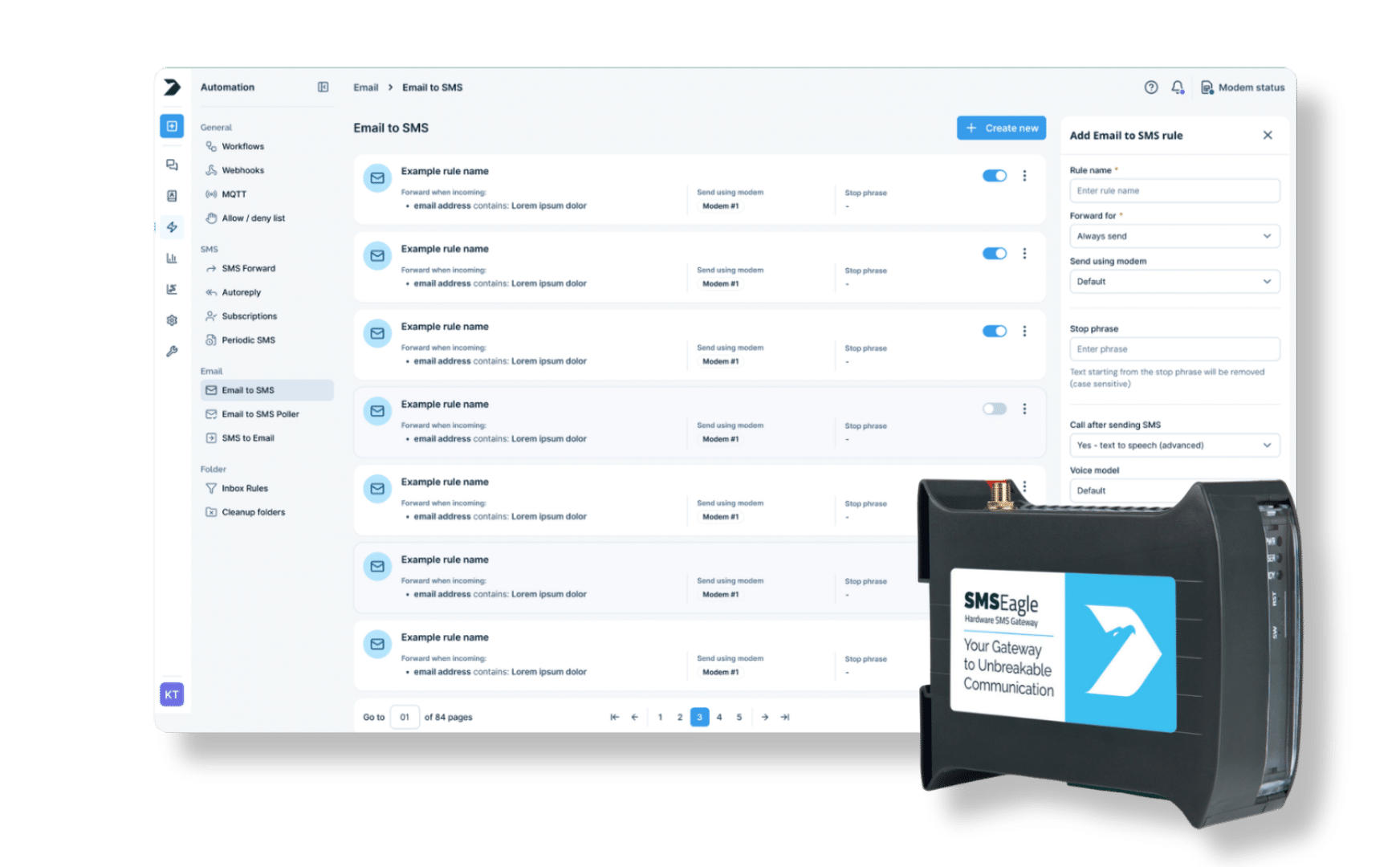
SMS message that was converted from email can be optionally followed by a wake-up call or text-to-speech call. This can be enabled in the rule definition. The feature requires a device with active Voice-Call add-on.

What is hardware
SMS Gateway?

Find a detailed description
in the User's Manual