


Home / Integration plugins / EventSentry SMS Integration

+

Send SMS alerts from EventSentry

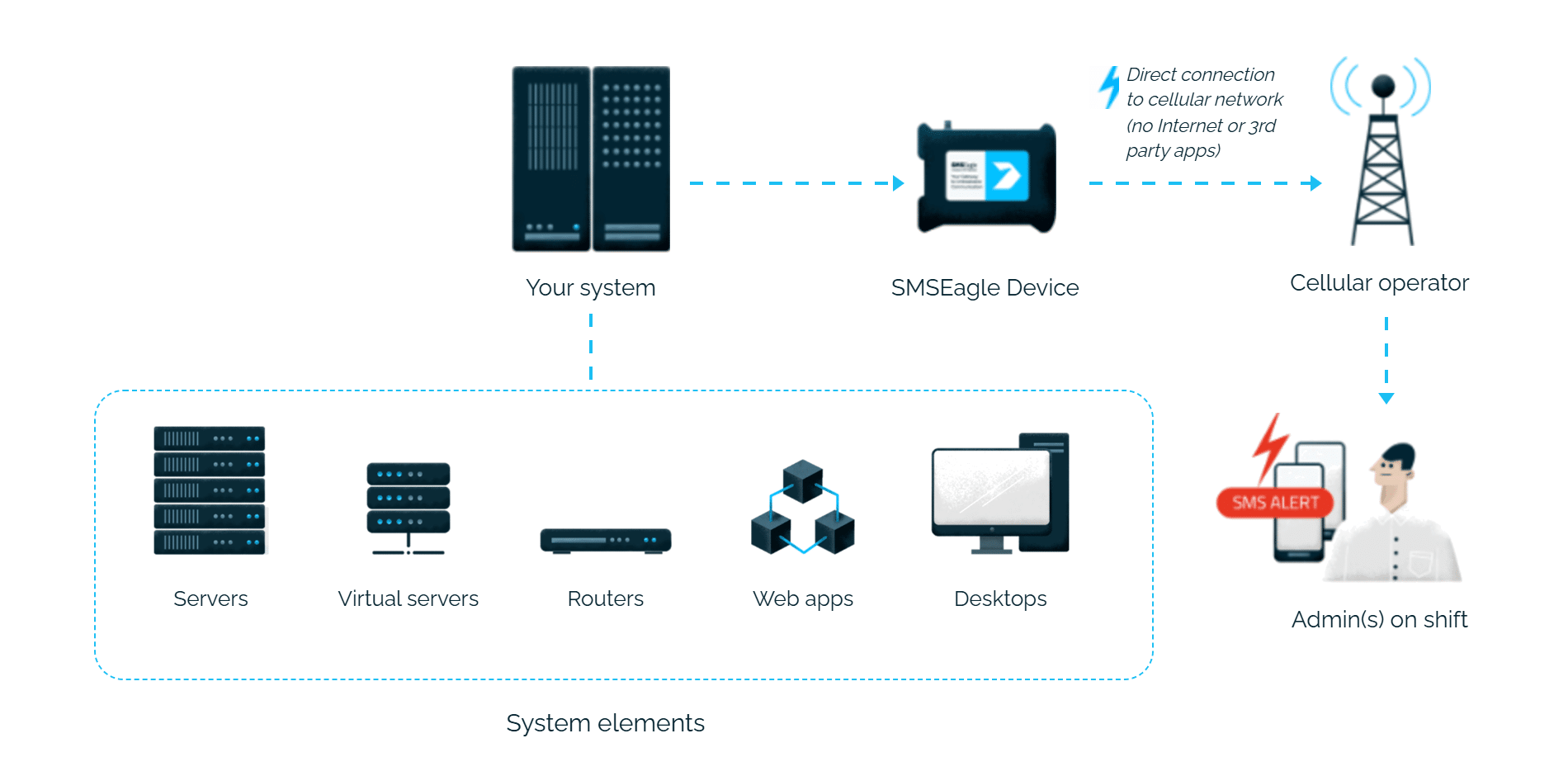
EventSentry alerts reach the person on duty as an SMS. SMSEagle sends them over its own cellular connection, so they don’t depend on internet access or a cloud service.

Ready SMSEagle template in EventSentry

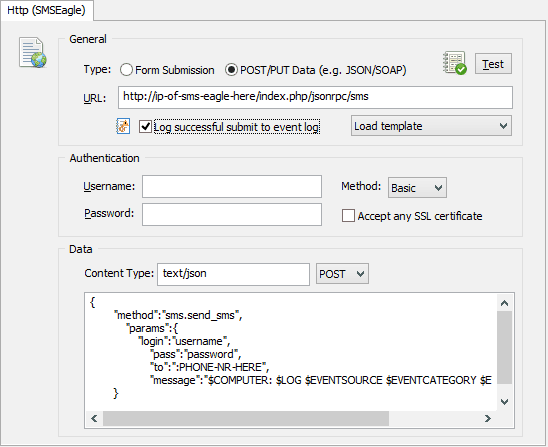
The EventSentry HTTP action has a built-in SMSEagle template, so you only fill in the device address, login and phone number.

SMS only about the events you choose

An EventSentry filter decides which events send an SMS, for example only when a monitored host goes offline.

Check that it works straight away

The Test button in the HTTP action sends a test SMS, so you know at once that everything is set up correctly.

How it works

1

Event Trigger

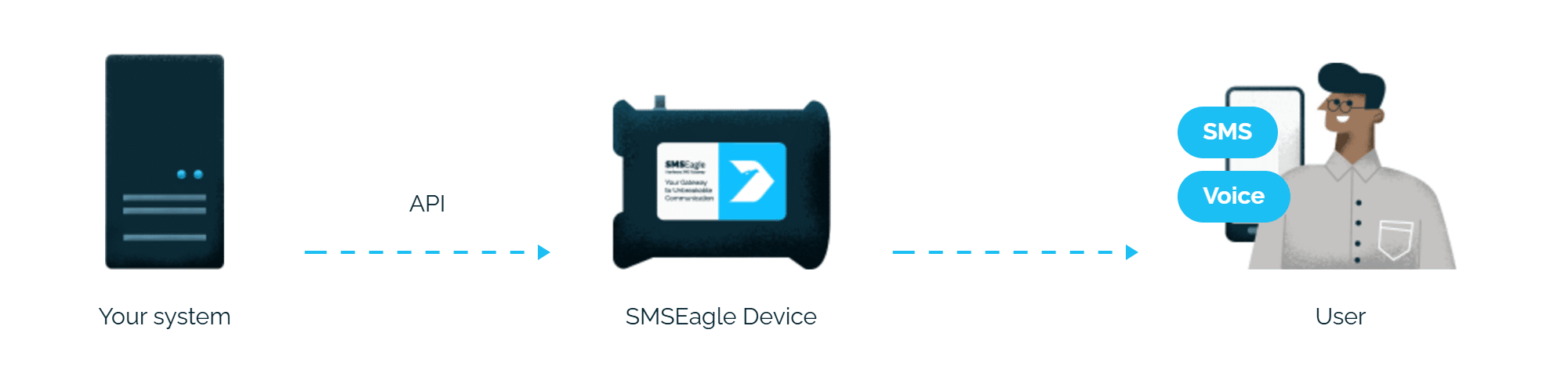
An EventSentry filter matches a monitored event, for example a host changing its availability status.

2

Communication

EventSentry’s HTTP action, configured with the built-in SMSEagle template, sends an HTTP API request to the SMSEagle device over your local network.

3

Alert

SMSEagle delivers the alert over its own cellular connection, not through a third-party service, as an SMS to the recipient’s phone.

Set up in about 10 minutes

Generate an API token in SMSEagle, create an HTTP action in EventSentry using the built-in SMSEagle template, and reference it in a filter.

SMSEagle sends EventSentry alerts to the right person by SMS, day and night.

No per-message fees

SMSEagle sends SMS through a regular SIM card, so you only pay for your mobile plan.

Alerts keep going if one carrier fails

On devices with two SIM cards from different operators, SMSEagle switches to the second one when the first operator’s network is down.

Alerts keep working even if one device fails

Two SMSEagle devices can work as an HA cluster: if one fails, the other takes over sending.

SMSEagle configuration

  • Create a new user in SMSEagle (menu System > Users, user access level: “User”).
  • Create an API key for that user:
    • go to Settings > Global settings > API and open the API v1 page
    • click Create API key, fill in Key name and select the user created above as Owner
    • Add access permissions in section Permissions for: Send SMS, Send to contact, Send to group
    • click Create key. The access token is shown only once, right after saving, so copy it for later use

EventSentry configuration

I. Create an EventSentry HTTP action and point it to your SMSEagle device

The HTTP action includes a number of templates to quickly load all required fields for a specific HTTP API. Select the SMSEagle from the Load template drop-down and specify all the required fields (host IP, user and password to SMSEagle, phone number). Use the test button to ensure the action is setup correctly.

Once the action is setup it can be referenced by one or more filters so that it is triggered under the right circumstances.

II. Setup SMS Notification and Test it

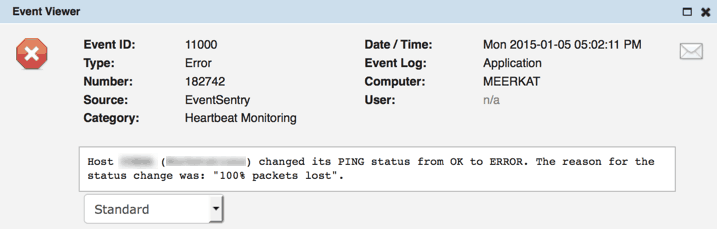
Assuming that you are already monitoring a host outside your network (e.g. your ISPs DNS server, a public web site) to determine whether your Internet connection is available or not, you would want to look for EventSentry event 11000, which indicates when a host changes its availability status, such as:

III. Test

Here, we are looking for an application error generated by the Heartbeat Monitoring category of the EventSentry source. We’re also further restricting the filter to only alert us on status changes of the “ispdns” host when it goes off-line. Since the SMSEagle is listed as the action, this particular event (alert) will be sent to the SMSEagle action.

The insertion strings can be determined by either clicking on the “Lookup” button on the filter dialog, or by clicking on the “Preview” button when adding a content filter.


Explore SMSEagle Demo device

SMSEagle is a hardware & software solution that guarantees a swift delivery of your messages to designated recipients, whether it’s for notifications, alerts, or important updates.

After registering to a demo you get a remote access to our physical device NXS-9750.

  • 14-days free trial
  • Access to over 20 functionalities

What is hardware
SMS Gateway?

Learn more about
SMSEagle features
