A completely redesigned interface, built around how you actually work
SMSEagle’s new interface groups every function around what you’re trying to do, not the system’s internal structure. New navigation, conversation view for every channel, and bulk actions replace years of accumulated menus, while every existing feature stays exactly the same.
Rollout starts 30.09.2026, and may take up to a week to reach all users.
Rollout order: Rev. 5 → Rev. 4 → MHD → Rev. 3
Every function grouped by what you’re trying to do
8 areas, Dashboard, Messages, Phonebook, Automation, Reports, Monitoring, Settings, System, replace years of accumulated menu structure, so any feature is 2-3 clicks from the start screen.
SMS, WhatsApp, Signal, and Email in one conversation view
Every channel shows the complete message thread with a contact, next to a list of conversations, the same way a modern messaging app works.
Bulk actions on contacts, groups, shifts, and messages
Change the group or on-call shift for hundreds of contacts at once, or move a batch of messages between folders, instead of editing one record at a time.
A global Compose panel and quick reply from any screen
Start a new message from anywhere in the system, or reply straight from a conversation thread, with saved templates ready in two clicks.
13 automation types, one consistent pattern
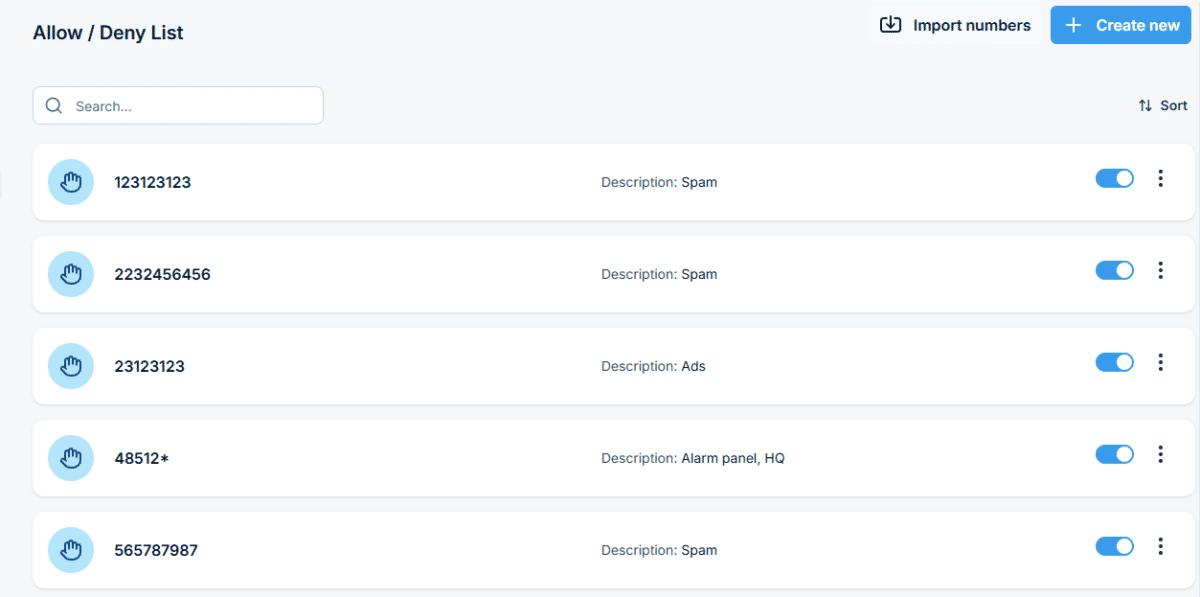
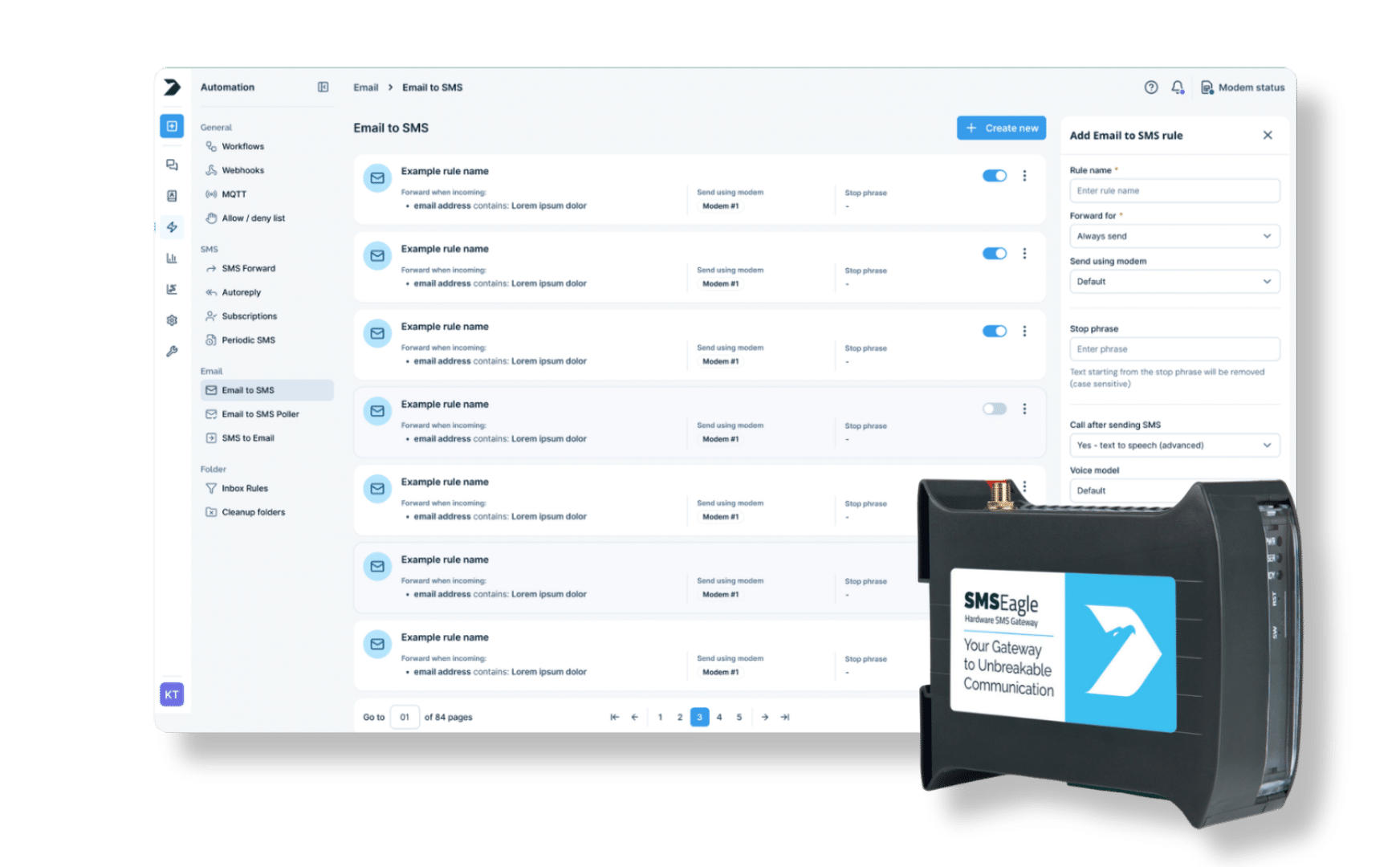
Workflows, Webhooks, MQTT, Autoreply, SMS Forward, and every other automation now share the same layout: list, side panel, and bulk actions, with explanations built into every field.
A new start screen with live stats and system health
Message volume trends, a traffic heatmap by hour and day, and the device’s own health, signal, channels, resources, are all visible right after login, with every function still 2-3 clicks away.
"Release 7.0 brings an interface that finally matches what SMSEagle has become: an unbreakable communication platform, not just a piece of hardware. Secure, reliable, and built around how our customers actually work."
Radosław Janowski, CEO, SMSEagle
New interface: common concerns, answered
Will I lose my messages, contacts, or configuration?
No. Messages, contacts, phonebook groups, shifts, and automation rules all carry over automatically during the update, and a backup is taken beforehand as an extra safety net.
Will my custom settings and automation rules survive the update?
Yes, exactly as configured. Rules for Autoreply, SMS Forward, Email to SMS, Workflows, and every other automation are preserved; only the screen used to manage them changes.
I'm worried I won't be able to find anything after the redesign.
Every function is reorganized around 8 task-based areas, not renamed away or removed. Transition materials mapping the old menu to the new one are provided, and most users find their way intuitively from the first session.
Will I lose any features or options that exist today?
No. Keeping 100% of current functionality in place is an explicit goal of the redesign. Nothing is removed, only the interface around it changes.
What if something goes wrong or I don't like the update?
A backup is taken automatically before the update completes, and a standard restore procedure is available if you ever need to roll back.
Will my team need retraining to use the new interface?
Most people find the new layout intuitive without formal training. SMSEagle also provides materials showing exactly what moved where, for anyone who wants a head start.
WEB-GUI
An interface, built around how you actually work
SMSEagle’s new interface groups every function around what you’re trying to do, not the system’s internal structure. New navigation, conversation view for every channel, and bulk actions replace years of accumulated menus, while every existing feature stays exactly the same.
SMS, WhatsApp, Signal, and Email open as a single conversation thread with quick reply and templates, so two-way communication never means hunting through tables.
Hours of admin work, down to minutes
Bulk actions on contacts, groups, and shifts, plus one consistent pattern across all 13 automation types, turn repetitive admin work into a handful of clicks.
Know your system's health before you have to ask
A new dashboard with live stats and a traffic heatmap, plus configurable, schedulable reports, put the state of your communication right in front of you.
See the redesigned SMSEagle interface for yourself
SMS, WhatsApp, Signal, and Email in one conversation view
Every channel shows the complete message thread with a contact, next to a list of conversations, the same way a modern messaging app works.
Update hundreds of records in minutes
Bulk actions on contacts, groups, shifts, and messages
Change the group or on-call shift for hundreds of contacts at once, or move a batch of messages between folders, instead of editing one record at a time.
Reports built for what you actually need
Configure once, get it delivered automatically
Set the date range, folder, sorting, and filters in one form, export the result, or schedule it to arrive on a recurring basis, with heatmap charts showing traffic patterns at a glance.
Know what's happening the moment you log in
A new start screen with live stats and system health
Message volume trends, a traffic heatmap by hour and day, and the device’s own health, signal, channels, resources, are all visible right after login, with every function still 2-3 clicks away.
Minor upgrades
Navigation & design
A consistent look and feel, everywhere
8 areas replace the old menu, with a unified color palette, typography, icons, and components across every screen, so any function is 2-3 clicks away.
Automation
One pattern, 13 automation types
Workflows, Webhooks, MQTT, Autoreply, and every other automation now share the same layout: list, side panel, and bulk actions.
Reorganized modules
Calls, monitoring, and settings, each in one place
Calls brings together history, audio files, and TTS voice models. Monitoring combines network checks, digital I/O, and sensors. Settings and System are grouped by channel, with a dedicated area for users, logs, and backups.
Messaging improvements
Small details that speed up daily messaging
Compose and quick reply work from anywhere, message templates are easier to manage and available in every channel’s quick reply, unconfigured channels show a setup guide instead of an empty screen, and email messages get a one-click technical details view.
Lists, forms, and folders
The same list and form pattern, everywhere
One consistent search, filter, sort, and pagination pattern across every list, add and edit forms open in a side panel without losing your place, and My Folders and Trash keep the structure you already use.
Phonebook improvements
Faster contact and shift management
Shifts get quick options and copy-to-week scheduling, and contact groups are split into your own and shared groups, viewable side by side with their members.
A complete redesign of the SMSEagle interface: new navigation, new visual design, and new interaction patterns, while every existing function stays the same.
Is this a new product?
No. It’s the same SMSEagle hardware and functionality, with a new interface in software version 7.0.
Will anything stop working after the update?
No. The redesign is built around keeping all current functionality in place while the interface changes.
Will my data and configuration be preserved?
Yes. Messages, contacts, automation rules, and settings carry over automatically during the update, with a backup taken beforehand.
Does the REST API change?
No. The public REST API v2 stays the same, so existing integrations with monitoring tools, helpdesks, and scripts keep working exactly as before.
Do I need to reconfigure my automations after updating?
No. Rules for Autoreply, SMS Forward, Email to SMS, and every other automation carry over as they are, only the interface used to manage them changes.